MMEENNUU IITTEEMM DDEESSCCRRIIPPTTIIOONN
IIPPSSeecc SSAA LLiiffeettiimmee ((HHoouurrss))
• 1
• 2
• 4
• 8*
• 24
Specify the IPSec SA expiry period.
Note: This menu item appears only when Base
Configuration is set to Secure.
IIPPSSeecc DDeevviiccee CCeerrttiiffiiccaattee Specify an IPSec certificate.
Note: This menu item appears only when
Enable IPSec is set to On.
PPrree--SShhaarreedd KKeeyy AAuutthheennttiiccaatteedd CCoonnnneeccttiioonnss
• Host [x]
Configure the authenticated connections of the printer.
Note: These menu items appear only when
Enable IPSec is set to On.
CCeerrttiiffiiccaattee AAuutthheennttiiccaatteedd CCoonnnneeccttiioonnss
• Host [x] Address[/subnet]
Note: An asterisk (*) next to a value indicates the factory default setting.
802.1X
Note: This menu appears only in network printers or printers that are attached to print servers.
MMEENNUU IITTEEMM DDEESSCCRRIIPPTTIIOONN
AAccttiivvee
• Off*
• On
Let the printer join networks that require
authentication before allowing access.
880022..11xx AAuutthheennttiiccaattiioonn
• Device Login Name
• Device Login Password
• Validate Serve Certificate (On*)
• Enable Event Logging (Off*)
• 802.1x Device Certificate
Configure the settings for authenticating the 802.1x
connection.
138
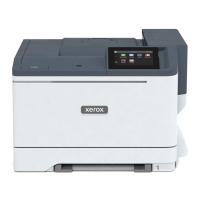
Xerox
®
C410 Color Printer User Guide
Use Printer Menus



 To Next Page