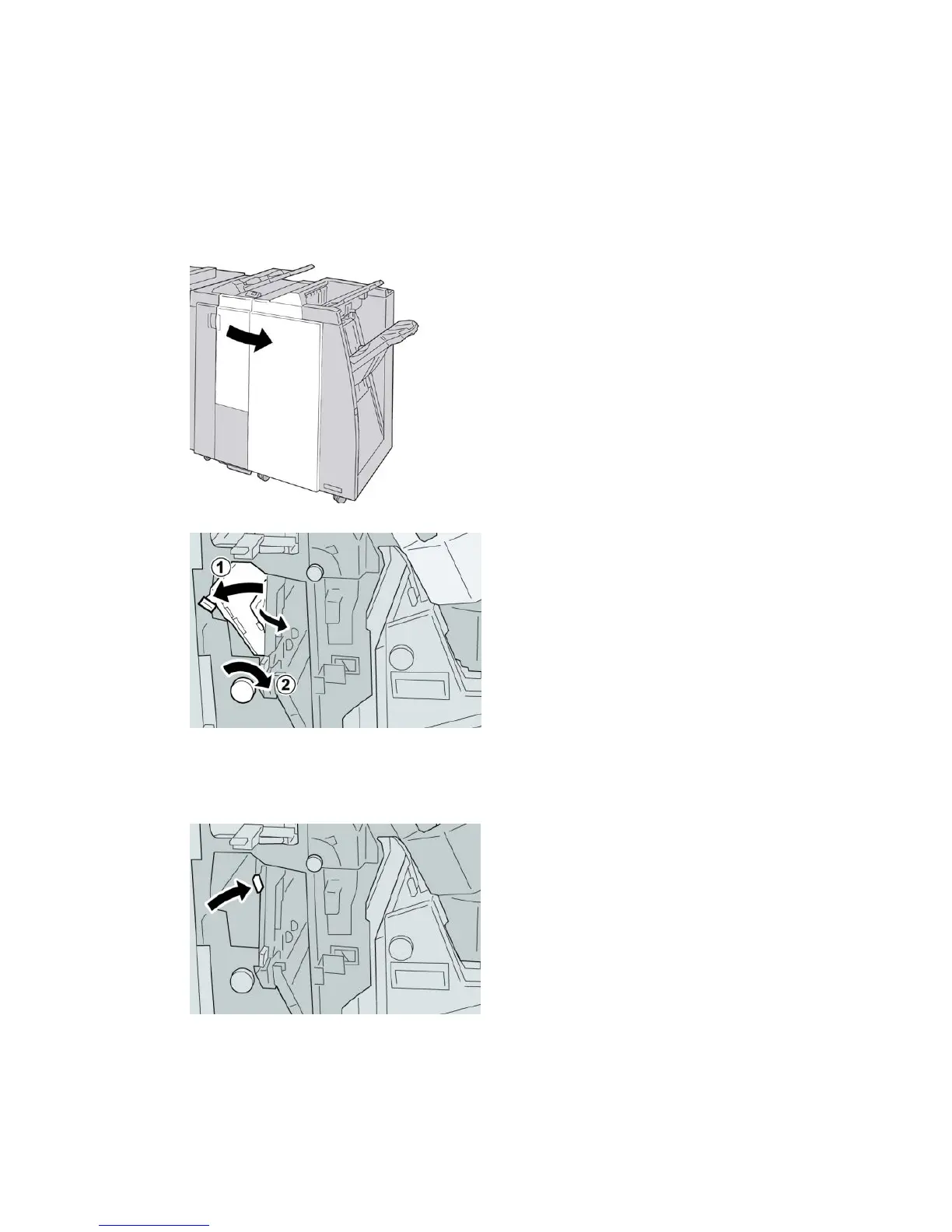
Paper jams at lever 2b and knob 2c
Tip
Always ensure that all paper jams, including any small ripped pieces of paper, are cleared
before proceeding with your print jobs.
1. Make sure that the machine has stopped printing.
2. Open the right cover on the finisher.
3. Move the lever 2b and turn the knob 2c; remove the jammed paper.
Note
If paper is torn, check inside the machine and remove it.
4. Return the lever 2b to its original position.
User Guide24-24
Standard Finisher Plus






 To Next Page