Xtralis Pty Ltd XCC Product Guide
www.xtralis.com 19
5 Operation
5.1 Display
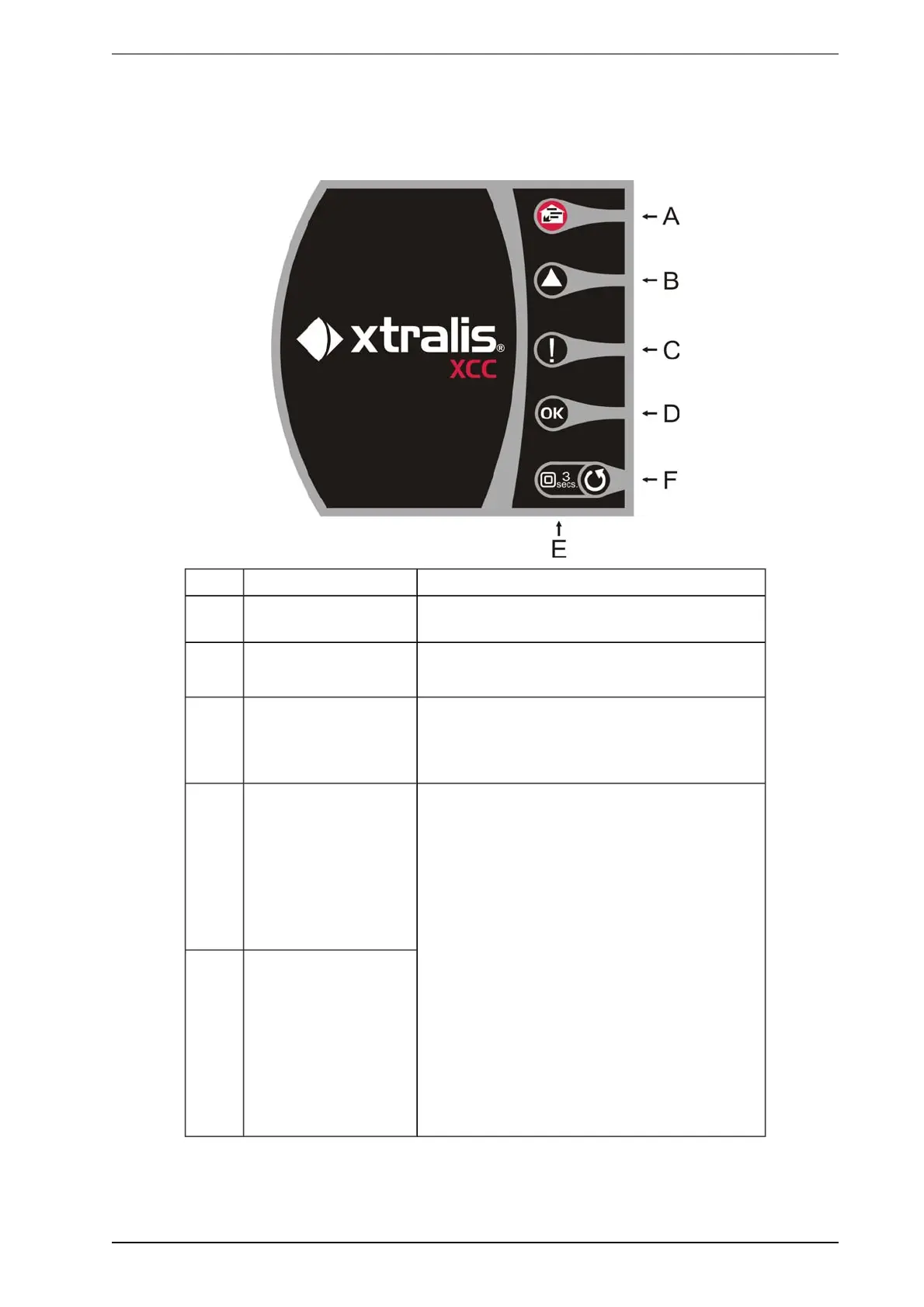
A Fire-Alarm This LED is illuminated when the unit detects a fire.
B Pre-Alarm This Pre-Alarm LED is illuminated when the unit
detects a potential fire event developing.
C Fault This LED is illuminated when a fault is detected.
It is also illuminated during airflow normalization.
D OK This LED stays illuminated during normal operation
indicating the detector is functioning normally. This
LED flashes twice repeatedly during air flow
normalization.
E Reset / Disable This LED is illuminated when detector is disabled.
While it remains disabled the Fault relay is de-
energized (indicating a fault condition) and the Pre-
Alarm and Fire-Alarm relays will not activate in the
case of an alarm.
l To Reset the unit, press button once.
l To Disable the unit, press and hold button for
3 seconds.
l To Enable the unit, press and hold button for 3
seconds.
l While Disabled, faults may be cleared by
pressing button once.
The button will not operate:
l if an external disable or standby command is
activated using the GPI (refer to Auxiliary / GPI
Terminals on page 10), or;
l if the Reset/Disable button has been locked
out in the programming.
F Reset / Disable Push
Button
Figure 5-1: LED Indicators and the Reset/Disable button









 To Next Page