XCC Product Guide Xtralis Pty Ltd
22 www.xtralis.com
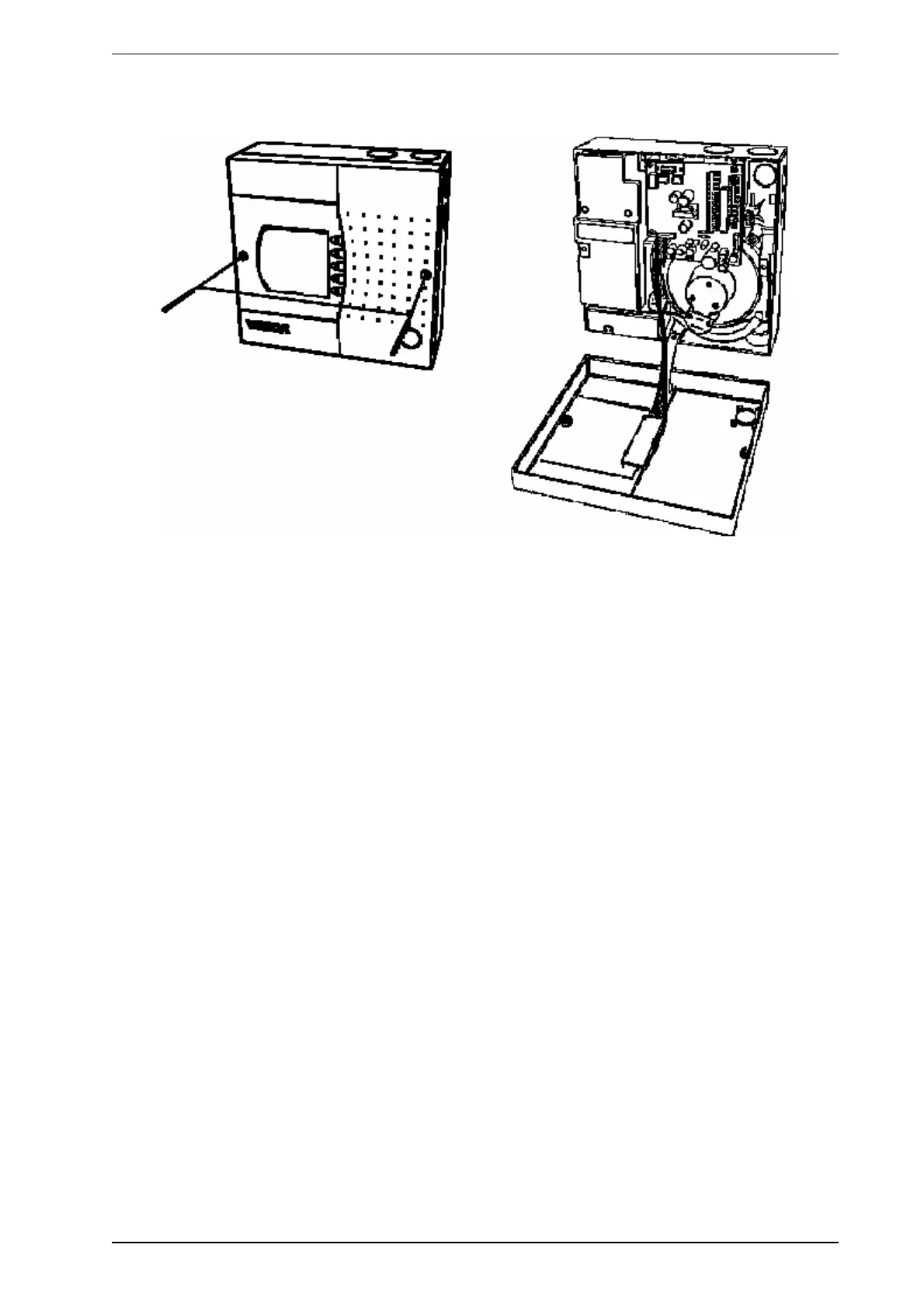
6.2 Opening and Closing the Detector
Figure 6-2: Opening and closing the detector
6.2.1 Opening
1. Undo the two screws on front cover.
2. Open the front cover and allow cover to hang by the attached plastic strap.
6.2.2 Closing
1. Replace the front cover over detector enclosure ensuring the plastic strap and cable loom are not
wedged between the cover and enclosure.
2. Tighten the two screws.









 To Next Page