Key Function
Alarm Log The [Alarm Log] key allows access to the 5 latest alarms
numbers A1–A5. To obtain details about an alarm, use
the arrow keys to highlight the alarm number and press
OK.
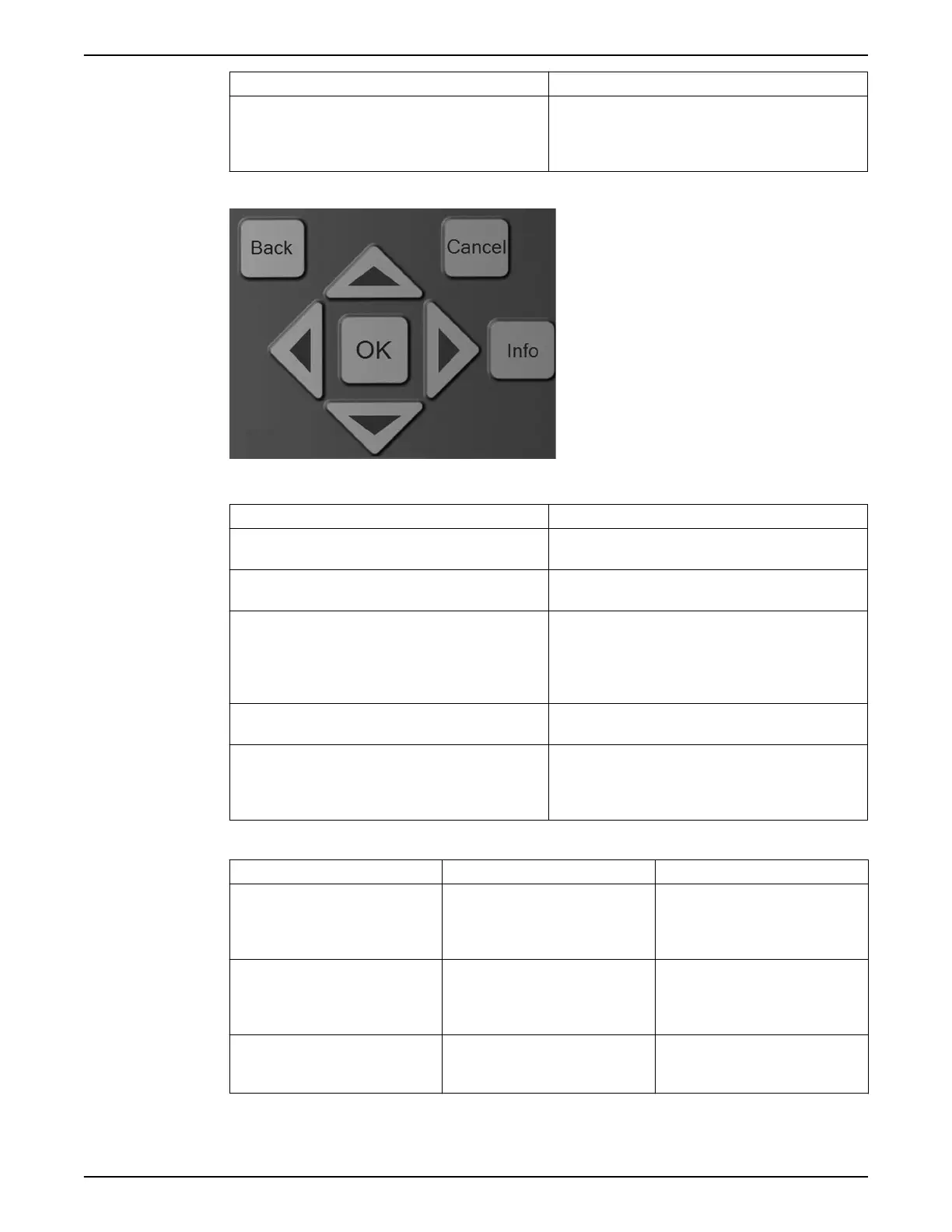
Navigation keys
Table 17: Navigation keys functions
Key Function
Back Pressing the [Back] key reverts to the previous step or
layer in the navigation structure.
Cancel Pressing the [cancel] button will cancel the last change or
command as long as the display has not been changed.
Info Pressing the [Info] button will display information about
a command, parameter, or function in any display
window. [Info] provides detailed information when
needed. Exit the Info mode by pressing either [Info],
[Back], or [Cancel].
OK [OK] is used for choosing a parameter marked by the
cursor and for enabling the change of a parameter.
Arrows The four navigation arrows are used to navigate between
the different choices available in [Quick Menu], [Main
Menu] and Alarm Log]. Use these keys to move the
cursor.
Table 18: Indicator lights functions
Light Indicator Function
Green ON The ON light activates when the
controller receives power from mains
voltage, a DC bus terminal, or an
external 24 V supply.
Yellow WARN When warning conditions are met,
the yellow WARN light comes on and
text appears in the display area
identifying the problem.
Red ALARM A fault condition causes the red alarm
light to flash and an alarm text is
displayed/
5 Electrical Installation
80 Aquavar
®
Intelligent Pump Controller - 150 HP to 600 HP INSTRUCTION MANUAL







 To Next Page