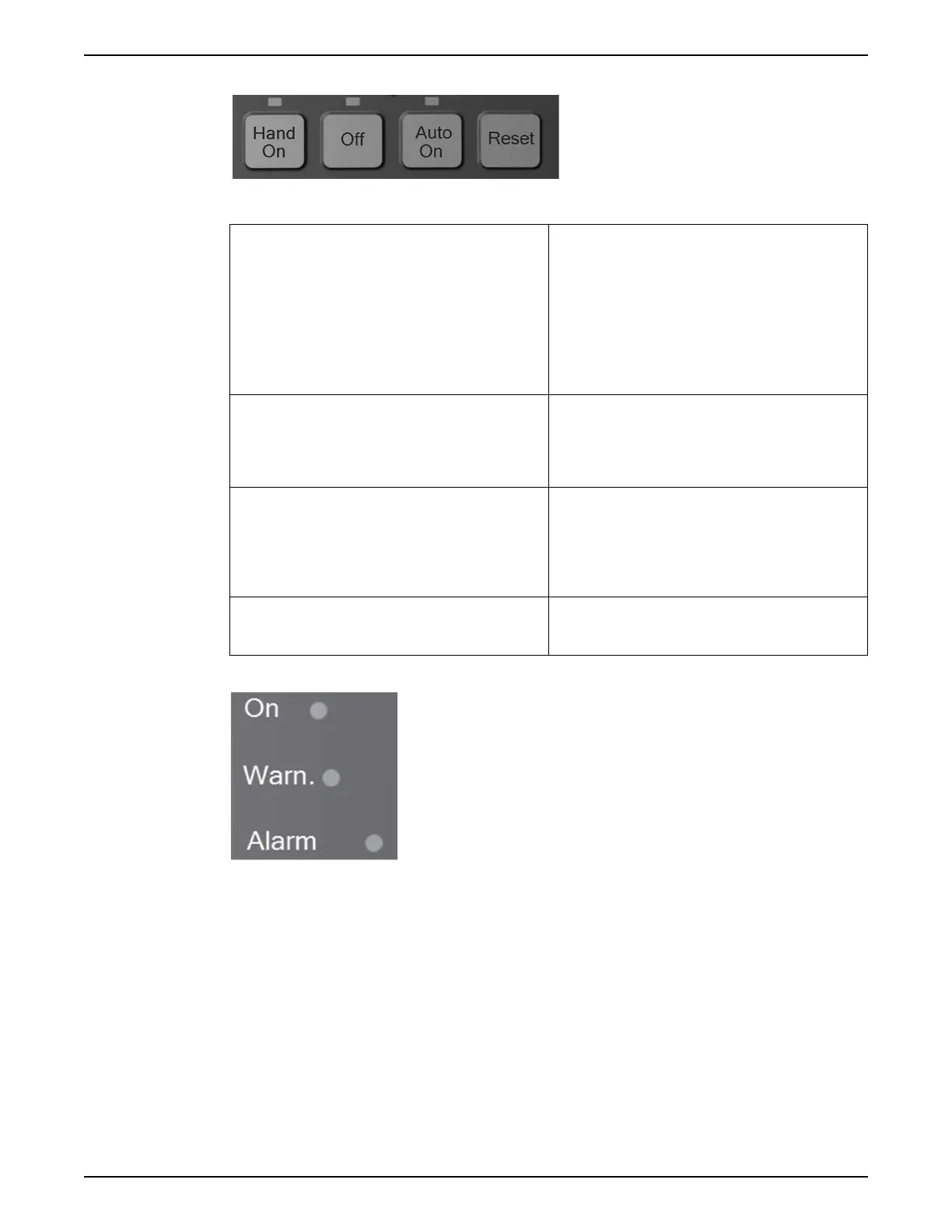
Operation keys
Table 19: Operation keys functions
Hand On The [Hand On] key enables control of the drive via the
LCP interface. Pressing [Hand On] also starts the motor
and the speed can be manually adjusted using the arrow
keys. The [Hand On] key can be enabled or disabled via
parameter [0–40] [Hand on] Key on LCP. If [Hand On] is
active the drive can be stopped by:
• Start signal on DI 18
• The [Off] button
• Stop command from serial communication
Off Pressing the [Off] key will stop the motor. The [Off] key
can be enabled or disabled via parameter [0–41] [Off]
Key on LCP. If no external stop function is selected and
the [Off] key is disabled, the motor can only be stopped
by disconnecting the mains supply.
Auto On Pressing the [Auto On] key enables the drive to be
controlled via the control terminals and/or serial
communication. When a start signal is applied on the
control terminals and/or serial communication, the drive
will start. This key can be enabled or disabled via [0–42]
[Auto on] Key on LCP.
Reset The [Reset] key is used for resetting the controller after an
alarm (trip). The key can be enabled or disabled via
parameter [0–43] [Reset] Key on LCP.
Status lights
If certain threshold values are exceeded, the alarm and/or Warning (Warn.) LED will turn
on. If an alarm or warning is active, a status or alarm text will appear on the control panel.
• Yellow Warn. LED: Indicates a warning is active.
• Red Flashing Alarm LED: Indicates an alarm is active.
The On LED is activated when the controller receives power.
• Green On LED: Control section is powered and working.
Parameter backup
Parameter settings are stored internally in the controller. The parameters can be
uploaded to the LCP for backup or to easily transfer the parameter settings from one
controller to another controller. A factory reset/initialization does not change the data
stored in the LCP.
NOTE: Parameter data can be uploaded to the LCP through the use of the Start-Up Genie.
Simply select Copy to LCP from the setup selection menu at the beginning of the Genie.
5 Electrical Installation
Aquavar
®
Intelligent Pump Controller - 150 HP to 600 HP INSTRUCTION MANUAL 81







 To Next Page