
 To Next Page
W
Wendy MitchellSep 12, 2025
How to fix email error on Xylem FLYGT MAS 711 Measuring Instruments?
- MmichelledavisSep 12, 2025
An email error indicates an error in the email settings. Check the email settings to resolve this.

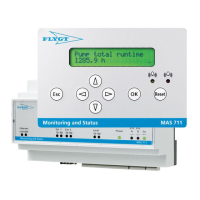
How to fix email error on Xylem FLYGT MAS 711 Measuring Instruments?
An email error indicates an error in the email settings. Check the email settings to resolve this.
How to fix No pump memory sync error on Xylem Measuring Instruments?
If there is a difference between the pump serial number in the pump memory and the base unit, manually synchronize the pump memory and the base unit.
How to resolve service request on Xylem FLYGT MAS 711 Measuring Instruments?
A service request indicates a request in accordance with the service settings. Reset the base unit and service of the pump.
 General
| Brand | Xylem |
|---|---|
| Model | FLYGT MAS 711 |
| Category | Measuring Instruments |
| Language | English |
Purpose of the manual and instructions to read and keep it.
Explanation of safety messages, hazard levels, and associated symbols.
Guidelines for safe operation, including electrical safety and personnel qualification.
Instructions for proper disposal of the product and its components.
Guidance on using only manufacturer's original spare parts.
Information on product warranty, referring to the sales contract.
Details on Xylem's support for tested and approved products.
Procedure for inspecting the package and product upon delivery.
Recommendations for storing the product in a dry and protected location.
Overview of the MAS 711 system's design and capabilities.
Identification of system components and their functions.
Instructions for mounting the unit onto a DIN rail.
Warning against installing the unit in explosive environments.
Detailed instructions for connecting pump cables based on wire count.
Wiring diagram and instructions for Modbus communication setup.
Instructions for connecting GO relay and alarm relays.
Wiring guidance for power supply, additional inputs, and outputs.
Description of the operator panel buttons and their functions.
Explanation of the information displayed on the operator panel screen.
Steps to configure Java security settings for web tool access.
Procedure for connecting a computer directly to the base unit's web tool.
Instructions for configuring the IP address using the web tool interface.
Instructions for configuring the IP address using the operator panel.
Steps to connect a computer to the web tool through a local area network.
Configuration options available through the web tool interface.
Configuration options accessible via the operator panel.
Explanation of alarm levels, indications, and reset procedures.
Procedures for using the web tool to monitor and manage the system.
Procedures for operating the system using the local operator panel.
Instructions for updating the unit's internal software.
List of common issues and their solutions for the MAS 711 system.
Explanation of system event messages and required actions.
Physical dimensions of the base unit and operator panel.
Operating temperature and humidity specifications.
Ingress Protection ratings for the unit and panel.
Specifications for supply voltage, frequency, and power consumption.
List of product certifications and approvals.
Diagram and description of the base unit's connectors and indicators.
Detailed mapping of terminals to functions and signals.
Overview of menu numbers and their descriptions in the view menu.
Overview of menu numbers and their descriptions in the setup menu.










