7
English Chapter 2: Names of Parts and Their Functions
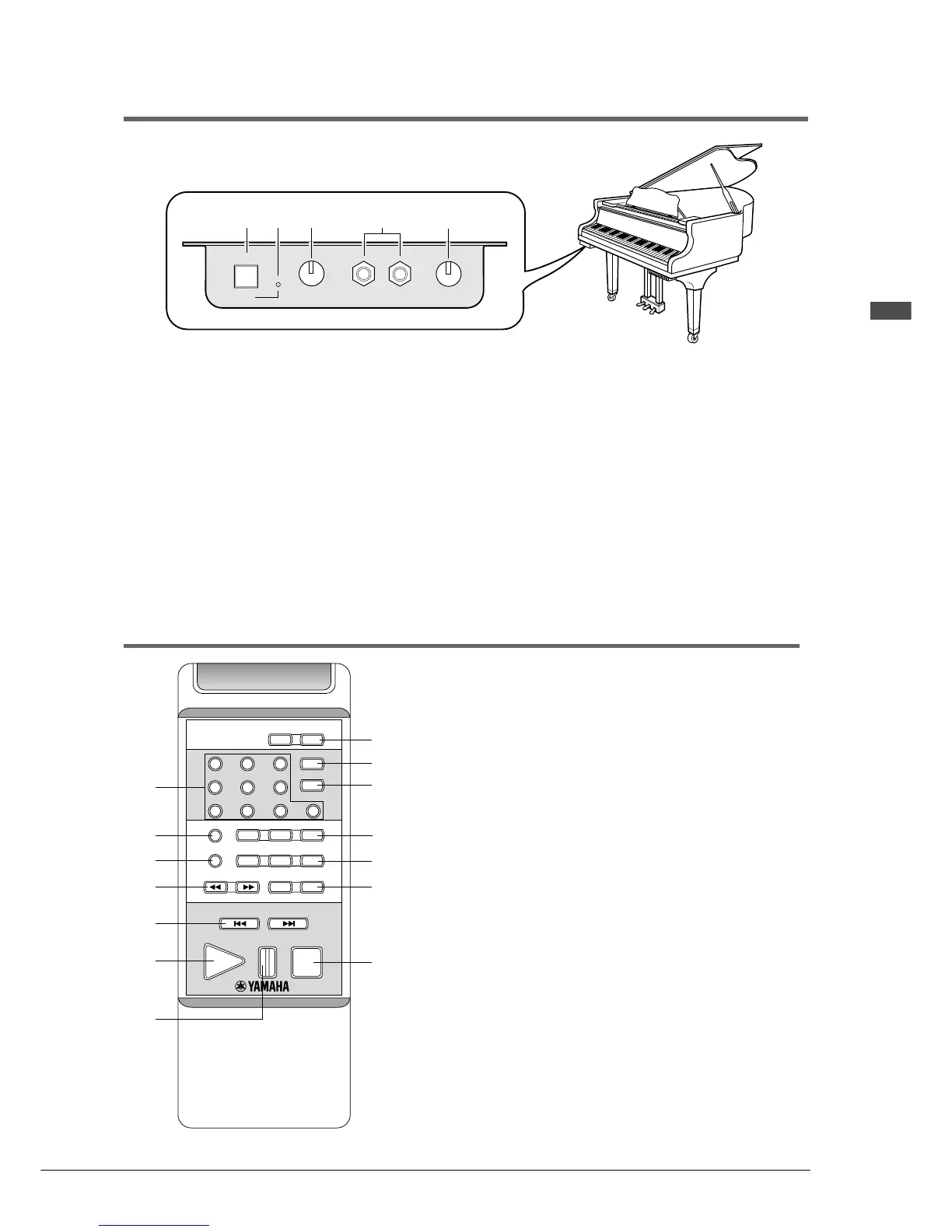
Silent Control Box (for models with Silent system playback)
1 [SILENT] button
Used to engage the Silent system.
The acoustic piano is silenced and sound is output
from the digital piano.
2 SILENT ON indicator
Lights when the Silent system is engaged.
3 VOLUME knob
Used to adjust the volume level of the digital piano
and internal XG tone generator in the Silent system.
4 HEADPHONES jacks
Connect HPE-170 stereo headphones or other
standard stereo headphones here for listening to
playback in Silent mode.
You can connect up to two sets of headphones.
5 REVERB knob
Used to adjust the amount of reverb for the digital
piano tone generator.
Remote Control
1 Number keypad*
Used for direct song selection and to enter a start
time for song playback.
2 [REPEAT] button
Used to select one of the Repeat functions: ALL,
RPT, or RND.
3 [A-B] button*
Used to enter A and B points for Segments A~B
and A~ Repeat modes.
4 [REV
.
FWD] buttons
In Play mode: Used to fast preview and review.
In Pause mode: Used to fast forward and reverse.
5 [SONG SELECT] buttons
Used to select songs.
6 [PLAY] button
Used to start playback.
7 [PAUSE] button
Used to pause playback.
SILENT
ON VOLUME HEADPHONES
1
3
4
REVERB
5
2
PPR-103E
PART SELECT
SEARCH
REPEAT
A-B
TRANSPOSE
TEMPO
REV•FWD VOLUME
SONG SELECT
PAUSEPLAY STOP
–+
+
+
0
–
213
456
78 9 0
0
–
LR
DRIVE
1
2
3
4
5
6
7
8
r
e
w
q
0
9







 To Next Page