36
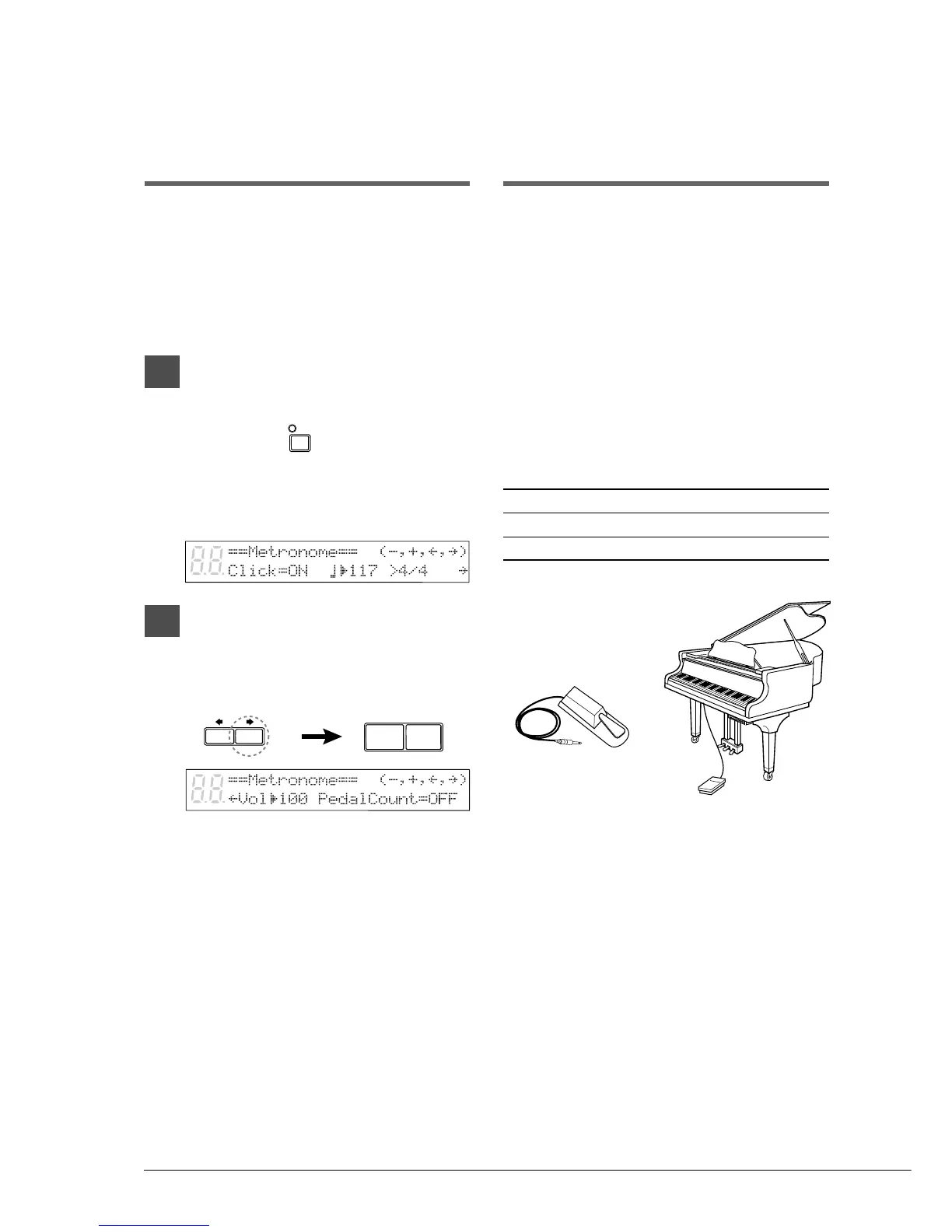
FC-4 Foot Switch
FC-5 Foot Switch
METRO-
NOME
–/NO +/YES
Adjusting the
Metronome Volume
(for models with Silent system playback)
In Silent and Quiet modes, you can listen to
playback with the metronome turned on. The
volume of the metronome can be adjusted in a
range from 50 to 127.
Note: The volume of the metronome can only be
adjusted in the Silent system.
11
In Silent or Quiet mode, press
[METRONOME].
The METRONOME indicator lights, the
metronome starts, and the following display
appears.
2
Press the [>] until the c cursor is
next to the Vol parameter, then
use the [–/NO] and [+/YES]
buttons to set the volume level.
The volume can be set between 50 and 127.
Using an Optional
Foot Switch or
Foot Controller
An optional Yamaha foot switch or foot controller
can be used to operate various Disklavier
functions.
Using a Start/Stop Foot
Switch
Start/stop functions can be controlled using an
optional Yamaha FC-4 or FC-5 foot switch.
The following table shows which functions can be
controlled using the foot switch.
Current Mode One Press Press Again
STOP PLAY PAUSE
PAUSE PLAY PAUSE







 To Next Page