18
Fast Preview & Review
During song playback, Fast Preview and Review
allow you to quickly search through a song with
the piano still playing. This is useful for locating
a desired position within a song.
1
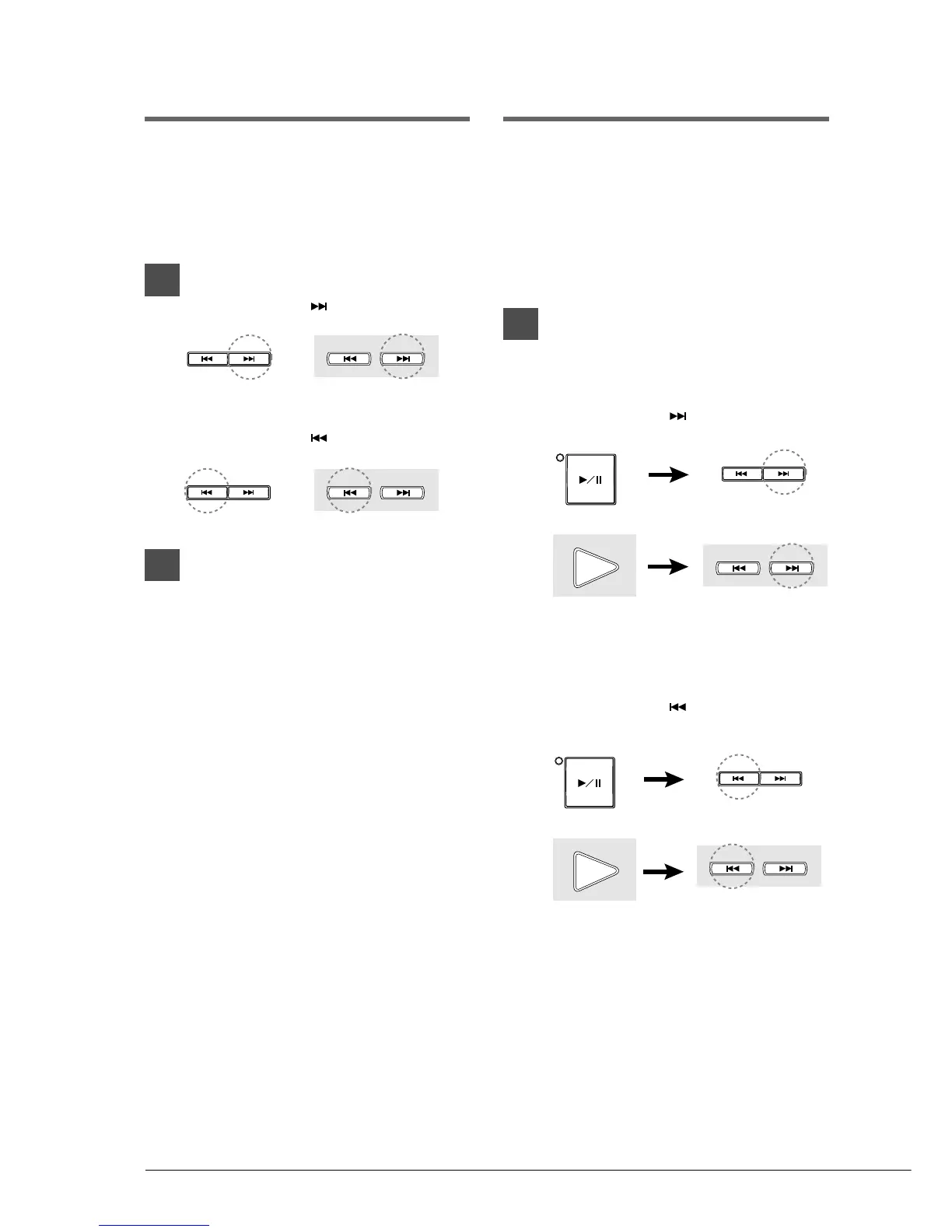
To preview, press
[SONG SELECT ].
To review, press
[SONG SELECT ].
2
Press [PLAY/PAUSE] to continue
normal playback.
Press [STOP] to engage Pause
mode.
If a song is reviewed all the way to the
beginning, Pause mode is engaged.
Pressing [PLAY/PAUSE] starts playback
from the beginning.
If a song is previewed all the way to the
end, Pause mode is engaged. Pressing
[PLAY/PAUSE] starts playback of the next
song.
Fast Forward & Reverse
In Pause mode, fast forward and reverse allow
you to quickly locate a desired position in a song.
Fast Forward and Reverse search faster than
preview and review and the piano does not play.
Reverse can also be used to return a song to the
beginning, ready to play again.
1
To fast forward a song that is
currently playing, press
[PLAY/PAUSE] to engage Pause
mode, then press
[SONG SELECT ].
To reverse a song that is currently
playing, press [PLAY/PAUSE] to
engage Pause mode, then press
[SONG SELECT ].
The PLAY/PAUSE indicator flashes
quickly and the time display shows the
current position.
SONG SELECT
/
REV
•
FWD
Remote Control
SONG SELECT
SONG SELECT
/
REV
•
FWD
Remote Control
SONG SELECT
PLAY/PAUSE
SONG SELECT
/
REV
•
FWD
Remote Control
PLAY
Remote Control
PLAY
Remote Control
SONG SELECT
SONG SELECT
/
REV
•
FWD
Remote Control
SONG SELECT
PLAY/PAUSE







 To Next Page