10
Inserting & Ejecting Floppy
Disks
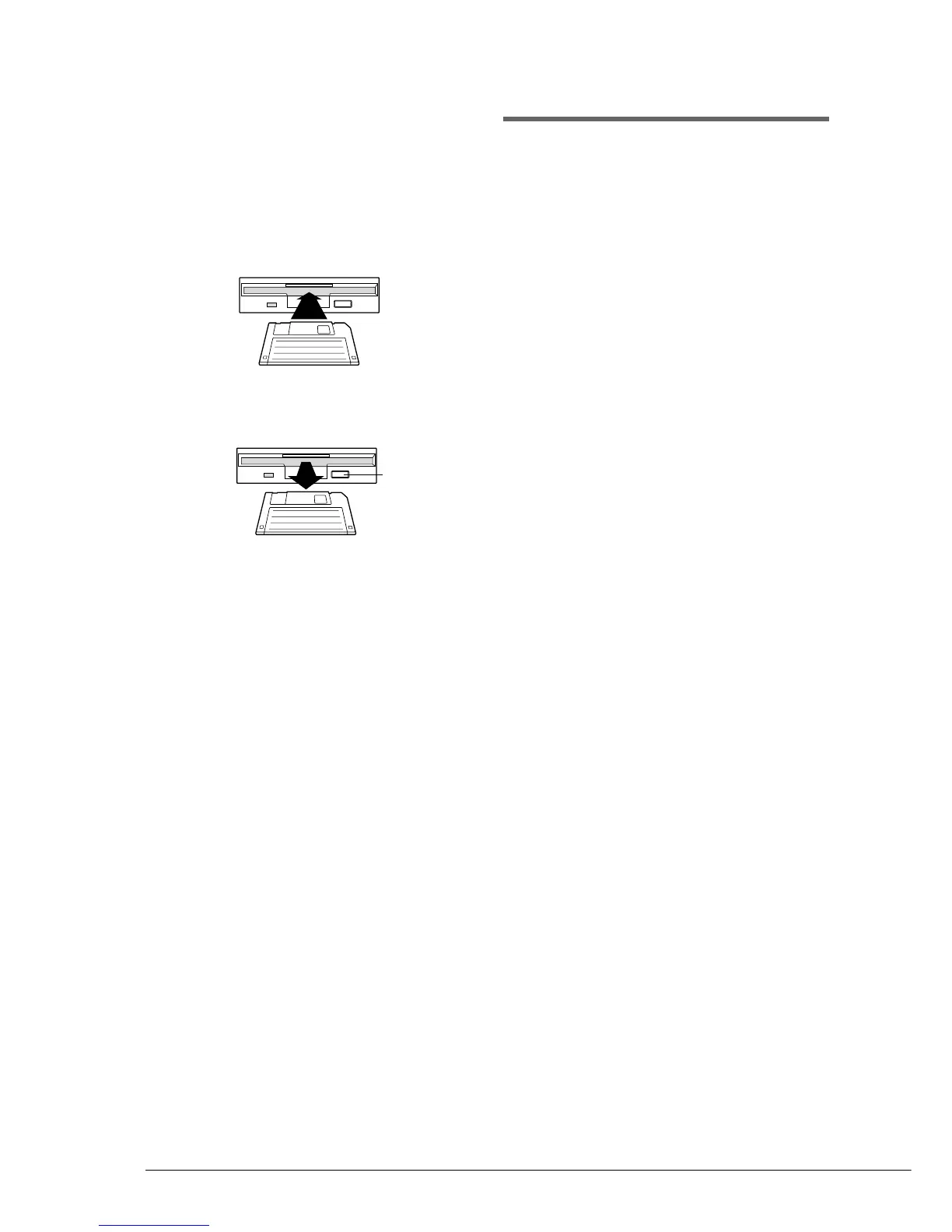
Inserting
Carefully insert the disk into the disk drive shutter
first, label side up, as shown. Push it until it clicks
into place and the Eject button pops out.
Ejecting
To eject a disk, press the Eject button.
The disk will pop out. Remove the disk and return
it to its case.
Note: Do not eject a disk during playback, as doing
so could seriously damage the disk drive and
the floppy disk.
Memory Disks
The Disklavier has 16 Mbytes (1 Mbyte × 16
Memory Disks) of internal flash memory for
storing song data. They are numbered 0 to 9 and
A to F.
Memory Disks are ideal for storing many songs,
especially when you want to program your
Disklavier to automatically play back many songs
with the Chain Play or Timer Play features. (See
Chapter 13 “Chain Play — Playing Back Memory
Disks in a Group” and Chapter 14 “Timer Play”
for details.)
☛ Chapter 12 “Storing and Managing Songs on
Disks” provides more detailed information on using
Memory Disks.
Eject button







 To Next Page