45
English Chapter 12: Storing and Managing Songs on Disks
Copying Songs
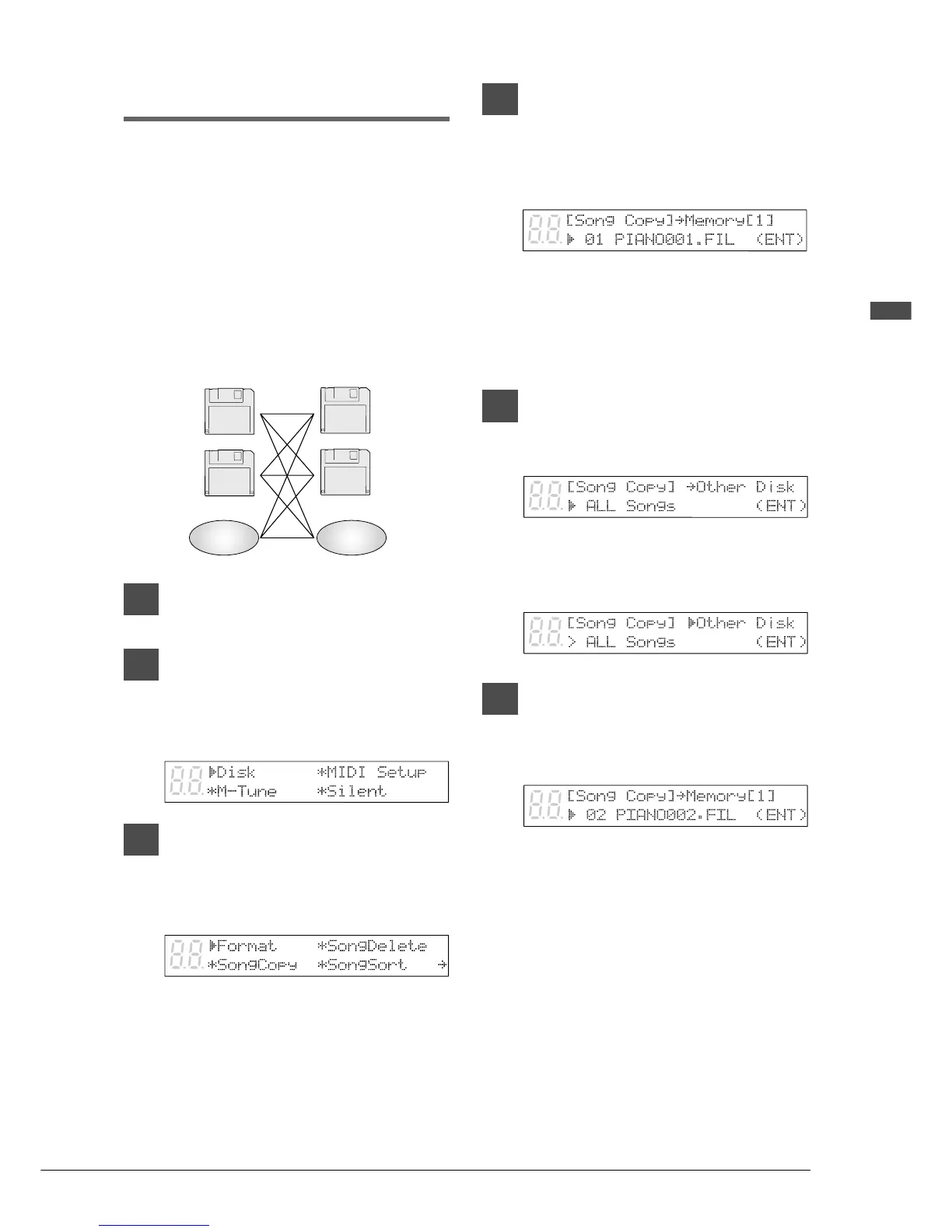
You can copy songs stored on a disk to another
one song at a time or all songs at once.
Songs stored on a floppy disk can be copied to the
same floppy disk, to another floppy disk or to a
Memory Disk.
Songs stored on a Memory Disk can be copied to
another Memory Disk or to a floppy disk.
Note: Copy-protected songs, such as PianoSoft
songs, cannot be copied to a floppy disk, but
can be copied to a Memory Disk.
1
Specify a disk.
2
Press [FUNC.].
The FUNC. indicator lights and the
Function menu appears.
3
With the c cursor next to the Disk
option, press [ENTER].
The Disk menu appears.
4
Press [>] to position the c cursor
next to the Song Copy option,
then press [ENTER].
A display similar to the following appears.
When the source disk is a floppy disk, the
parameter next to the arrow shows
“Memory [X]”; when the source disk is a
Memory Disk, the parameter shows “Other
Disk.”
5a
TO COPY ALL SONGS
Press [–/NO] until the following
display appears.
Press [>] then use the [–/NO] and
[+/YES] buttons to select the
destination disk.
5b
TO COPY ONE SONG
Use the [–/NO] and [+/YES]
buttons to select the song you
want to copy.
Then press [>] and use the [–/NO]
and [+/YES] buttons to select the
destination disk: Same Disk,
Memory [0] - [F], or Other Disk.
2DD
2HD
2DD
2HD
Memory
Disk
Memory
Disk







 To Next Page