70
Playing Back Import
Files
Songs recorded onto floppy disks using MIDI
equipment other than the Disklavier can be played
back with the Disklavier. These are called “import
files”. For these files, you must specify the tracks
to be played by the Disklavier piano, as piano
parts in import files may be stored on any track.
1
Insert the song disk into the disk
drive.
2
Press [FUNC.].
The FUNC. indicator lights and the
Function menu appears.
3
Press [
>
] until the c cursor is next
to the MIDI Setup option, then
press [ENTER].
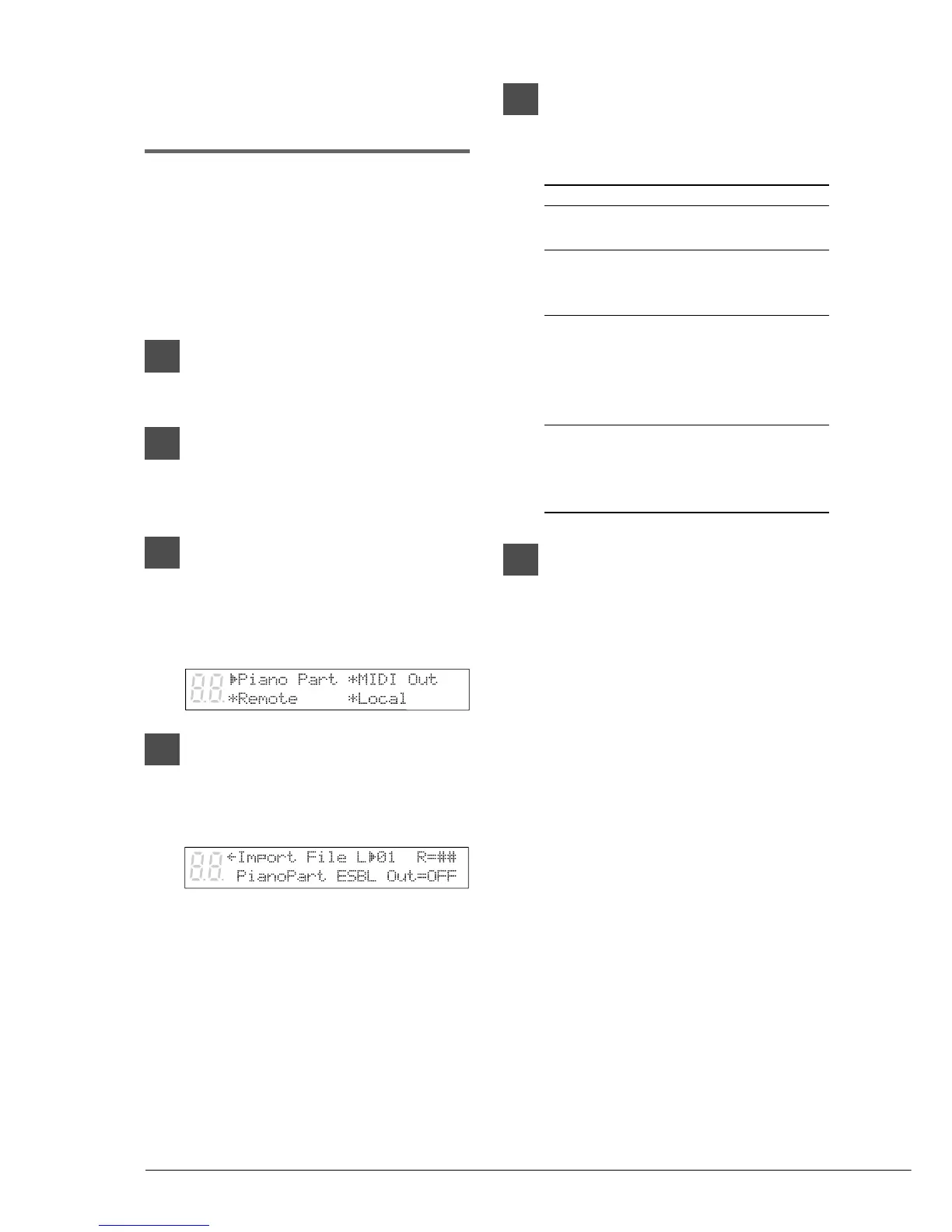
The following display appears.
4
With the c cursor next to the
Piano Part option, press [ENTER].
Then, press [
>
] until the
following display appears.
5
Use the [–/NO] and [+/YES]
buttons to set the piano part
channels.
Option Description
## The import file is played by
the tone generator only.
01 - 16 The import file is played by
the piano on the specified
MIDI channel.
Prg The import file is played by
the piano on the channel with
the smallest number
containing a piano group
voice.
Prg(all) All channels that contain a
piano group voice in the
import file is played by the
piano.
6
Press [PLAY] to play back the song
disk.







 To Next Page