73
English Chapter 17: The Disklavier & Personal Computers
Setting the HOST SELECT Switch
Set the HOST SELECT switch on the rear panel of the Control Unit according to your computer type.
*Apple and Macintosh are trade marks of Apple Computer, Inc.
* IBM PC/AT is a trademark of International Business Machines Corporation.
* PC-9801/9821 is a trademark of NEC Corporation.
Playing Back Songs
Created in a Computer
Songs created and stored in your computer system
can be played back by the Disklavier.
1
Press [FUNC.].
The FUNC. indicator lights and the
Function menu appears.
2
Press [>] until the c cursor is next
to the MIDI Setup option, then
press [ENTER].
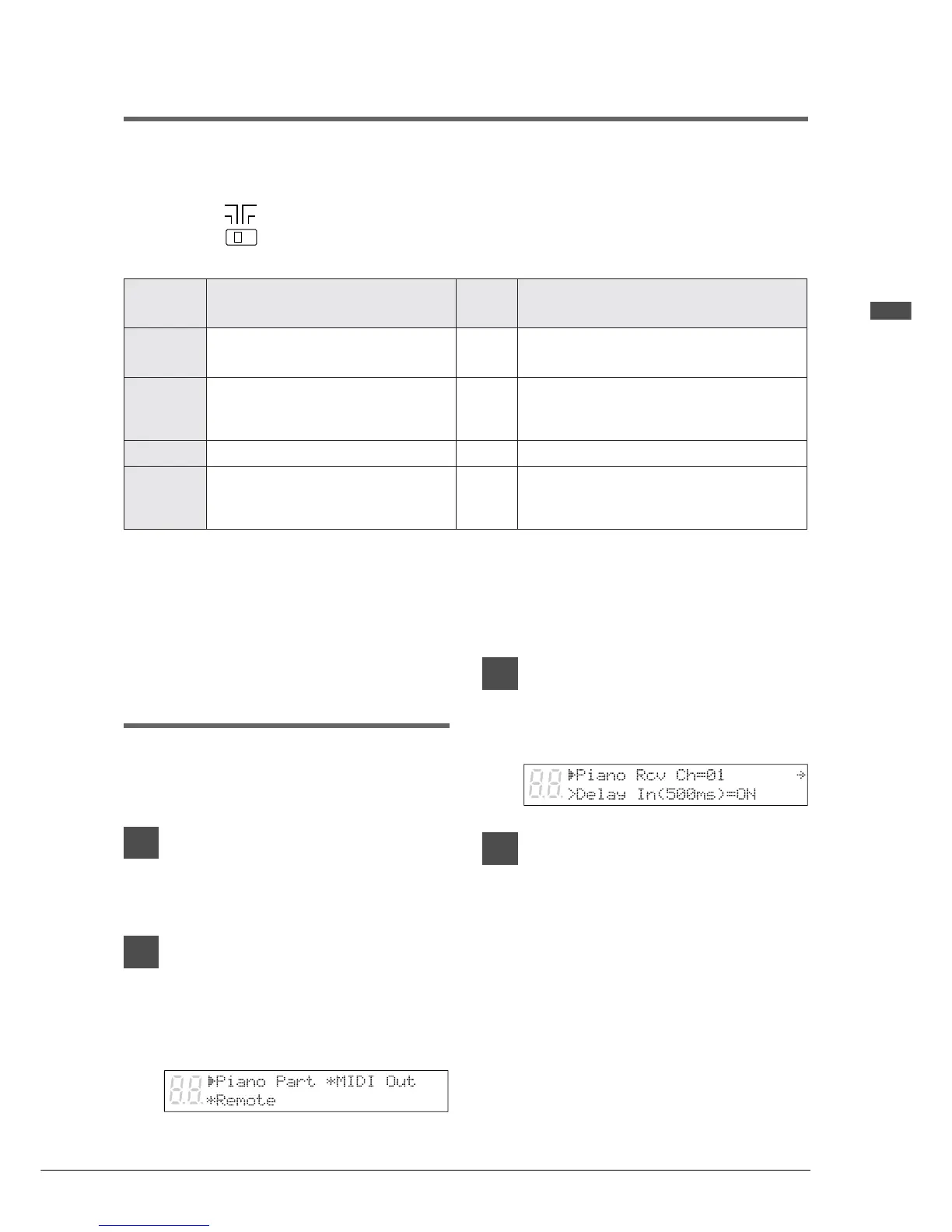
The following display appears.
3
With the c cursor next to the
Piano Part option, press [ENTER].
The following display appears.
4
With the c cursor next to the
Piano Rcv Ch parameter, use the
[–/NO] and [+/YES] buttons to
select the channel for the piano
part.
The selected channel will be played by the
Disklavier piano, and the other channels by
the internal XG tone generator. See
“Receiving Data from a MIDI Sequencer”
on page 66 for details on MIDI channels.
HOST SELECT
MIDI
PC1
PC2
MAC
TSOH
TCELES
epytretupmoC
duaB
etar
skrameR
CAM
seireshsotnicaMelppA052,13
deepskcolcehttes,edisretupmocehtnO
.zHM1ot
1CP
seires1289/1089-CPCEN052,13
TSOHehteriuqererawtfosemoS
004,83(2CPottesebothctiwsTCELES
.ylreporpnoitcnufotredroni)spb
2CP
seiresTA/CPMBI004,83
IDIM
tnempiuqeIDIMlareneG052,13
IDIMaivdeviecer/tnessiatadIDIM
OTehttondna,srotcennocNI/TUO
.rotcennocTSOH







 To Next Page