24
Engaging the Silent
System
Engaging the Silent system is very simple. Follow
the procedure below.
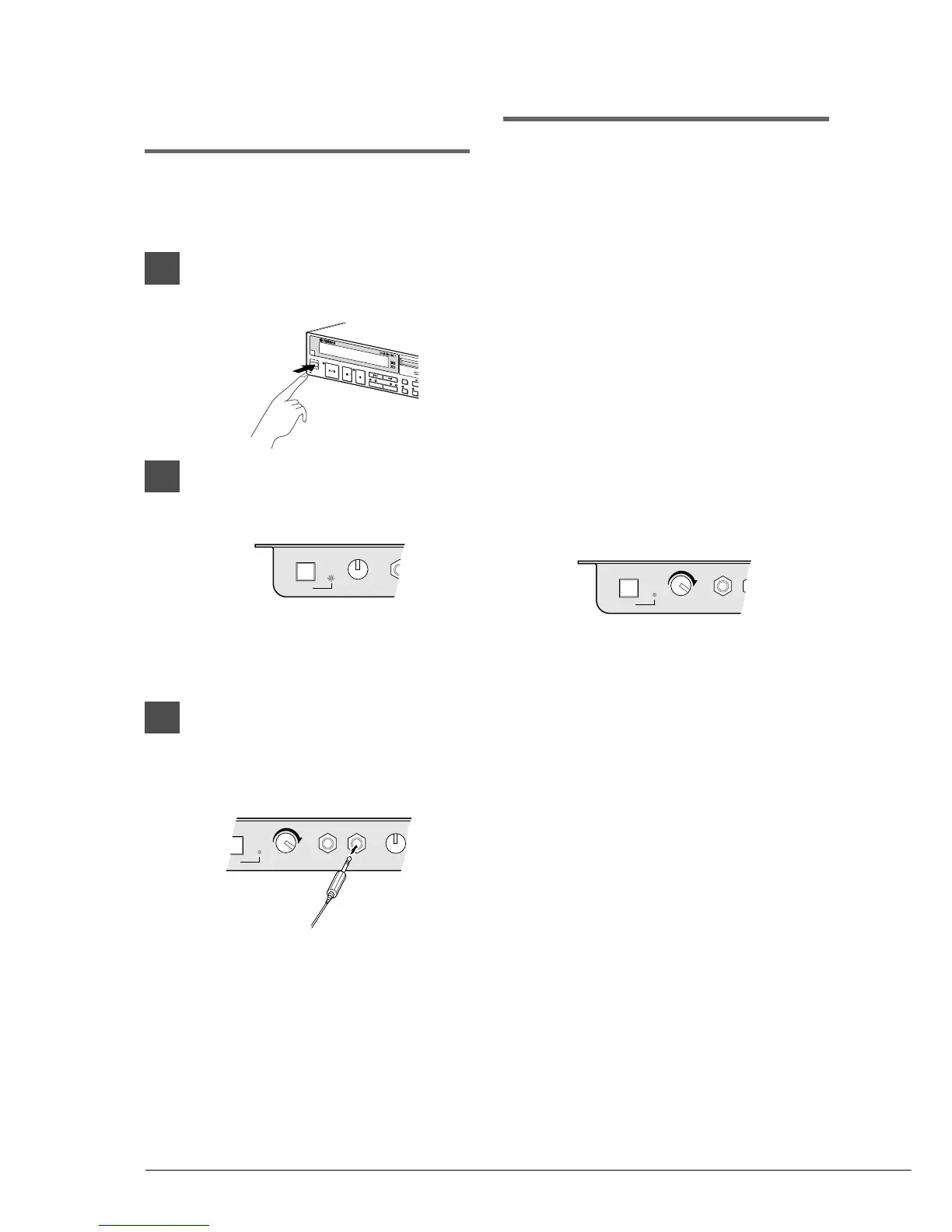
1
Press [STANDBY / ON] to turn on
the Disklavier.
2
To select Quiet mode, simply press
the [SILENT] button on the Silent
Control Box.
The SILENT ON indicator lights.
You can listen to playback through the
built-in speakers.
3
To select Silent mode, connect
optional stereo headphones to
either of two HEADPHONES jacks
on the Silent Control Box.
You can listen to playback through the
headphones.
Two sets of headphones can be connected
simultaneously. In this case, the two
headphones should be of the same model.
Note: For optimum results, YAMAHA
HPE-170 headphones (optionally
available) are recommended.
Adjusting the Volume
In normal mode, playback volume of the piano
could be adjusted only down to the softest level
that the acoustic piano can play.
In Silent or Quiet mode, you can adjust the
playback volume of the digital piano as desired, to
a level softer than what is possible on the acoustic
piano.
Playback volume is adjusted using the VOLUME
knob on the Silent Control Box. The standard
volume level is roughly the three o’clock position.
At this setting, the volume level of the digital
piano is approximately the same as what the
acoustic piano would be in normal mode.
Turn the knob clockwise to increase and
counterclockwise to decrease the volume.
Turning the knob fully counterclockwise mutes
the sound of the digital piano.
Note: You can also adjust the playback volume on
the Control Unit to a certain extent within the
normal volume range of the piano.
Note: Make sure the VOLUME knob on the
Amplifier is set to a level at which sound is
produced. If the volume knob on the
Amplifier is turned fully counterclockwise, no
sound may be produced even when you use
the VOLUME knob on the Silent Control Box
to adjust volume.







 To Next Page