Owner’s Manual
16
Quick Guide
Try Playing a Variety of Instrument Voices
In addition to piano, organ, and other “standard” keyboard instruments, this instru-
ment has a large range of voices that includes guitar, bass, strings, sax, trumpet,
drums and percussion, sound effects … a wide variety of musical sounds.
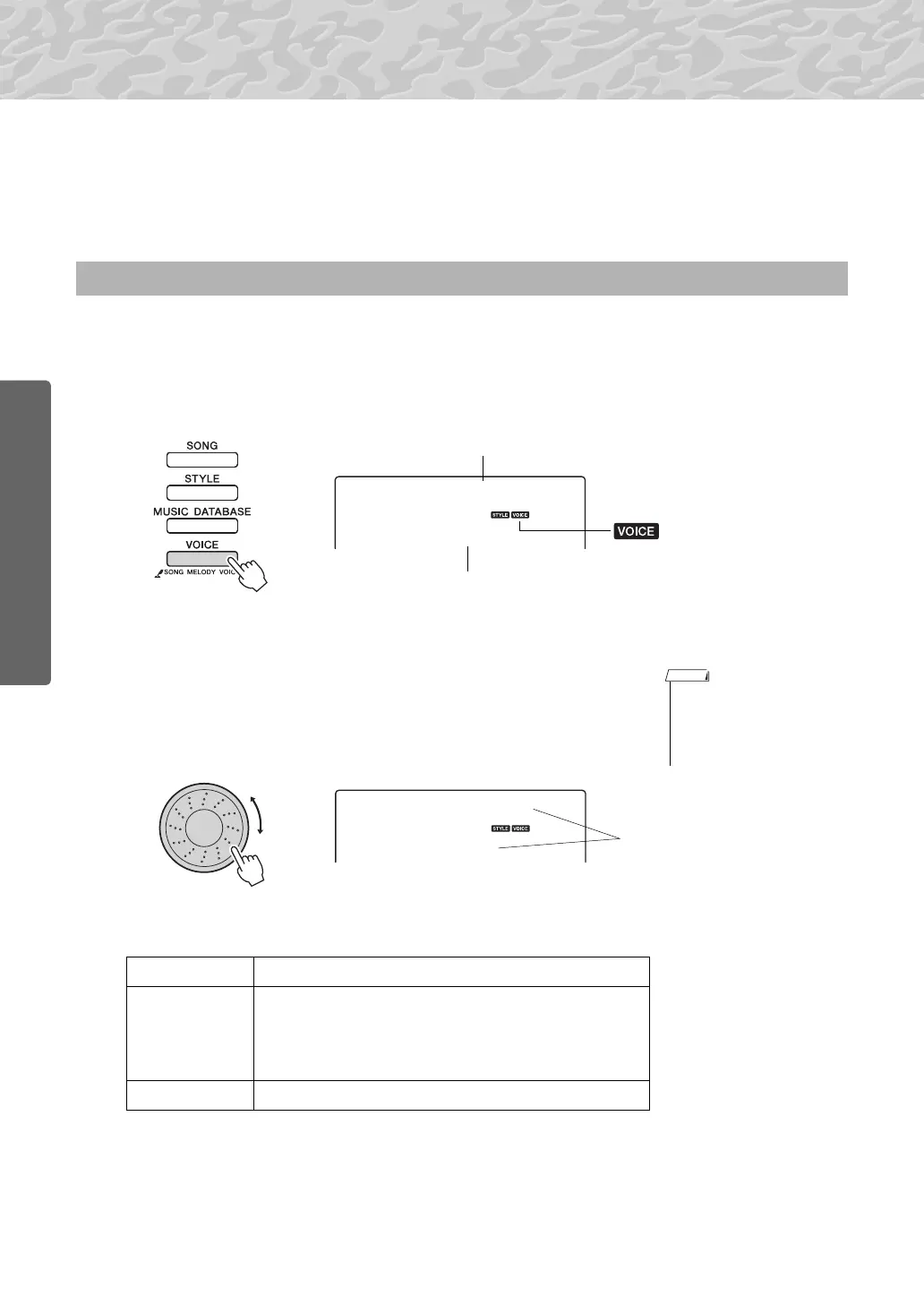
This procedure selects the main voice you will play on the keyboard.
1
Press the [VOICE] button.
The voice number and name will be displayed.
2
Select the voice you want to play.
While watching the displayed voice name rotate the dial. The avail-
able voices will be selected and displayed in sequence. The voice
selected here becomes the main voice.
For this example select the “141 Flute” voice.
Preset Voice Types
Select and Play a Voice—MAIN
001
GrandPno
Appears when the Voice
mode is engaged.
Voice name
Voice number
• You can also select the voice
using the CATEGORY [ ]
and [ ] buttons after press-
ing the [VOICE] button.
(page 14)
141
Flute
001–183 Instrument Voices
184–198
(Drum Kit)
Various drum and percussion sounds are assigned to
individual keys, via which they can be played. Details
on assigning instruments to keys are provided in the
Drum Kit List of the separate Data List.
199–238 Arpeggio voices for arpeggio performance.
Quick Guide



 To Next Page