Owner’s Manual
26
Quick Guide
Playing Styles
This instrument has an auto accompaniment feature that produces accompaniment
(rhythm + bass + chords) in the style you choose to match chords you play with your
left hand. You can select from 174 different styles covering a range of musical genres
and time signatures.
In this section we’ll learn how to use the auto accompaniment features.
Most styles includes a rhythm part. You can select from a wide variety of rhythmic types—rock,
blues, Euro trance, and many, many more. Let’s begin by listening to just the basic rhythm. The
rhythm part is played using percussion instruments only.
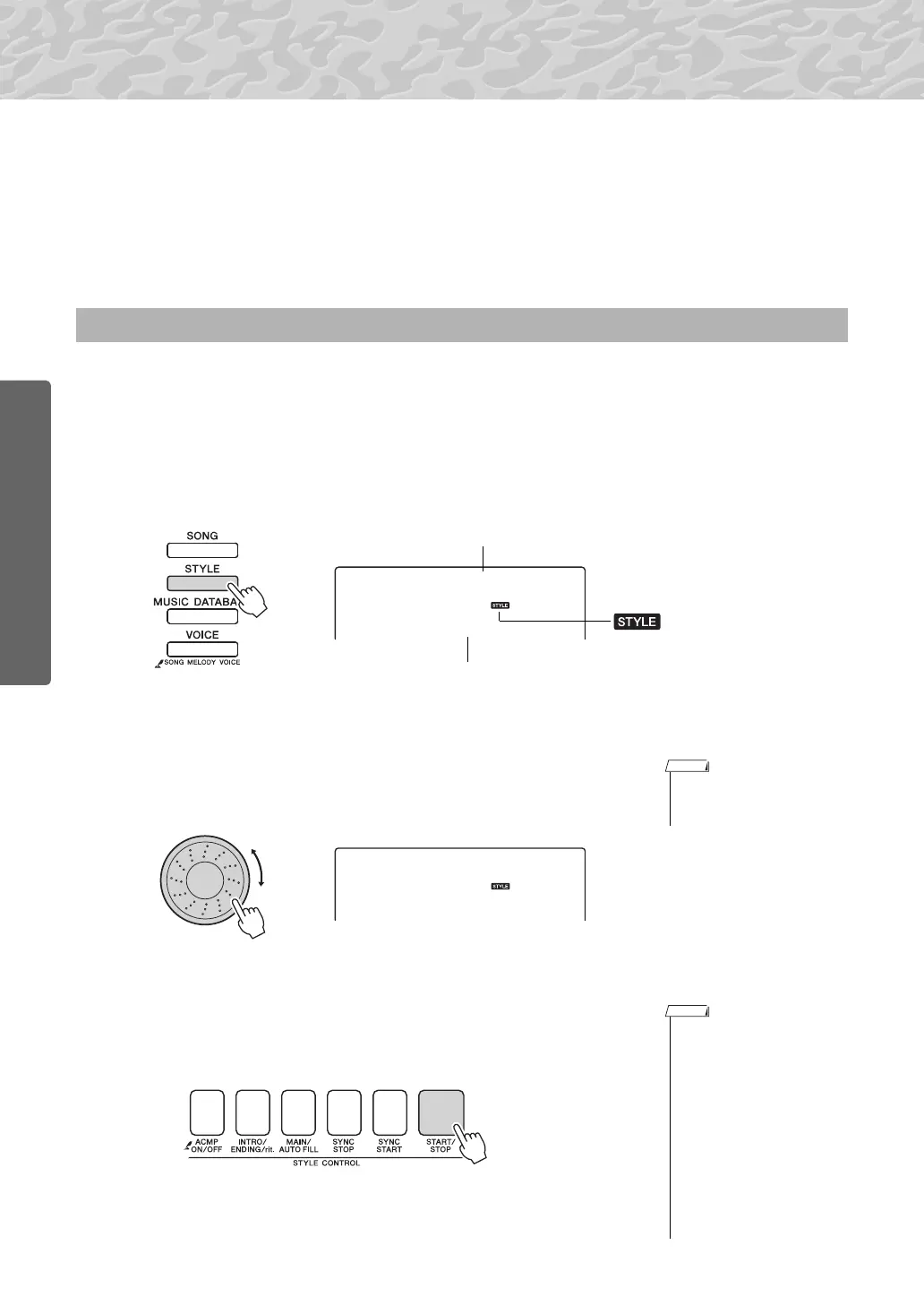
1
Press the [STYLE] button.
The style number and name will appear in the display.
2
Select a style.
Use the dial to select the style you want to use.
A list of all the available styles is provided in the Style List of the sep-
arate Data List.
3
Press the [START/STOP] button.
The style rhythm will start playing.
Press the [START/STOP] button a second time when you want to stop
playback.
Select a Style Rhythm
001
BritRock
This icon appears when a style
number and name is displayed.
Style Name
Style Number
• You can also use the style
files provided on the sup-
plied CD-ROM (page 64).
• Style numbers 150, 162–174
have no rhythm part and
therefore no rhythm will play
if you use them for the above
example. For these styles
first turn auto accompani-
ment on as described on
page 27, press the [START/
STOP] button, and the
accompaniment bass and
chord parts will begin play-
ing when you play a key to
the left of the keyboard split
point.



 To Next Page