Select a Song For a Lesson
Owner’s Manual
34
Reference
3
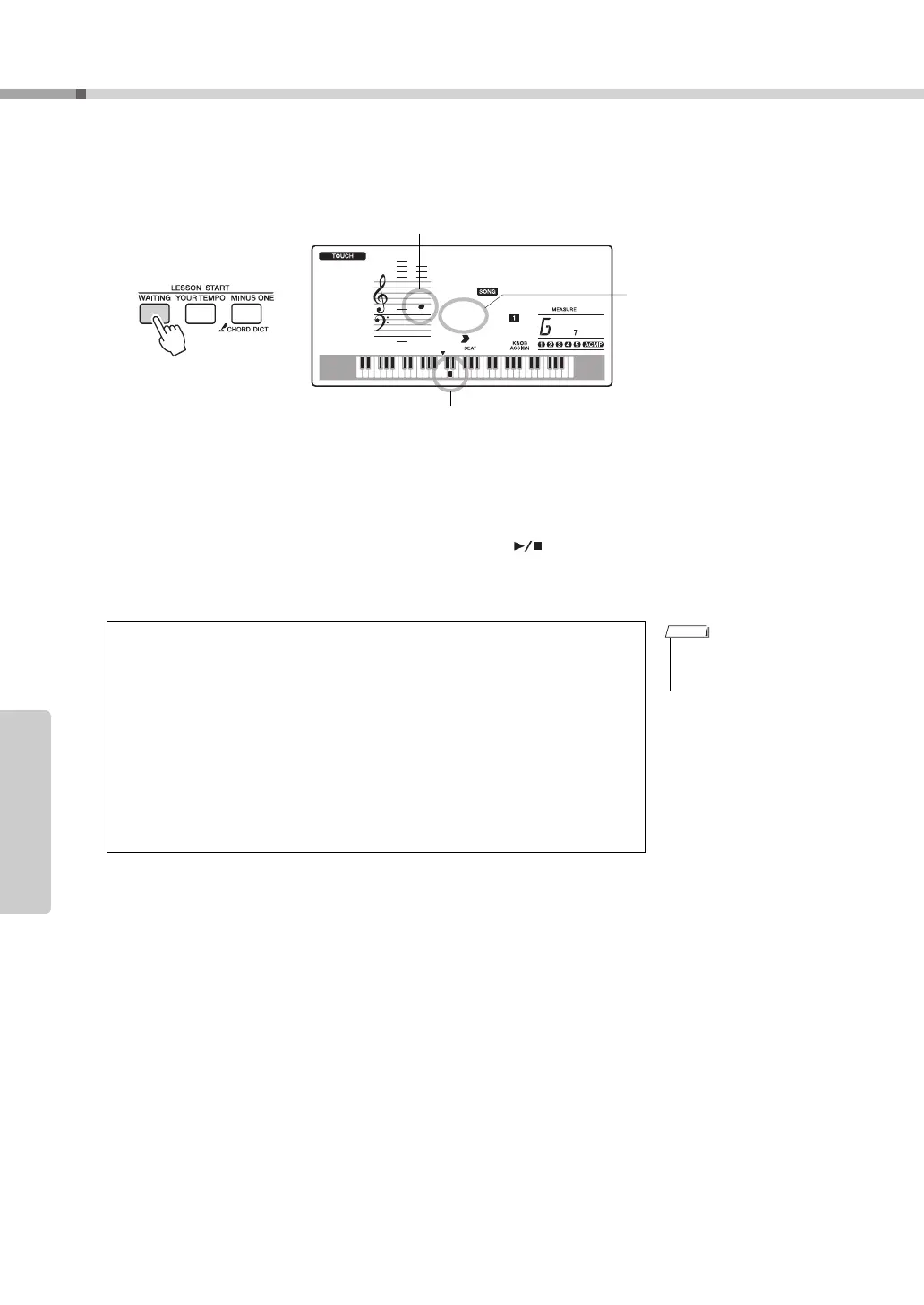
Start Lesson 1.
Press the [WAITING] button to start Lesson 1.
Play the note shown in the display. When you play the correct note, the next
note you need play is shown. The song will wait until you play the correct note.
4
Stop the Lesson mode.
You can stop the Lesson mode at any time by pressing the [ ] (START/
STOP) button.
You can also stop the Lesson mode by pressing the [WAITING] button.
Once you’ve mastered Lesson 1, move on to Lesson 2.
r1
007
Waiting
Keyboard Display
Notation
In this case “r1” indicate that
right-hand lesson 1 has been
selected.
• The evaluation feature can
be turned off via the FUNC-
TION Grade item (page 72).
See How You’ve Done
After the evaluation display has appeared, the lesson will start again from the
beginning.
~~~~~~~
~~~~~~
~~~~
~~
Excellent
Very Good
Good
OK
When the lesson song has played all
the way through your performance will
be evaluated in 4 levels: OK, Good,
Very Good, or Excellent. “Excellent!”
is the highest evaluation.



 To Next Page