The Easy Way to Play Piano
Owner’s Manual
38
Reference
4
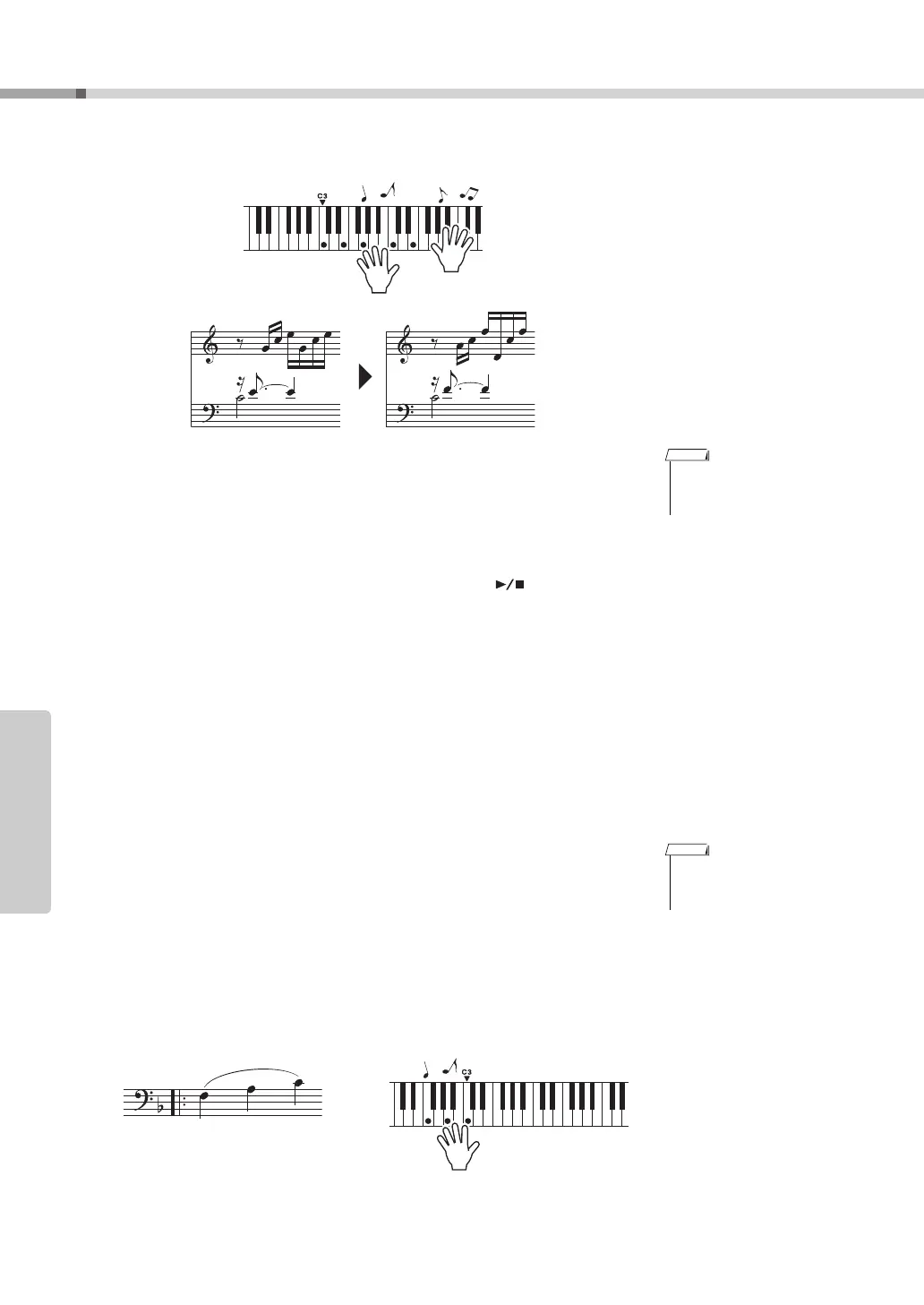
Play on the keyboard.
Play the score on the left along with the accompaniment using both hands. You
can even play the same keys over and over: C, E, G, C, E, G, C, E. Performance
assistant technology will make sure that the notes will come out as if they were
played according to the score on the right. Keep playing, and performance assis-
tant technology will continue to “correct” the notes that you play.
You can stop song playback at any time by pressing the [ ] (START/STOP)
button.
5
Press the [PERFORMANCE ASSISTANT] button to turn the per-
formance assistant technology feature off.
Next try playing the Chopin Nocturne.
1
The procedure is the same as that described for playing Ave
Maria on page 37. Select “011 Nocturne”.
2
Listen to eight measures, then begin playing from the ninth
measure.
Play the keys shown in the illustration. Keep playing F, A and C with your left
hand and the correct notes will sound as the song proceeds. When you get used
to playing the left hand part, refer to step 2 on the next page and try adding the
right-hand part.
• The score for Ave Maria is
provided in the separate
Data List.
• The score for Nocturne is
provided in the separate
Data List.



 To Next Page