Accessory CD-ROM Installation Guide
Owner’s Manual
81
Reference
8
Open the following folder from the CD-
ROM drive in your “My Computer”
folder, and double click “setup.exe.”
• For users of 32 bit version Windows 2000/XP/
Vista/7: “USBdrv32_”
• For users of 64 bit version Windows XP/Vista/7:
“USBdrv64_”
* Select [Start] menu [Control Panel] [System] to
check the system. (Windows XP: “x64 Edition”
appears on the 64 bit version, and does not appear on
the 32 bit version.)
9
When the “File Download” window
appears, click [Run] or [Open].
The “Preparing to install” window appears. The
next window will appear after finishing this prep-
aration.
10
When the “Welcome to the InstallShield
Wizard for Yamaha USB-MIDI Driver”
window appears, click [Next].
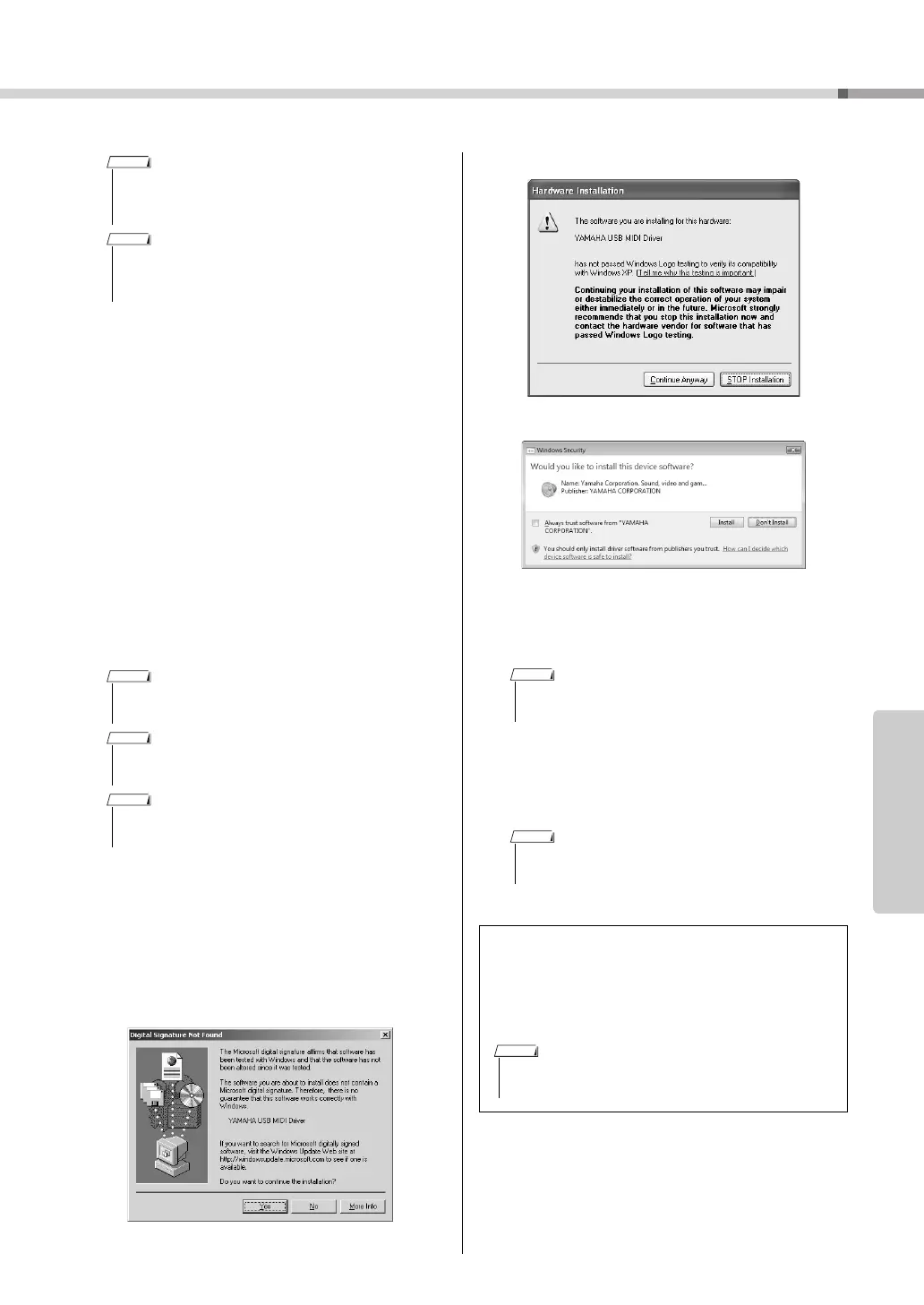
If the warning message below appears during the
installation, click [Yes], [Continue Anyway], or
[Install].
11
When a message appears indicating
that the driver has been successfully
installed, click [Finish].
12
When a window appears prompting you
to restart the computer, do so.
Restart the computer by following the on-screen
directions.
• This screen will not appear on Windows 7. When the
message “Device driver software was not successfully
installed.” appears, continue the installation procedure.
• This screen will not appear if you are updating the USB-
MIDI driver from the previous version. Continue the
installation procedure.
• The messages that appear in this window may differ
somewhat depending on your browser.
• (Windows XP) If the “Security Warning” window
appears, click [Run].
• (Windows Vista/7) If the “User Account Control” window
appears, click [Continue] or [Yes].
• On some computers, it may take a few minutes before
this screen appears.
• This display will not appear when using Windows XP
x64/Vista/7. No restart is necessary.
Checking the version of the driver
Open the “Control Panel” and double-click the
“Yamaha USB-MIDI Driver” icon.
A window appears and the driver version is indicated
in the lower left of the window.
Windows XP
Windows Vista/7
• When using Windows XP x64/Vista/7, double-click the
“Yamaha USB-MIDI Driver (WDM)” icon.



 To Next Page