Toolbar
User Guide
-
12
-
Toolbar
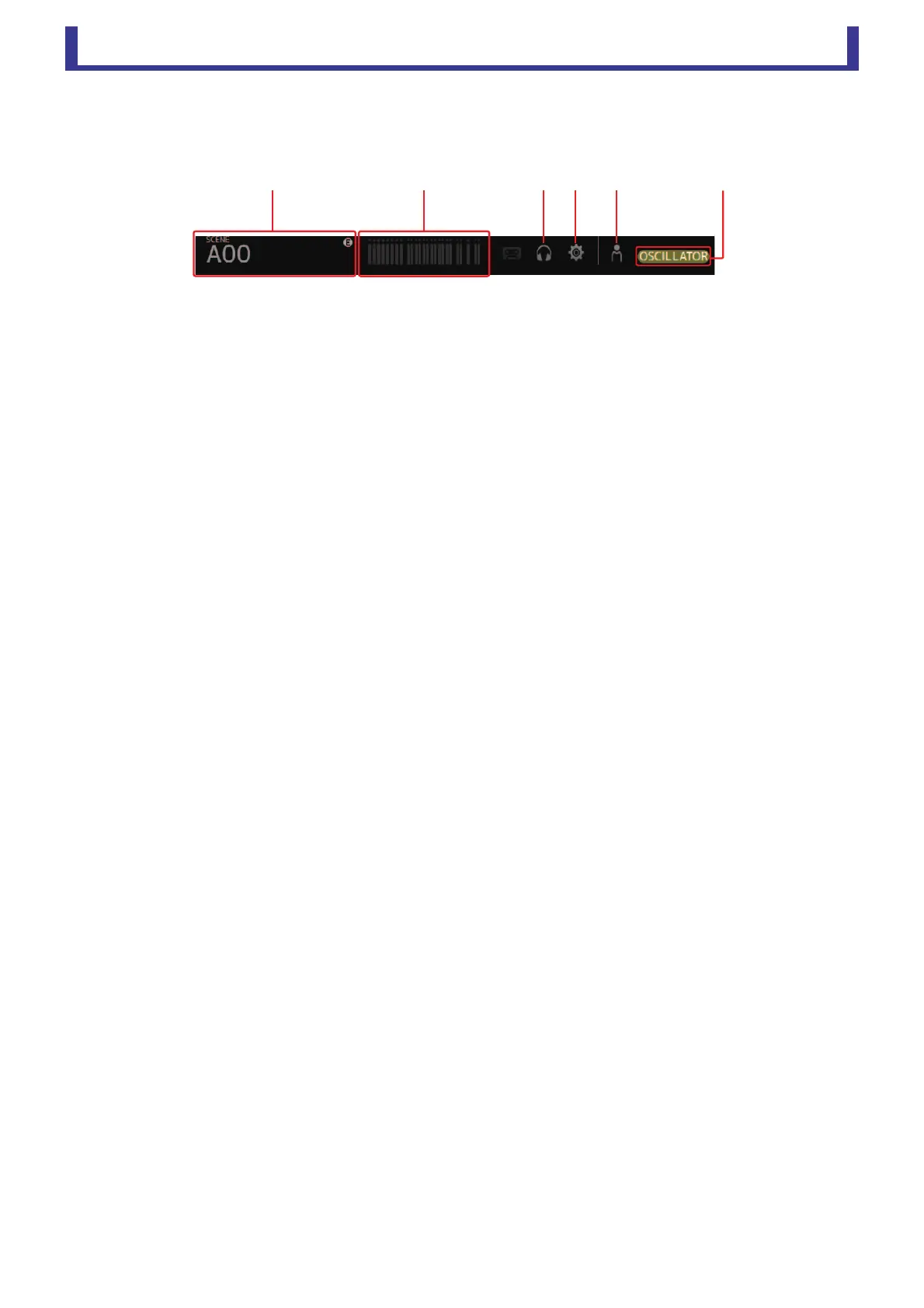
Allows you to access frequently used features. The toolbar is always displayed, regardless of the current operation.
You can click an icon in the toolbar to display the corresponding screen.
You can close the screen and return to the previous screen by clicking on the icon again or by clicking [X].
1 SCENE screen (page 13)
2 METER screen (page 15)
3 MONITOR screen (page 16)
4 SYSTEM SETUP screen (page 18)
5 USER SETUP screen (page 22)
6 Status
Displays the current status. The following are displayed depending on the console's status.
CUE: The cue is turned on.
OSCILLATOR: The oscillator is turned on.
ձղճմյն




 To Next Page