Basic setup and operation
User Guide
-
5
-
Syncing TF Editor and your console
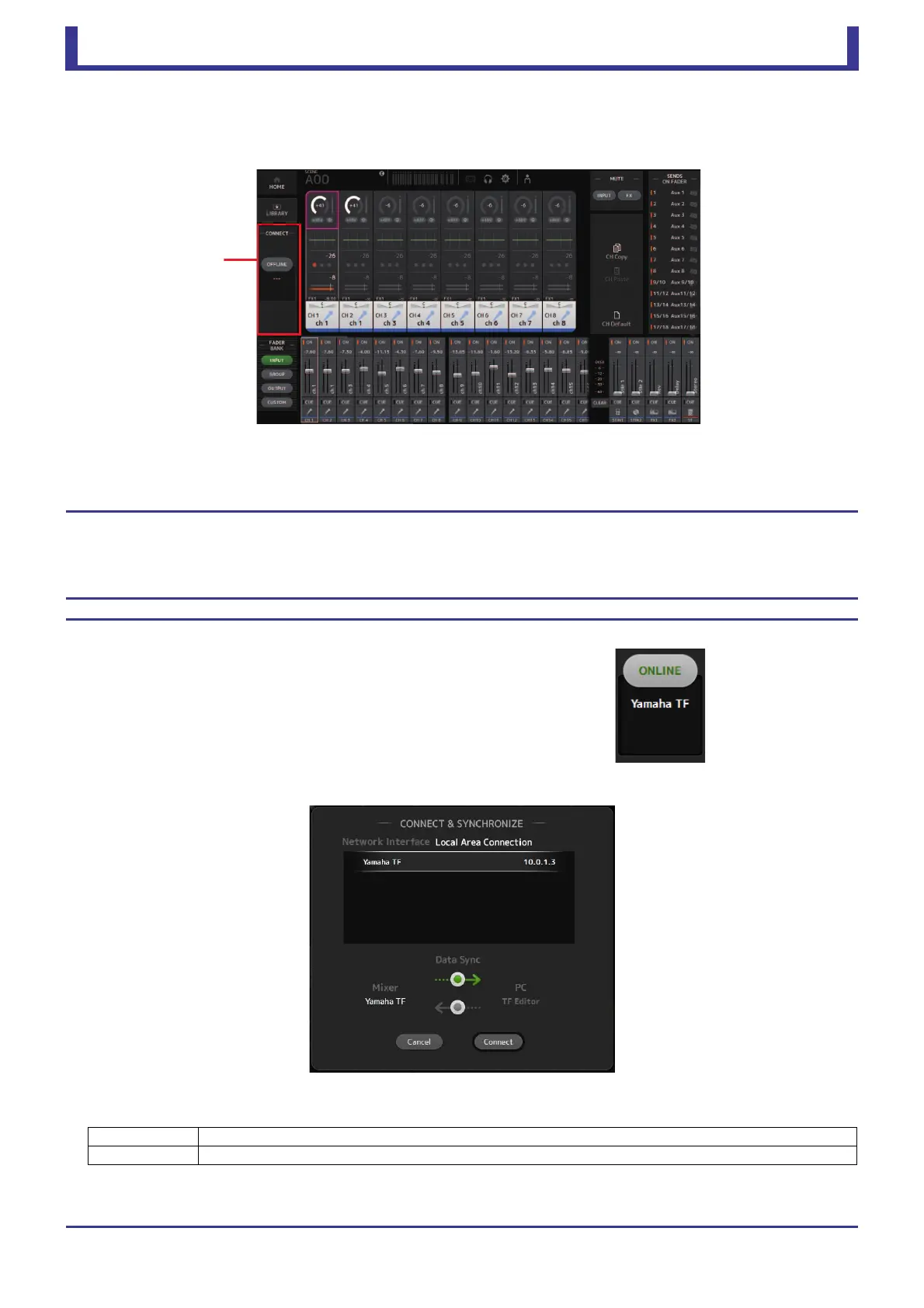
When you first start TF Editor, its settings will be different from your console's settings. Therefore, you will need to sync TF Editor
with your console. This is performed using the CONNECT area of TF Editor.
Preparation
Before you can sync, you need to configure the network interface.
1. Select SETUP Network Interface.
2. Select the desired network interface from the list of available items.
3. Click [OK].
Operation
1. Click the status button in the CONNECT area.
2. In the CONNECT screen, select the console and the direction of the data sync.
Only consoles that correspond to the model number you selected when you first launched TF Editor are displayed.
The following sync directions are available.
3. Click [Connect].
Do not operate the console while data is being synced.
Mixer PC Console settings are copied to TF Editor.
Mixer PC TF Editor settings are copied to the console.





 To Next Page