Toolbar
User Guide
-
22
-
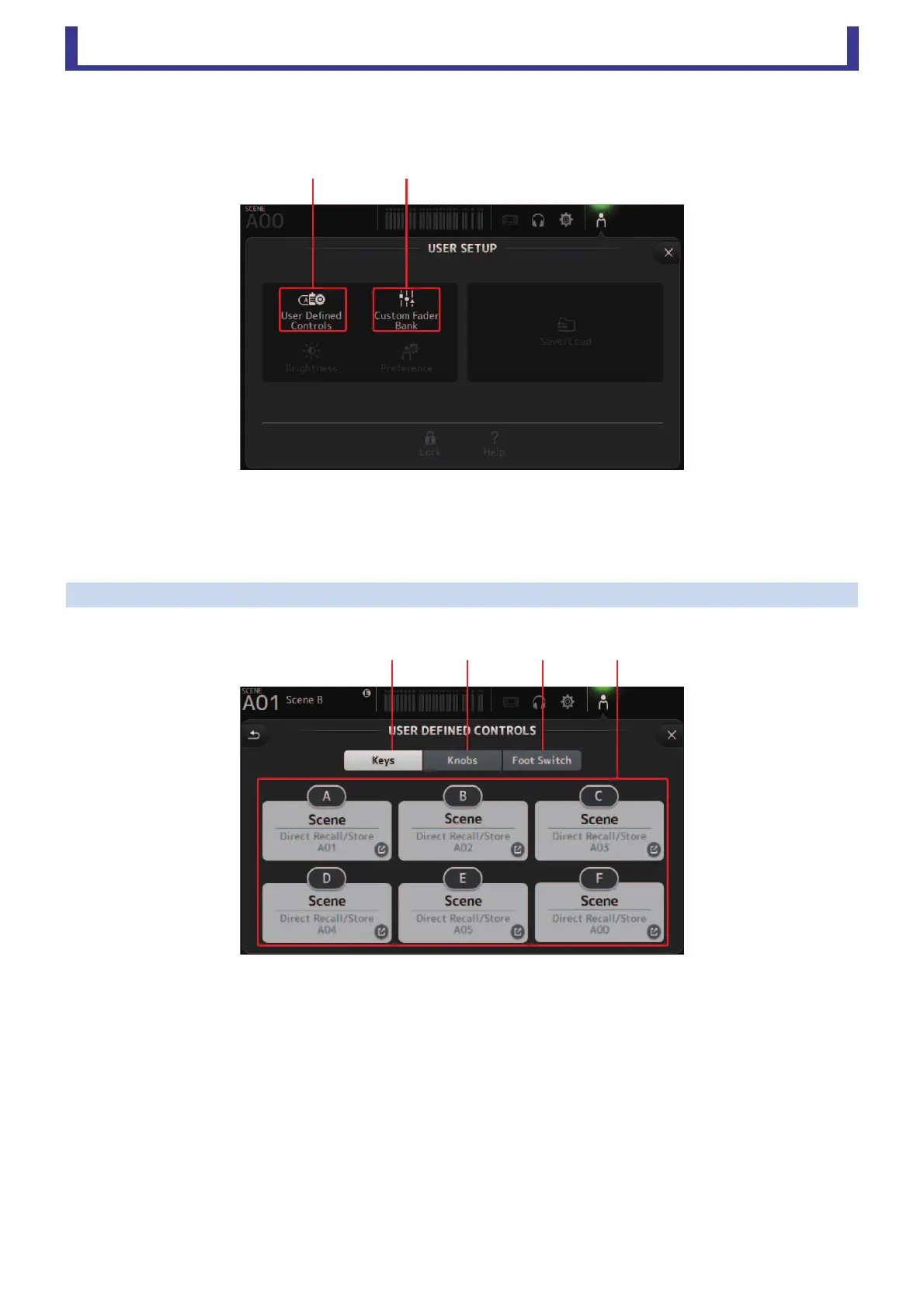
USER SETUP screen
Used to assign under-defined keys and knobs, configure custom fader banks, and set up other preferences.
1 User Defined Controls (page 22)
Displays the USER DEFINED CONTROLS screen.
2 Custom Fader Bank (page 26)
Displays the CUSTOM FADER BANK screen.
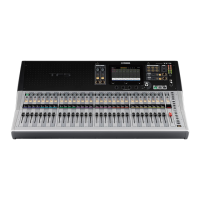
USER DEFINED CONTROLS screen
This screen allows you to assign features to the [USER DEFINED KEYS], [USER DEFINED KNOBS], and to the footswitch.
1 Keys button
Allows you to assign features to the [USER DEFINED KEYS] on the console's top panel.
2 Key setup buttons (A–F)
Click the desired button to display the screen that allows you to assign features to the corresponding USER DEFINED KEY.





 To Next Page