Main display area
User Guide
-
49
-
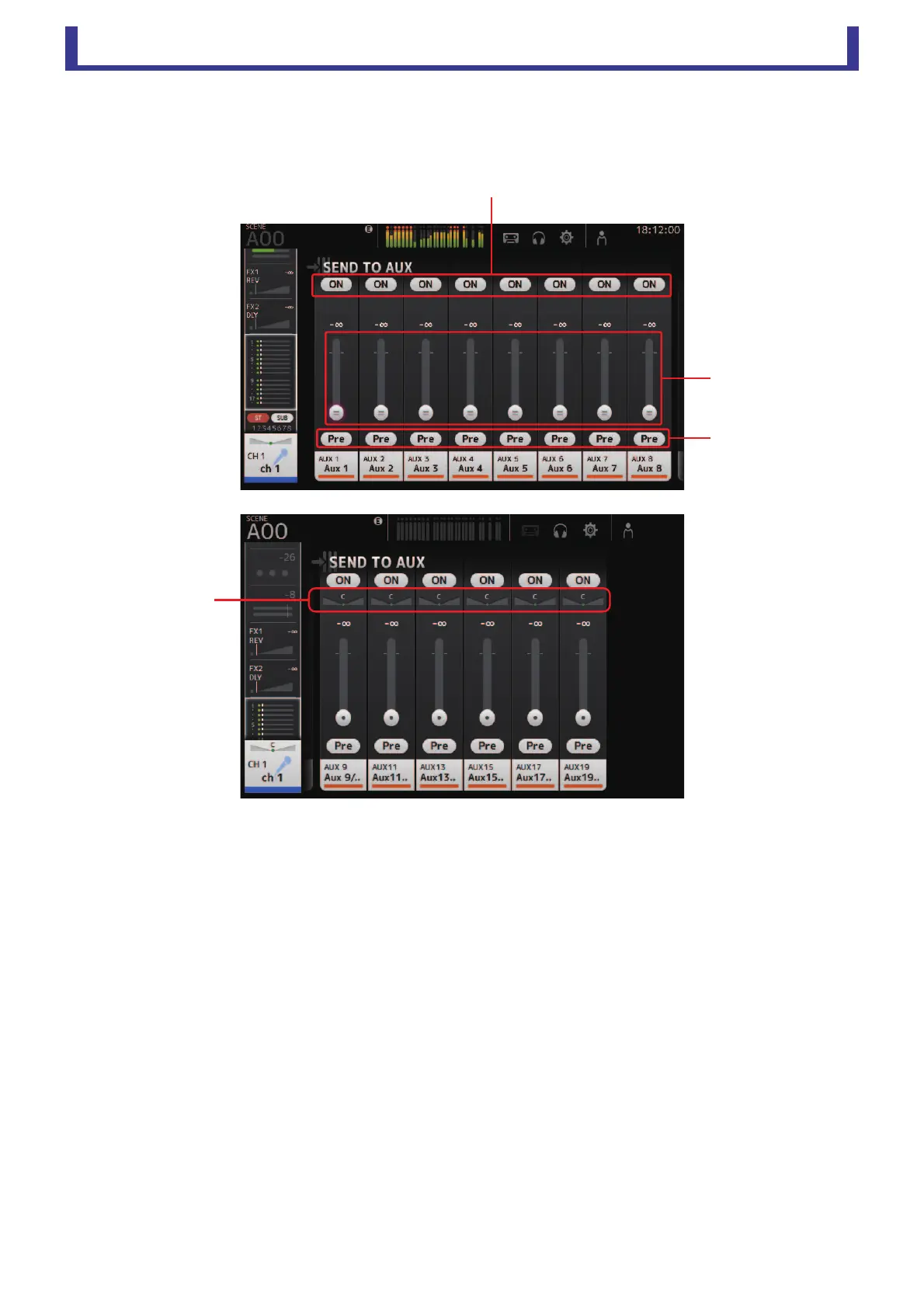
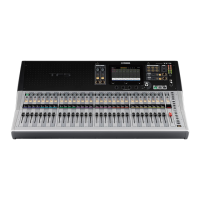
SEND TO AUX screen
Allows you to configure the amount of signal from each channel is sent to the AUX buses.
You can drag left and right to view other buses.
1 Send button
Determines whether a signal is sent (on) or not sent (off) to the corresponding AUX bus.
2 Send level slider
Determines the amount of signal sent to the corresponding AUX bus.
3 Pre button
Allows you to select whether the pre-fader or post-fader signal is sent to the corresponding AUX bus.
On: Before the fader
Off: After the fader
4 Send pan slider
Displayed for stereo AUX buses. Allows you to adjust the pan of the signal sent to the AUX bus.





 To Next Page