Toolbar
User Guide
-
18
-
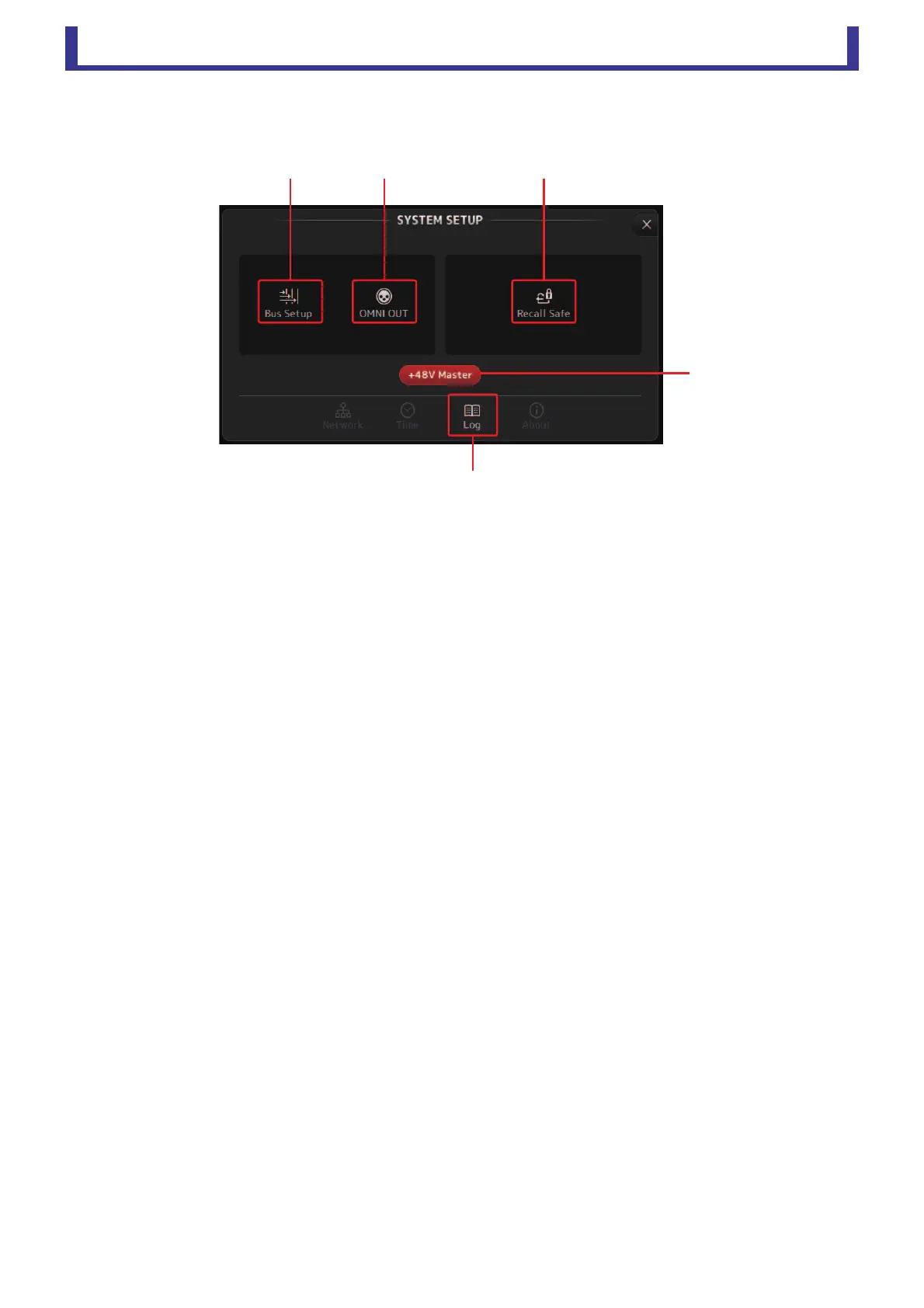
SYSTEM SETUP screen
Allows you to configure general mixer settings, as well as settings for OMNI OUT and Recall Safe.
1 Bus Setup (page 19)
Displays the BUS SETUP screen.
2 OMNI OUT (page 19)
Displays the OMNI OUT screen.
3 Recall Safe (page 20)
Displays the RECALL SAFE screen.
4 +48V Master button
Master button that turns the console's phantom power feature on and off.
When this button is turned off, phantom power will not be supplied to any channels, even if their +48V buttons are turned
on in the INPUT screen. (page 35)
5 Log (page 21)
Displays the TF Editor LOG screen.





 To Next Page