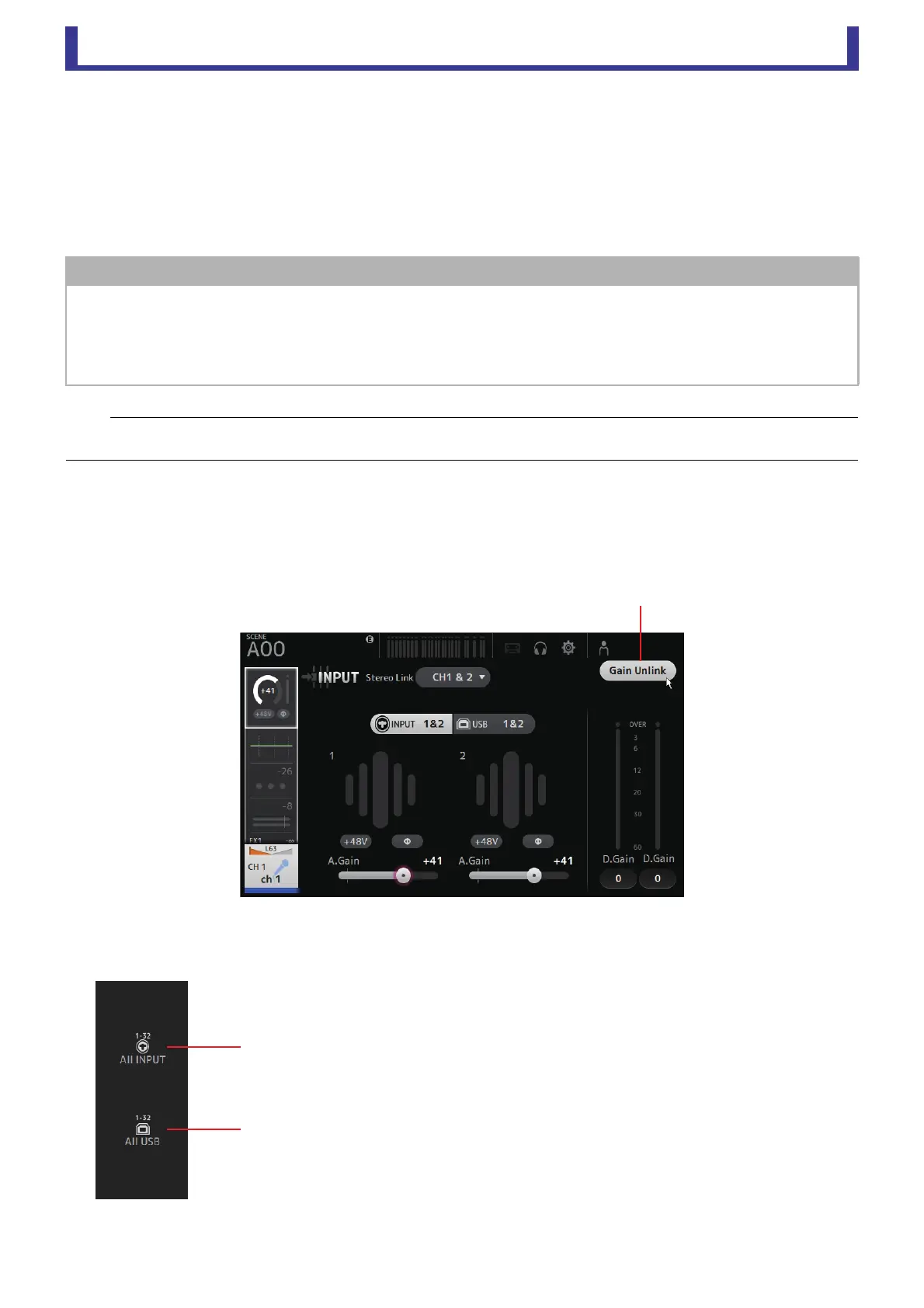
Main display area
User Guide
-
35
-
8 +48V button
Turns phantom power (+48V) to the head amp on and off.
On: Phantom power is turned on.
Off: Phantom power is turned off.
When the USB button is selected, the +48V button is not displayed.
When the +48V Master button on the SYSTEM SETUP screen is turned off, phantom power will not be supplied even if the
+48V button on this screen turned on.
(page 18)
9 Gain Unlink button (V1.1 and later)
Displayed for stereo channels and for channels that have stereo link turned on.
While you are touching the button, gain for the left and right channels can temporarily be adjusted individually. When you
release the button, the gain for both channels can be adjusted together but the difference in gain between the two channels
is maintained. To adjust a channel's gain, click the gain slider of the corresponding channel and then rotate the mouse wheel
while holding down the Gain Unlink button.
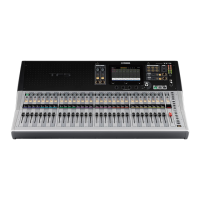
Input screen menu
The following items are displayed in the menu area when the INPUT screen is displayed.
NOTICE
Information about phantom power
When phantom power is not needed, set the +48V button to the off position.
Observe the following when using phantom power to prevent damage to the console or connected devices, and signal noise.
• Do not set the +48V button to the on position when the device connected to the input jack does not require phantom power.
• Do not connect or disconnect cables when the +48V button is set to the on position.
• Before turning phantom power on or off for a channel, first set the channel's volume to the minimum level.
NOTE
When using phantom power, noise may be generated if there is a difference in the impedance between the hot and cold of the device connected
to an input jack.
1 All INPUT
Allows you to assign the INPUT jacks as the input source for all input channels.
2 All USB
Allows you to assign the USB TO HOST connector as the input source for all input
channels.
The input source for the following channels will be changed.
TF5: CH 1–32
TF3: CH 1–24 (when CH 1–24 are selected)
CH 25–32 (when CH 25–32 are selected)
TF1: CH 1-16 (when CH 1-16 are selected)
CH 17-32 (when CH 17-32 are selected)
ձ
ղ





 To Next Page