Main display area
User Guide
-
65
-
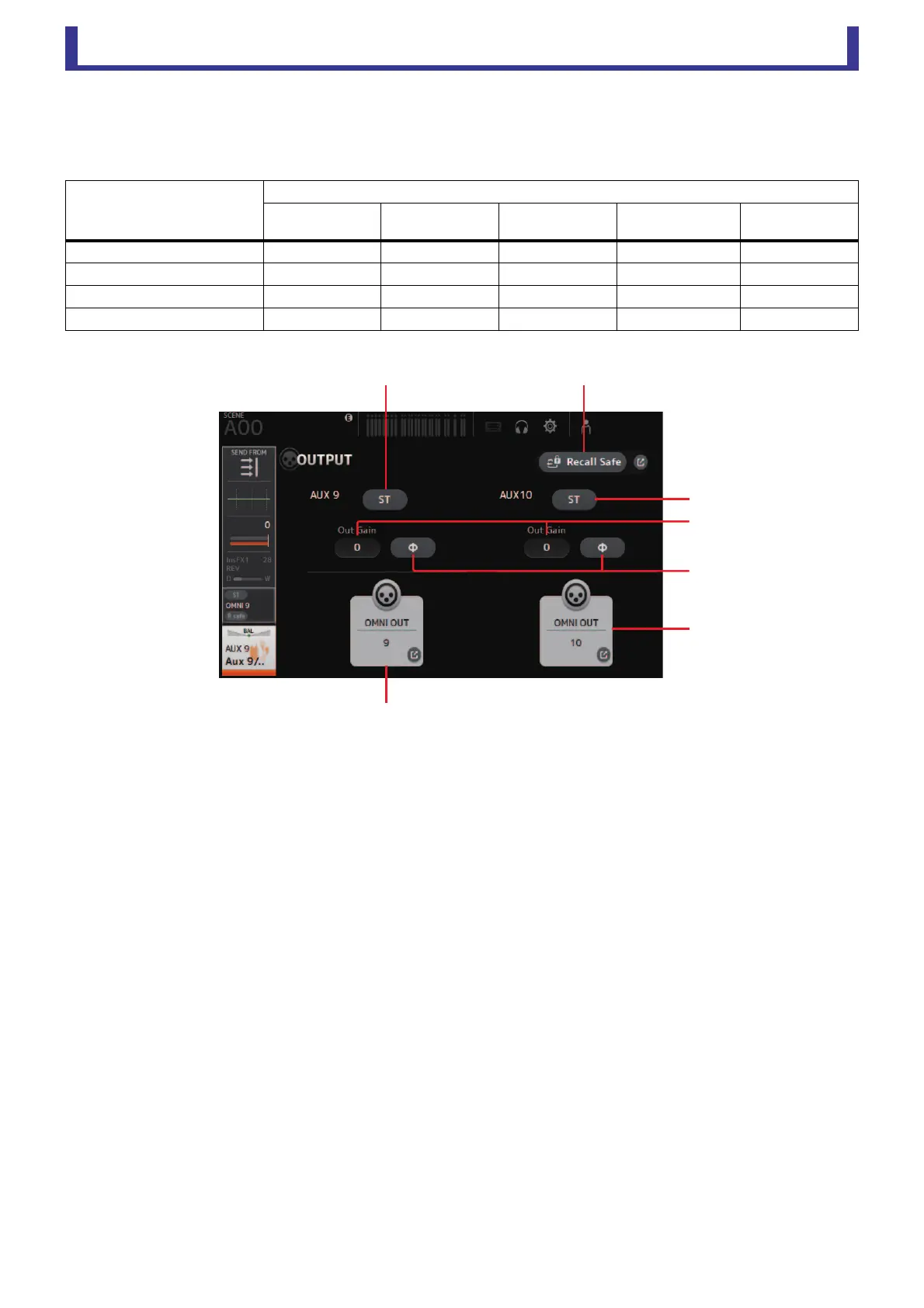
OUTPUT screen
Allows you to select the signals sent to the output channels (OMNI OUT 1–16).
The buttons displayed vary depending on the type of output channel selected.
○: Displayed
–: Not displayed
1 ST button
Determines whether the stereo channel is output or not.
2 Out Gain text box
Allows you to adjust the output gain.
When selected, you can use the mouse wheel to adjust the setting. Click again to use your computer keyboard to enter a
value.
3 Φ (phase) button
Allows you to reverse the phase.
When turned on, the output signal's phase is reversed.
4 OMNI OUT button
Displays the number of the OMNI OUT to which the channel is directed.
Up to two numbers can be displayed. For three or more numbers, "+" is displayed.
Displays the OMNI OUT screen. (page 19)
5 Recall Safe button (V1.1 and later)
Turns Recall Safe on and off for the corresponding channel.
You can display the RECALL SAFE screen (page 20) by touching the jump button in the right corner of the Recall Safe
button.
Output channel type
Buttons
ST button Out Gain Buttons Φ button
OMNI OUT
indicator
OMNI OUT
Buttons
AUX 1–8 –
○○ ○ ○
AUX9/10–AUX19/20 ○○○ ○ ○
SUB – ○○ ○ ○
STEREO – ○○ ○ ○





 To Next Page