Main display area
User Guide
-
52
-
9 SEND TO AUX box
Touch when selected to display the SEND TO AUX screen.
Displays the amount of signal from the selected channel that is sent to each AUX bus.
Send level, the selected channel's fader level, and the actual send level grouped with the DCA is displayed in the horizontal
bar.
The information displayed here indicates whether the signal sent to the AUX bus is the pre-fader or post-fader signal. Pre-
fader signal is displayed in green; post-fader signal is displayed in gray.
0 ASSIGN box
Displays the ASSIGN screen. (page 50)
A Channel output level slider
Adjusts the fader level for the selected channel.
B Channel output level meter
Displays the output level for the selected channel.
C Direct out port indicator
Indicates the channel's direct out port (i.e., output jack).
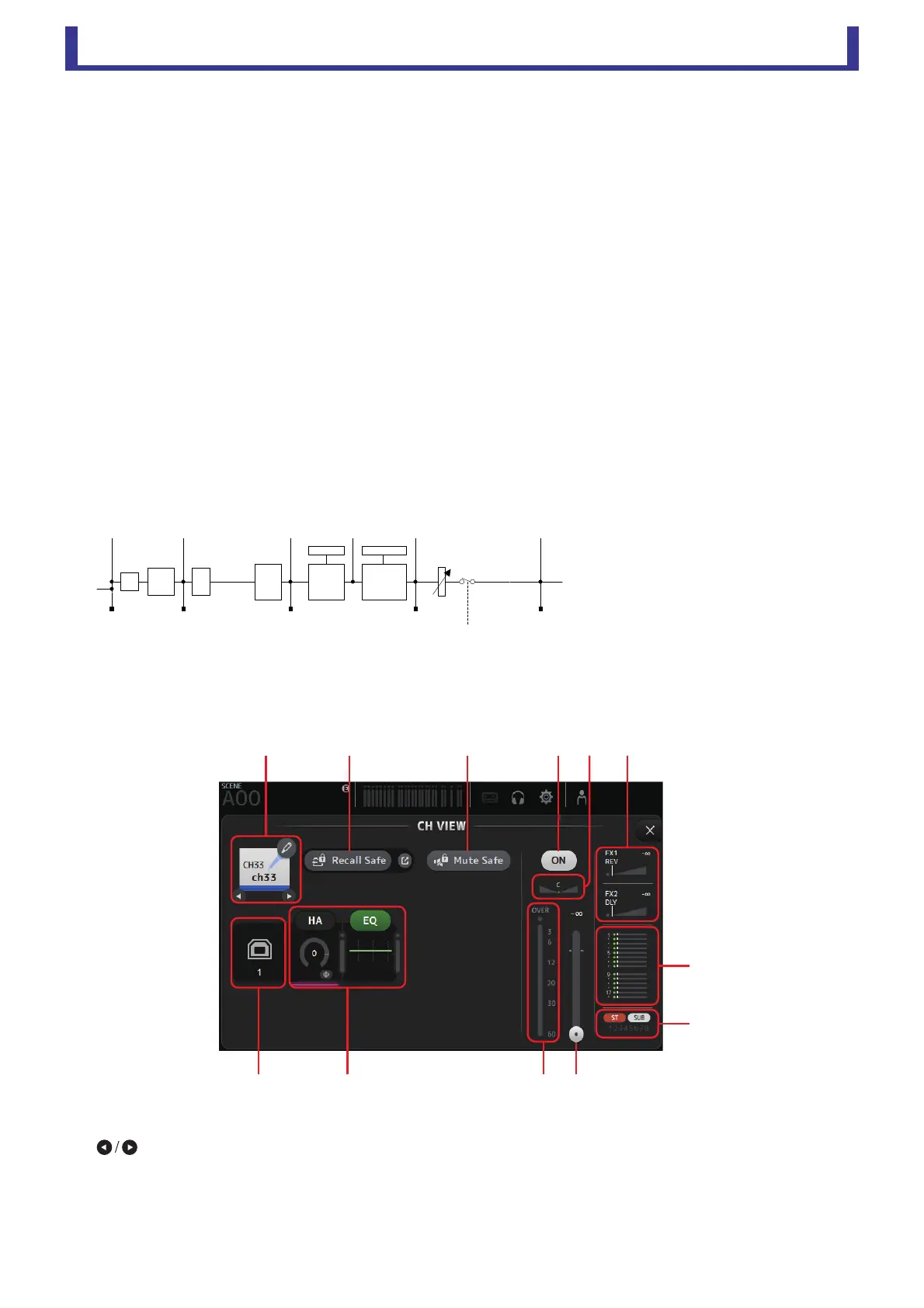
D Direct out point button
Allows you to set the point of the direct out signal.
Pre DG: Before the digital gain
Pre HPF: Before the high-pass filter
Pre Fader: Before the fader
Post Fader: After the fader
E Direct out on/off button
Turns the direct out on and off.
CH33–CH40
1 Channel name
Click to display the CH NAME screen (page 62).
Click to display information for a different channel.
2 Recall Safe button
Turns Recall Safe on and off for the corresponding channel.
You can display the RECALL SAFE screen by clicking the jump button in the right corner of the Recall Safe button.
',*,7$/
*$,1
䃅
+3)
%$1'
(4
*$7( &203
*50(7(5 *50(7(5
3UH+3) 3UH)$'(5
21
3RVW)$'(53RVW(43UH'*
)$'(5'&$
ձղ մ նշո
չ
պ
ջռյճ





 To Next Page