COOLING SYSTEM
BY Service Manual
7-9
Tests and Adjustments
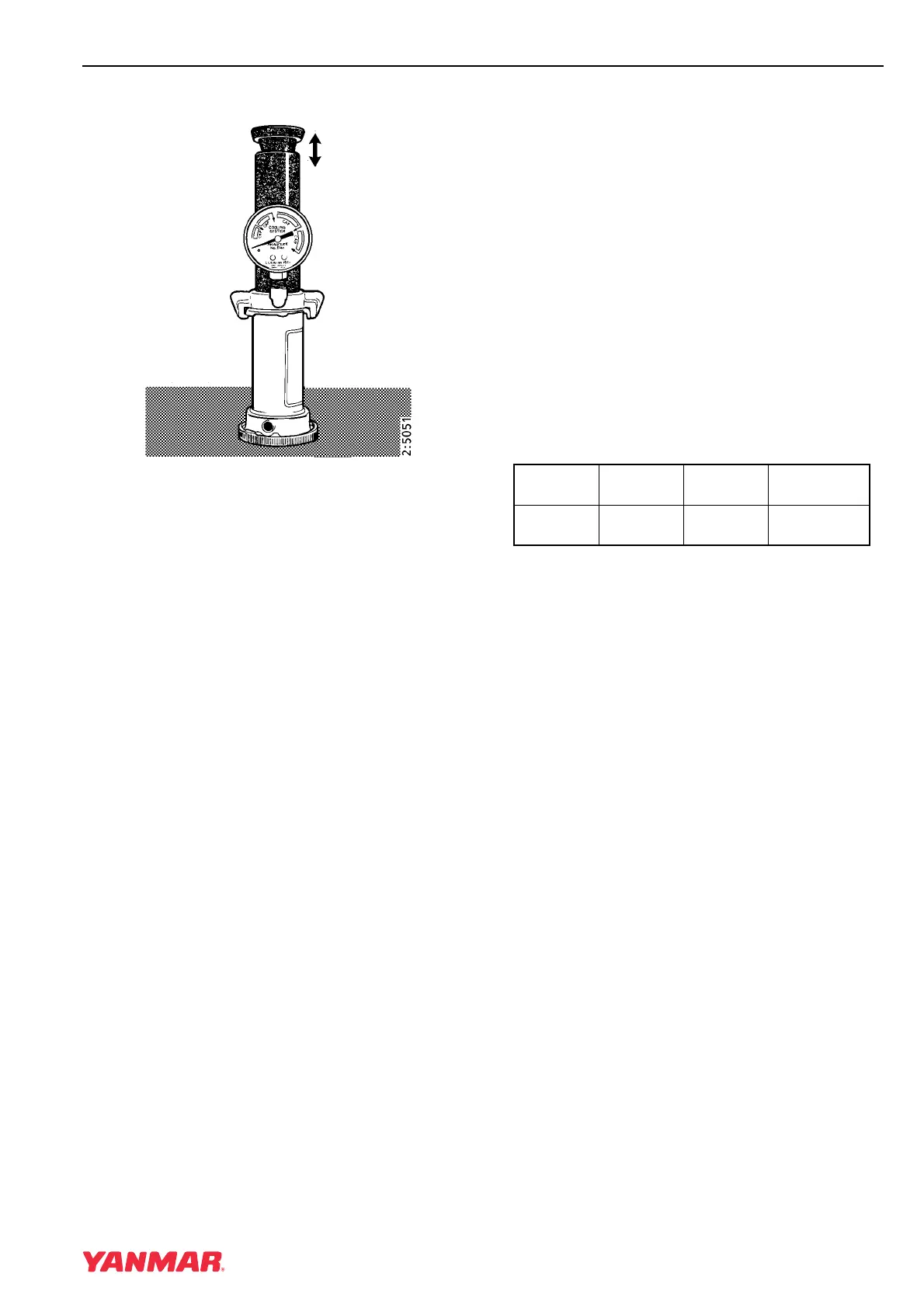
Filler Cap
Figure 7-3
1. Connect the cap to the cooling system tester
using the adapter for the cap.
2. Pump until the cap opens (Figure 7-3).
3. The tester needle should stop at approximately
1.45 bar (21 psi).
Testing Thermostat
1. The design temperature for the thermostat is
stamped into the thermostat body. Find and
record this number.
2. Immerse the thermostat into a container of
water. Suspend it so that it does not come into
contact with the walls or bottom of the
container.
3. Slowly heat the water and monitor the
temperature with a thermometer. Stir the water.
4. Check that the thermostat begins to open at the
specified temperature, and that it is fully open at
the temperature given in the specifications.
If the test results are not within specification,
replace the thermostat.
Specifications
Item Marking
Starts
Opening
Fully Open
Thermostat
Opening
88°C
88°C
(190°F)
96°C (205°F)



 To Next Page