ENGINE
5-54
BY Service Manual
Camshaft and Timing Gear Train
Removing and Installing Timing
Chain Tensioner
1. Remove timing case cover. See Removing
Timing Case Cover on page 5-52.
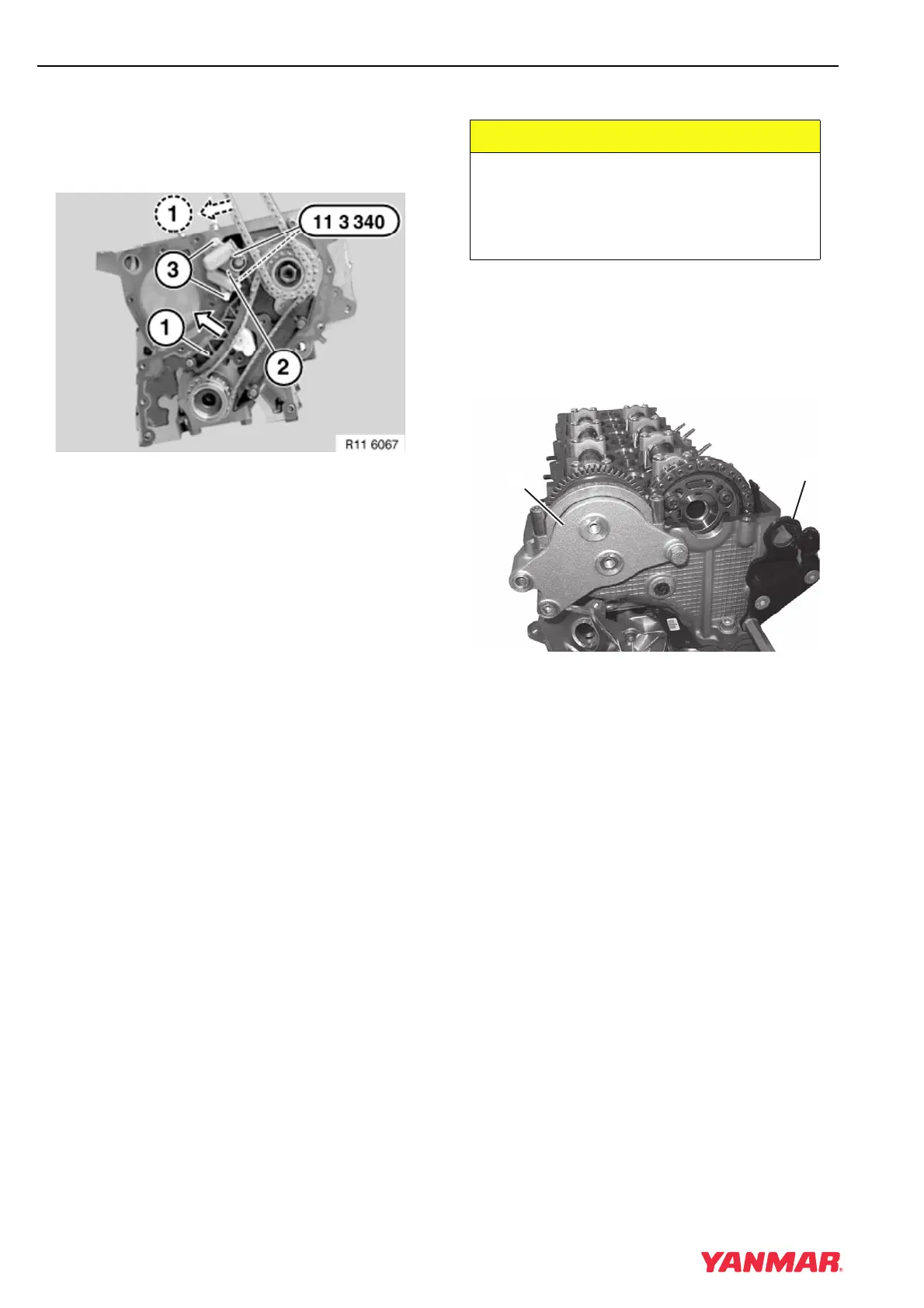
Figure 5-86
Note: Illustration shows upper tensioner rail
removed and the tensioner with special
tool installed.
2. Press both tensioner rails (Figure 5-86, (1)) in
direction of arrow. Insert special tool OEM No.
11 3 340 in designated openings in chain
tensioner (Figure 5-86, (2)).
3. Remove bolts (Figure 5-86, (3)).
4. Remove chain tensioner (Figure 5-86, (2)).
5. Installation is in the reverse of removal.
Removal of Camshafts
1. Remove cylinder head cover. See Remove and
Install Cylinder Head Cover on page 5-20.
2. Drain engine coolant.
3. Remove alternator drive belt. See Remove and
Install Alternator on page 11-7.
Figure 5-87
4. Remove cover (Figure 5-87, (1)) and bracket
(Figure 5-87, (2)).
5. Rotate the crankshaft until No. 1 cylinder intake
camshaft lobes are facing down.
CAUTION
Identify all parts and their location using
an appropriate method. It is important
that all parts are returned to the same
position during the reassembly process.
0000080en
(
1
)
(
2
)
0003777



 To Next Page