ELECTRICAL AND ECU
BY Service Manual
12-27
Repair
Replacing Crankshaft Sensor
1. Disconnect battery negative (-) cable.
2. Remove starter motor. See Remove and Install
Starter Motor on page 10-7.
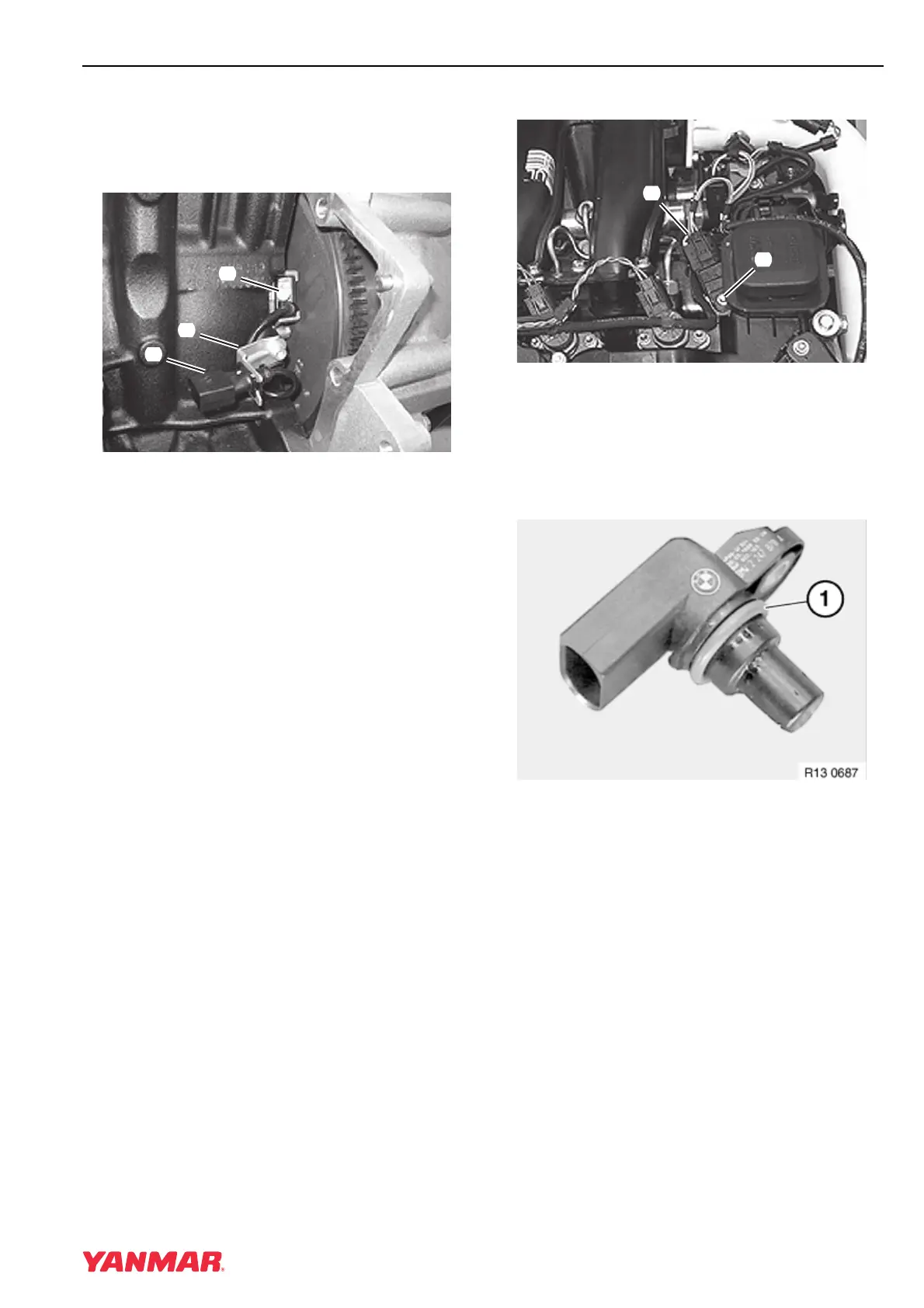
Figure 12-28
3. Disconnect harness connector from crankshaft
sensor connector (Figure 12-28, (1)).
4. Remove connector from mounting bracket
(Figure 12-28, (2)).
5. Remove screw (Figure 12-28, (3)) and remove
sensor from engine.
6. Install sensor and tighten screw
(Figure 12-28, (3)) to 9.5 N·m (84 in.-lb).
7. Install connector in bracket and connect engine
harness.
8. Install starter motor. See Remove and Install
Starter Motor on page 10-7.
9. Check and delete any trouble codes that are
registered in the ECU after the work has been
completed.
Replacing Camshaft Sensor
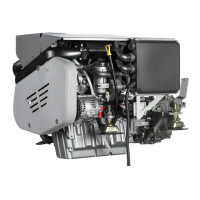
Figure 12-29
1. Disconnect harness connector
(Figure 12-29, (1)).
2. Remove screw (Figure 12-29, (2)) and remove
camshaft sensor.
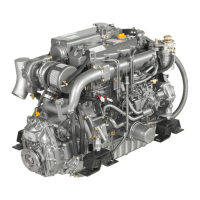
Figure 12-30
3. Check condition of seal (Figure 12-30, (1)) and
replace if necessary.
4. Install sensor and tighten screw to 2.3 N·m
(20 in.-lb)
5. Check and delete any trouble codes that are
registered in the ECU after the work has been
completed.
(
3
)
(
2
)
(
1
)
0003770
(
2
)
(
1
)
0003769



 To Next Page