Customer Service 800-496-9430 | www.zaon.aero
UNDERSTANDING PCAS12
The detection window surrounding your aircraft in flight can best be visualized by imagining a “Bubble of Awareness”
surrounding your aircraft. XRX will display any aircraft within this detection window. The “bubble of awareness” can be
shaped to meet the needs of your current flying situation.
The width of the bubble represents and is defined by range; the height is defined by altitude. Both the altitude limits and
range limits can be set independently of each other by the pilot.
The Traffic Screen
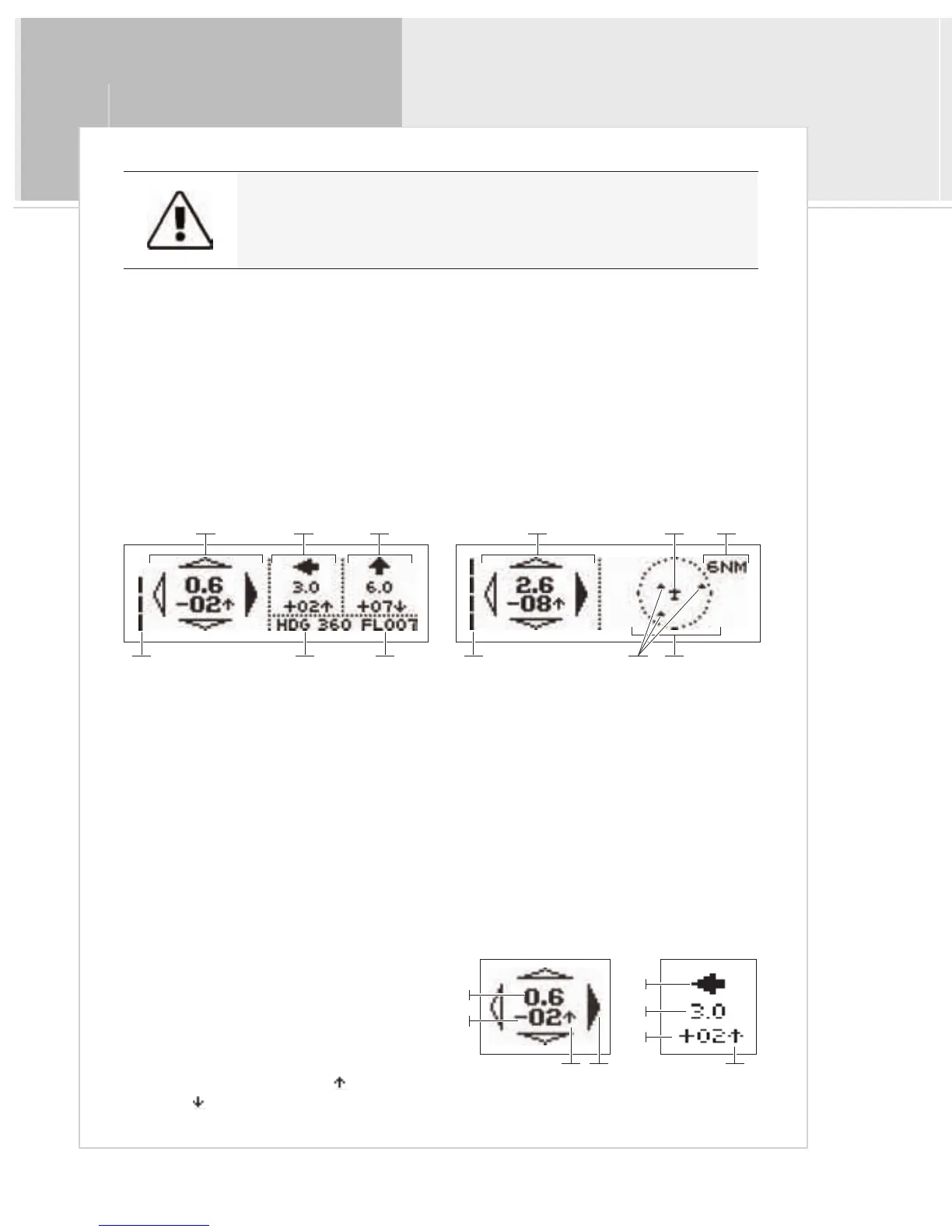
When XRX detects aircraft within the detection window, the following information is displayed on the traffic screen:
Screen A & B Information
1>Primary Aircraft
2>Volume indicator
Screen A Only Screen B Only
3>Secondary Aircraft #1 7 > Overhead traffic view - Range setting: 6NM, 3NM, 1NM
4>Secondary Aircraft #2 8 > Your aircraft
5>Local heading 9 > Target aircraft (maximum of 3)
6>Local altitude 10 > Range setting
Target Information
A>Direction relative to your bearing: indicated by
the compass rose
B>Range in nautical miles
C>Altitude relative to your local altitude: aircraft is
above you (+) or below you (–)
D>Vertical Trend: Ascending (
)
or descending
(
)
Screen A
1 3
5 62
4
Screen B
1 8
72
10
9
Primary A/C
B
C
AD
Secondary A/C
A
B
C
D
By default, XRX is set to 3 NM and +/-- 1500 feet at startup.


 To Next Page