Owner’s Manual | PCAS XRX
SETUP 3
Setup
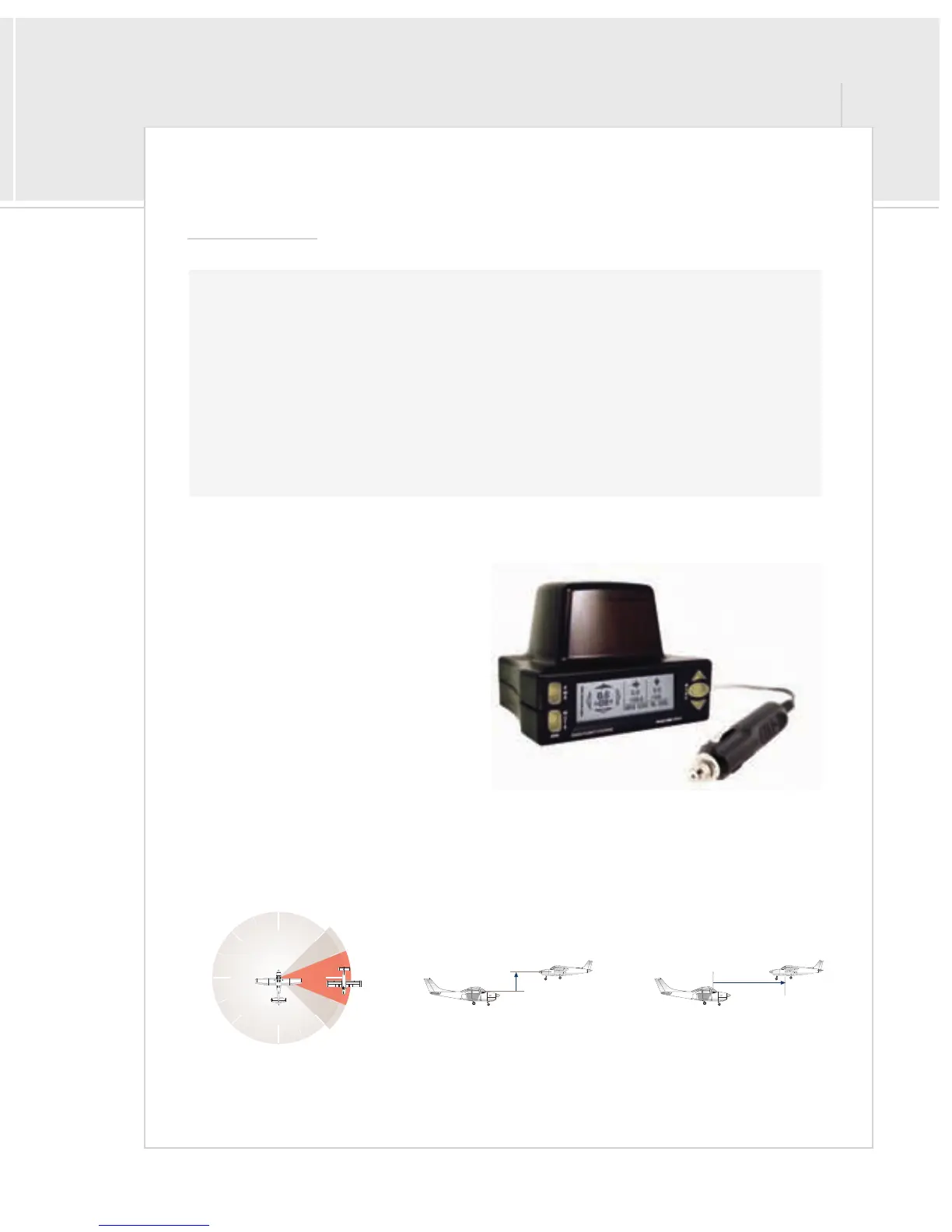
XRX At-A-Glance
> “3-D” view Quadrant Direction, 45° increments
> Digital range, scalable from 6NM to 1NM
> Relative altitude, scalable from ±2500 ft to
±500 ft, with ascending/descending indicator
> Multiple traffic information
> Menu-driven interface, with selectable aircraft
profiles and advanced calibration options
> A built-in altimeter, a built-in compass, and a
built-in turn/bank sensor, and internal
thermometer provide the highest, real-time
accuracy available
> Displays the local squawk code, altitude, bank angle, bearing and temperature
> Audio voice alerts for threats and advisories are included, with both Headset-Direct™ hookup and
in-cabin output, as well as RS-232 out for integration with other systems.
Quadrant Bearing
relative altitude + trend digital range
Step-by-Step
1 > Unpack unit and accessories. . . . . . . . . . . . . . . . . . . . . . . . . . . . . . . . . . . . . . . . . . . . . . . . . . . . . . . . . . . . . . . . . . .page 4
2 > Register your unit. . . . . . . . . . . . . . . . . . . . . . . . . . . . . . . . . . . . . . . . . . . . . . . . . . . . . . . . . . . . . . . . . . . . . . . . . . . . .page 63
3 > Determine placement and cable routing. . . . . . . . . . . . . . . . . . . . . . . . . . . . . . . . . . . . . . . . . . . . . . . . . . . . . . . page 4
4 > Set configuration switches, if necessary. . . . . . . . . . . . . . . . . . . . . . . . . . . . . . . . . . . . . . . . . . . . . . . . . . . page 7, 9, 58
5 > Hookup power and audio (optional). . . . . . . . . . . . . . . . . . . . . . . . . . . . . . . . . . . . . . . . . . . . . . . . . . . . . . . . page 5 - 7
6 > Place unit and turn on. . . . . . . . . . . . . . . . . . . . . . . . . . . . . . . . . . . . . . . . . . . . . . . . . . . . . . . . . . . . . . . . . . . page 4 - 5, 10


 To Next Page