Customer Service 800-496-9430 | www.zaon.aero
BUTTONS AND FUNCTIONS46
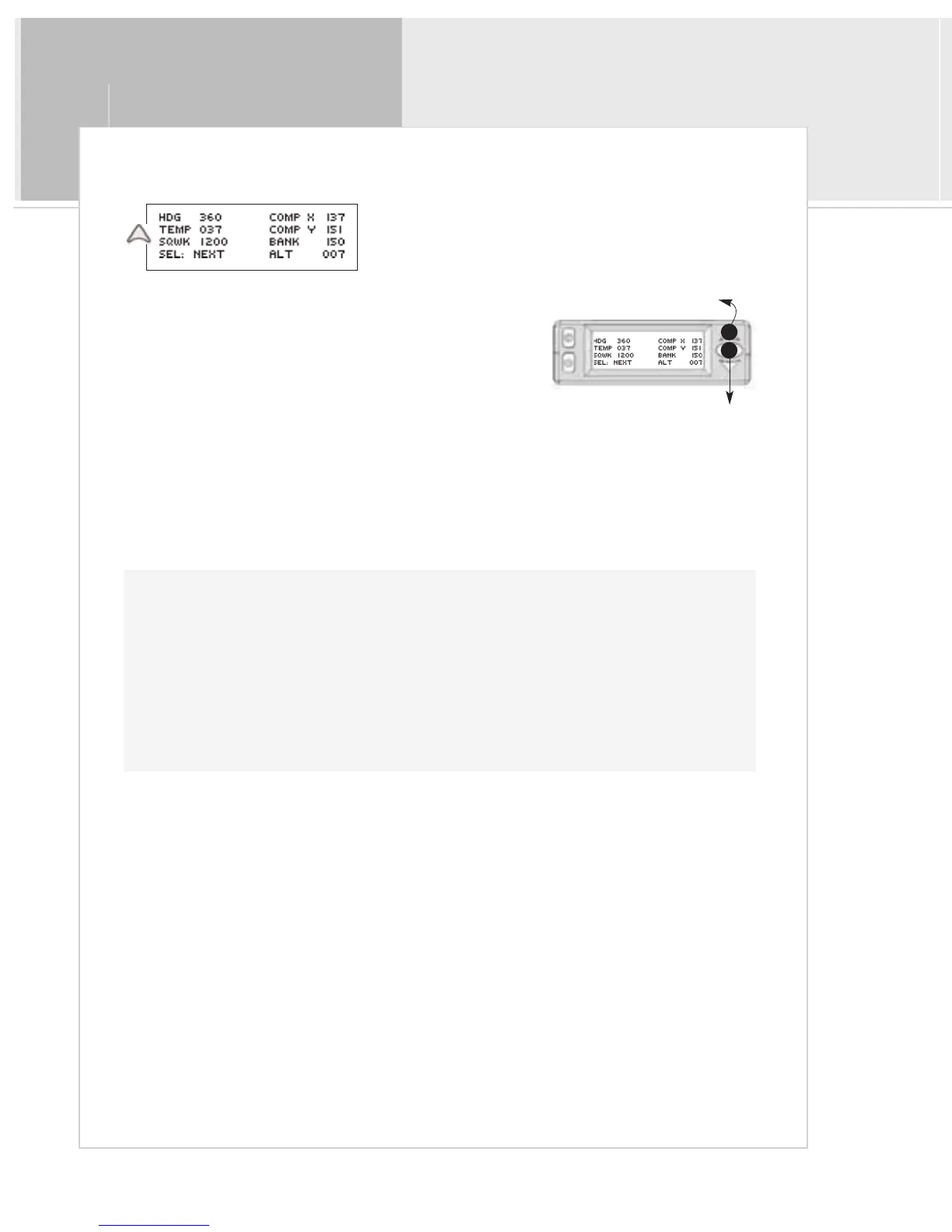
Page 2: General Information
The next admin menu displays general information regarding both
your XRX system and your aircraft.
The following actions can be performed on this page:
A > Press the menu/select button to continue to the next page
B>Press the up button to perform the system audio test
The following information is displayed:
> Your current magnetic heading (HDG)
> XRX system temperature in Celsius (TEMP)
> Your aircraft squawk code (SQWK)
> The local altitude (ALT)
> Coded compass and bank/pitch angles
<Beep> + “Test”
B
A
System Audio Test
Pressing the up button [B] on this page will perform a test on the audio system. You will hear the In-Cabin
beep, followed by the voice annunciation “Test” from the audio cable. You may perform this step as many
times as necessary to hear the test audio at louder or softer volumes. Your headset must be hooked up in order
to hear the voice annunciation (see “Connecting the Audio” in the “Setup” chapter for more information on
hooking up the audio).
This audio test can also be performed at the traffic screen by simply pressing the up or down arrows.


 To Next Page