Customer Service 800-496-9430 | www.zaon.aero
BUTTONS AND FUNCTIONS38
Menu 1: Aircraft Type
To increase accuracy, different airframe types have different
characteristics that effect the antenna reception pattern.
> Open
No compensation for airframe, such as a composite
aircraft
> High Wing
Antenna pattern compensation for a metal high-wing
airframe
> Low Wing
Antenna pattern compensation for a metal low-wing
airframe
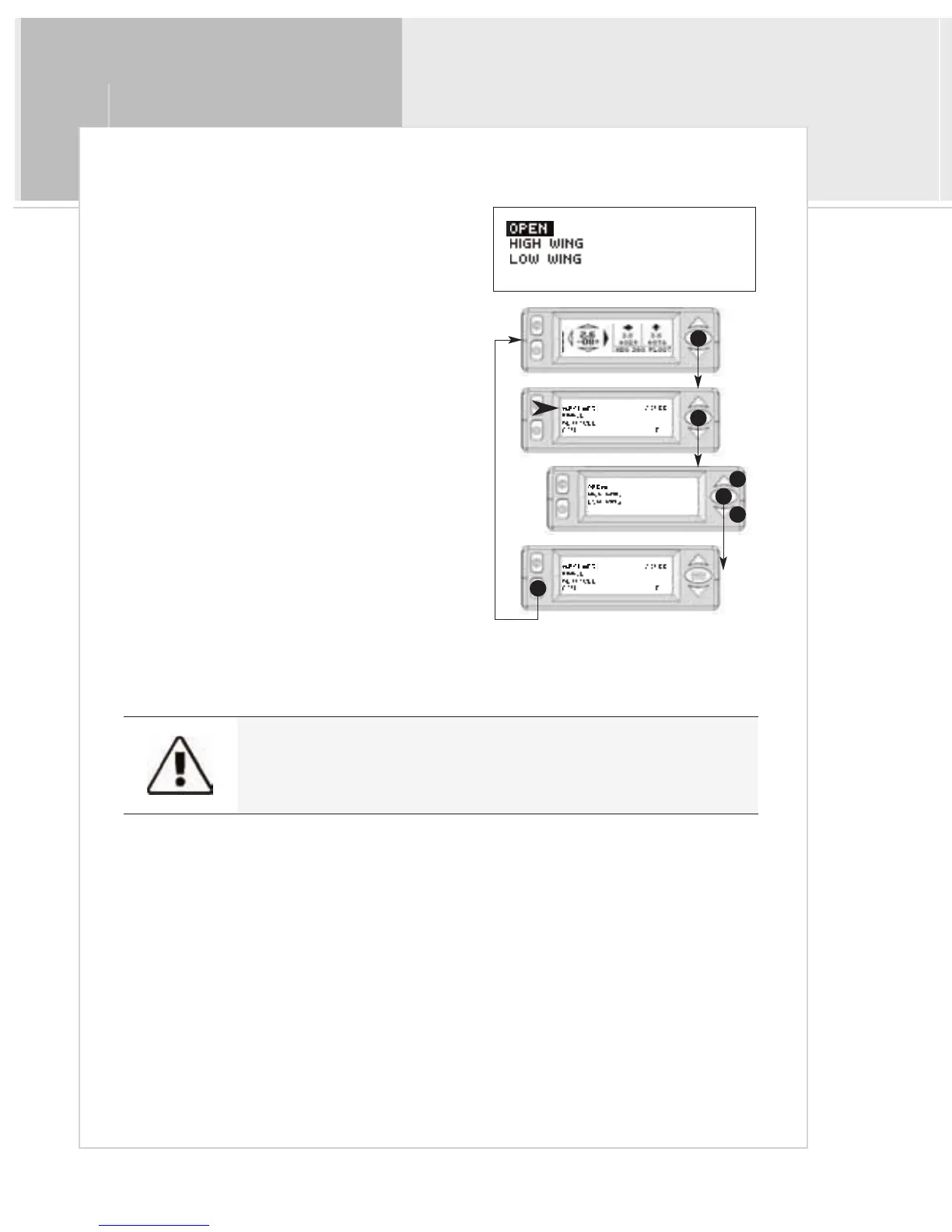
To select an aircraft type:
1>From the Traffic Display Screen, press the
menu/select button once to access the menus.
2>Press the menu/select button to select the Aircraft
Type menu.
3>Use the up and down buttons to select the desired
type
4>Press menu/select to return to the main menu.
5>Press mute to return to the traffic screen.
1
2
4
3
3
5
Failure to select proper aircraft type can result in bearing errors.


 To Next Page