Customer Service 800-496-9430 | www.zaon.aero
APPENDICES58
Appendix B: Configuration Switches
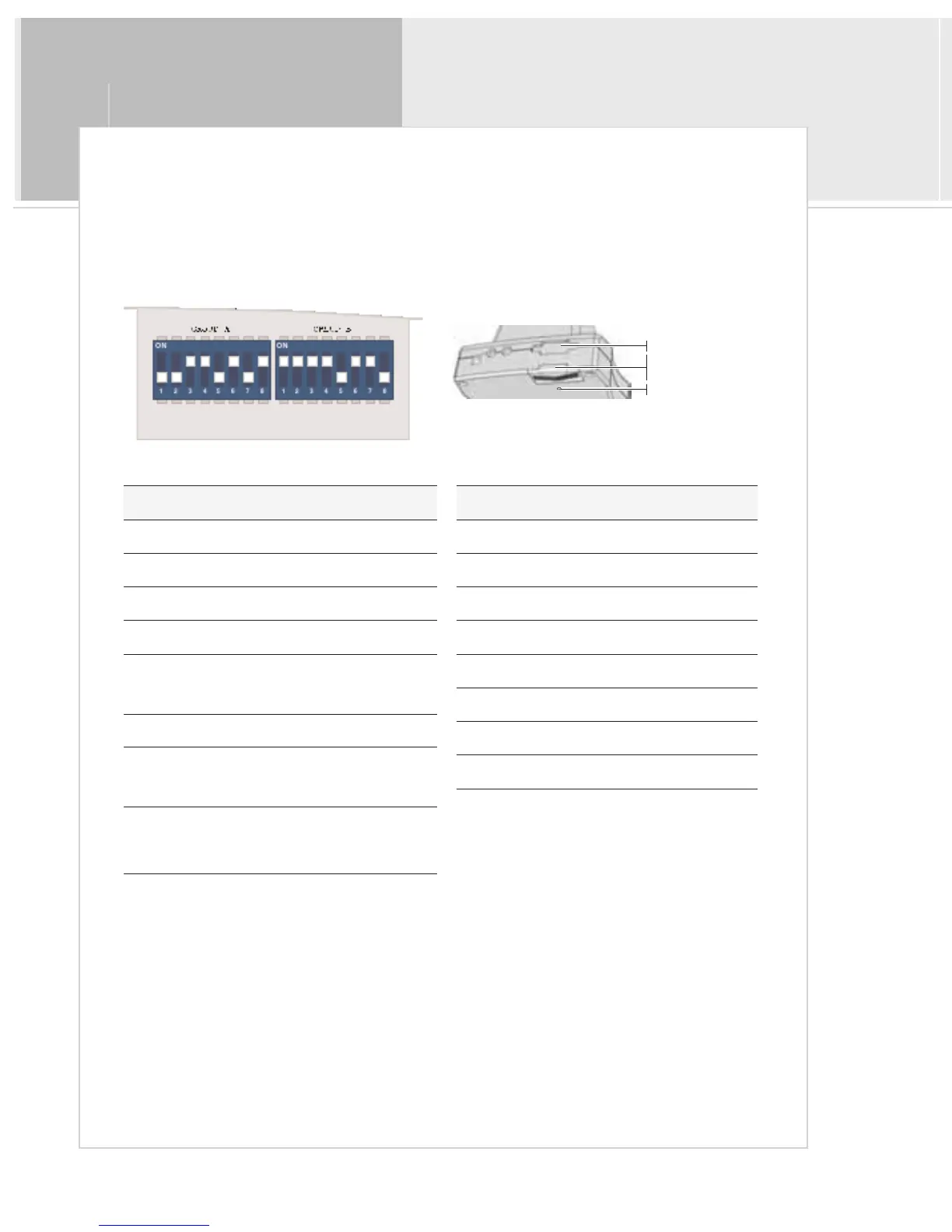
Your XRX unit has two groups of configuration switches, located inside the hatch on the bottom rear of the unit. Group
A configures the audio and pressurization options, and Group B configures the RS-232 output options. To open the
hatch, remove the retainer screw using a small Phillips screwdriver.
Bold items are factory default settings.
* and ** selections are mutually exclusive. For example, to
set to Mono (*), A2 must be ON and A3 must be OFF.
Table G: Configuration Switch Definitions
Rear of Unit
Inside Switch Compartment (default settings)
RS-232 Connection
Retainer Screw
Configuration
Switches Hatch
A ON OFF
1 300 Ω Impedance 600 Ω Impedance
2 Mono* Stereo**
3 Stereo** Mono*
4 Ground Connect Ground Isolation
5 Pressurized Non-pressurized
6 In-Cabin Audio ON In-Cabin Audio OFF
7 Calibration Mode ON
Calibration Mode
OFF
8
+5 VDC to
RS-232 Pin 9
OFF / NC
B ON OFF
1 RS-232 Enable RS-232 Disable
2 DCD to DSR OFF / Disconnect
3 RTS to CTS OFF / Disconnect
4 DTR to DSR OFF / Disconnect
5 XRX TX to RS-232 RX OFF / NC
6 XRX RX to RS-232 TX OFF / NC
7 XRX RX to RS-232 RX OFF / NC
8 XRX RX to RS-232 RX OFF / NC


 To Next Page