Owner’s Manual | PCAS XRX
BUTTONS AND FUNCTIONS 39
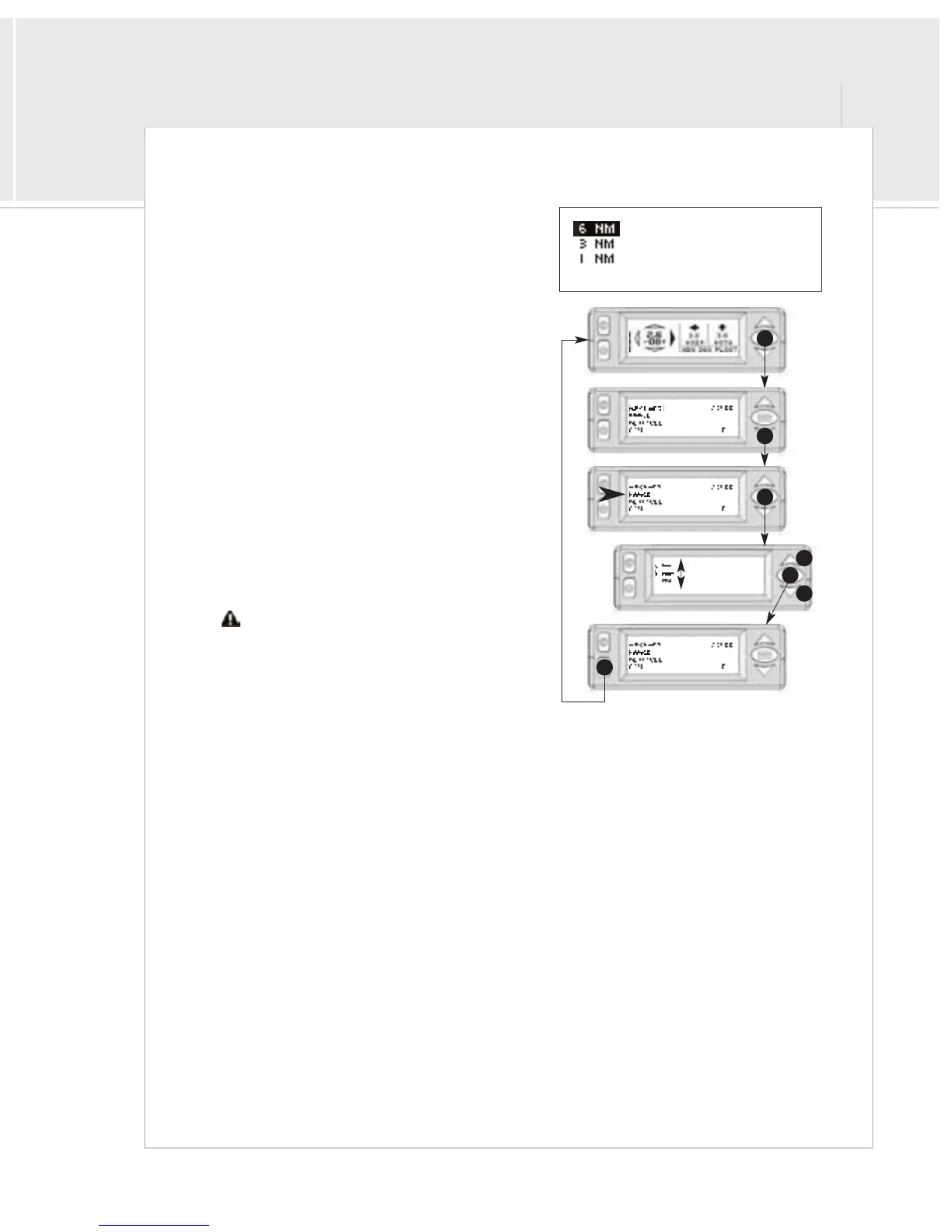
Menu 2: Range
The range menu allows you to select the horizontal detection
window, or range. The available range options are 6 NM radius, 3
NM radius, or 1 5 NM radius (shown as 1 NM in menu).
To select a Range window:
1>From the Traffic Display Screen, press the
menu/select button once to access the menus.
2>Press the down button once to highlight “RANGE”
3 > Press the menu/select button to select the Range
menu.
4 > Use the up and down buttons to select the desired
range.
5>Press menu/select to return to the main menu.
6 > Press mute to return to the traffic screen.
To return to the main menu, press menu/select instead of mute
in step 5.
Traffic outside the selected range window will not
be indicated.
1
3
2
5
4
4
6


 To Next Page