Customer Service 800-496-9430 | www.zaon.aero
BUTTONS AND FUNCTIONS40
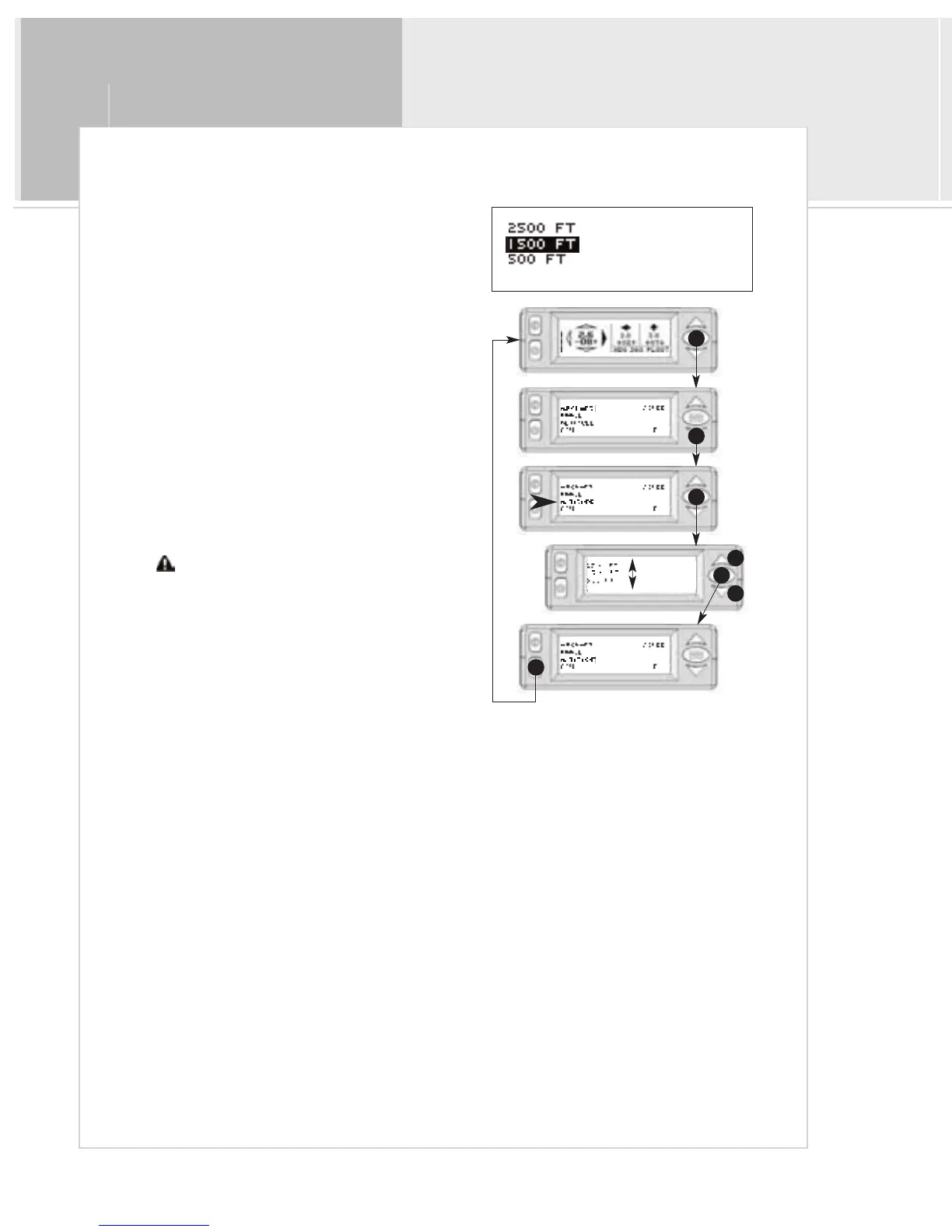
Menu 3: Altitude
The purpose of the altitude menu is to limit threat indications
based on altitude separation from your aircraft, especially when
operating in dense traffic environments.
To select an Altitude Limitation:
1 > From the Traffic Display Screen, press the
menu/select button once to access the menus.
2 > Press the down button twice to highlight
“ALTITUDE”
3 > Press the menu/select button to select the
Altitude menu.
4>Use the up and down buttons to select the desired
altitude.
5>Press menu/select to return to the main menu.
6 > Press mute to return to the traffic screen.
Traffic outside the selected altitude window will
not be indicated.
1
3
2
5
4
4
6


 To Next Page