Customer Service 800-496-9430 | www.zaon.aero
FREQUENTLY ASKED QUESTIONS50
generally reduce noise at a much lower frequency (approximately 400 Hz and below), they have little effect on
restricting the volume of the tone generator, which can be heard clearly through ANR headsets. The tone is a
short double beat for advisories, or a triple-beat for alerts. The tone is only heard once when the advisory or alert
is first announced.
Does PCAS interface with other systems (such as moving maps or MFDs)?
PCAS XRX uses an RS-232 protocol to export the traffic information. Many third-party moving map and EFIS
systems, including those from Garmin, Blue Mountain Avionics, Grand Rapids Technologies, AnywhereMap,
AirNav, and many more. The data is available to any system with the ability to interface through RS-232 and read
the data. For up-to-date and model-specific information, visit our third-party integration website at
www.zaon.aero/integration.
When interfaced with an external system, XRX provides a com menu for selecting the proper protocol for that
system. When an external system is being used, the traffic screen is blanked to allow for greater data processing.
Buttons function normally during this time. See page 42 (“Menu 4: Third-Party Communications Setup”) for more
information.
How well does the unit perform in a high-temperature environment?
Even though PCAS was designed to sit atop the glareshield, it should function normally in high-temperature
environments, such as summer conditions. Several design elements assist with keeping PCAS within its
operating temperature range. The grey color of the housing deflects much of the heat from direct sunlight. An
internal cooling fan exhausts much of the heat build-up through the “gills” in the top of the unit. You may have
noticed a slight whirring sound upon startup, which is from the fan. Electronic components were selected specif-
ically for high heat tolerances. As with any electronics, heat can adversely affect performance. However, PCAS has
been successfully tested to function normally at the top end of the 150°F (65°C) temperature range.
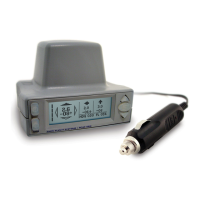
Can XRX be powered by anything other than the cigarette-lighter adapter?
Yes. XRX can accept power from any DC source that outputs 10 to 40 V. External battery packs are available to
power XRX for up to 22 hours. See our website for more information on XRX accessories. Also, XRX can be
powered from a hard-wired power source, such as that from the avionics bus. If hard-wiring, make sure the plug
is a 2 35mm barrel type, tip positive, providing between 10 and 40 VDC from a fused source, and that all FAA
requirements are observed.
Do I have to use the audio connections?
No. XRX will function normally without any audio hookups. The audio hookup simply enables an advisory or alert
to be heard through the headset. When XRX determines that a detected aircraft may be close enough to warrant
an alert or advisory, an attempt is made to alert the pilot to this impending threat. XRX incorporates two audio
systems in order to accomplish this: a headset-direct female voice through a simple headset connection, and a
high-pitched tone generator. The voice alert and the tone generator can be used or turned off in any combina-
tion. Also, an instant-mute function is available to suppress any audio output.
How does XRX know my bearing, altitude and squawk?
The local bearing, or heading information displayed on the traffic screen, comes from the built-in compass. It is
displayed in 10° increments. The local altitude comes from either the built-in altimeter or from your transponder


 To Next Page