Start-Up
Axiostar plus Inserting white-balance filter Carl Zeiss
B 40-815 e 12/01 2-21
2.10 Inserting white-balance filter
The white-balance filter can be used to balance
differing, subjective color perceptions when
observing a specimen and to increase contrast.
☞
The white-balance filter is only for subjective
balancing for the user. For microphotography,
remove the white-balance filter and use an
appropriate conversion filter (e.g. conversion
filter 3200 ... 5500 K).
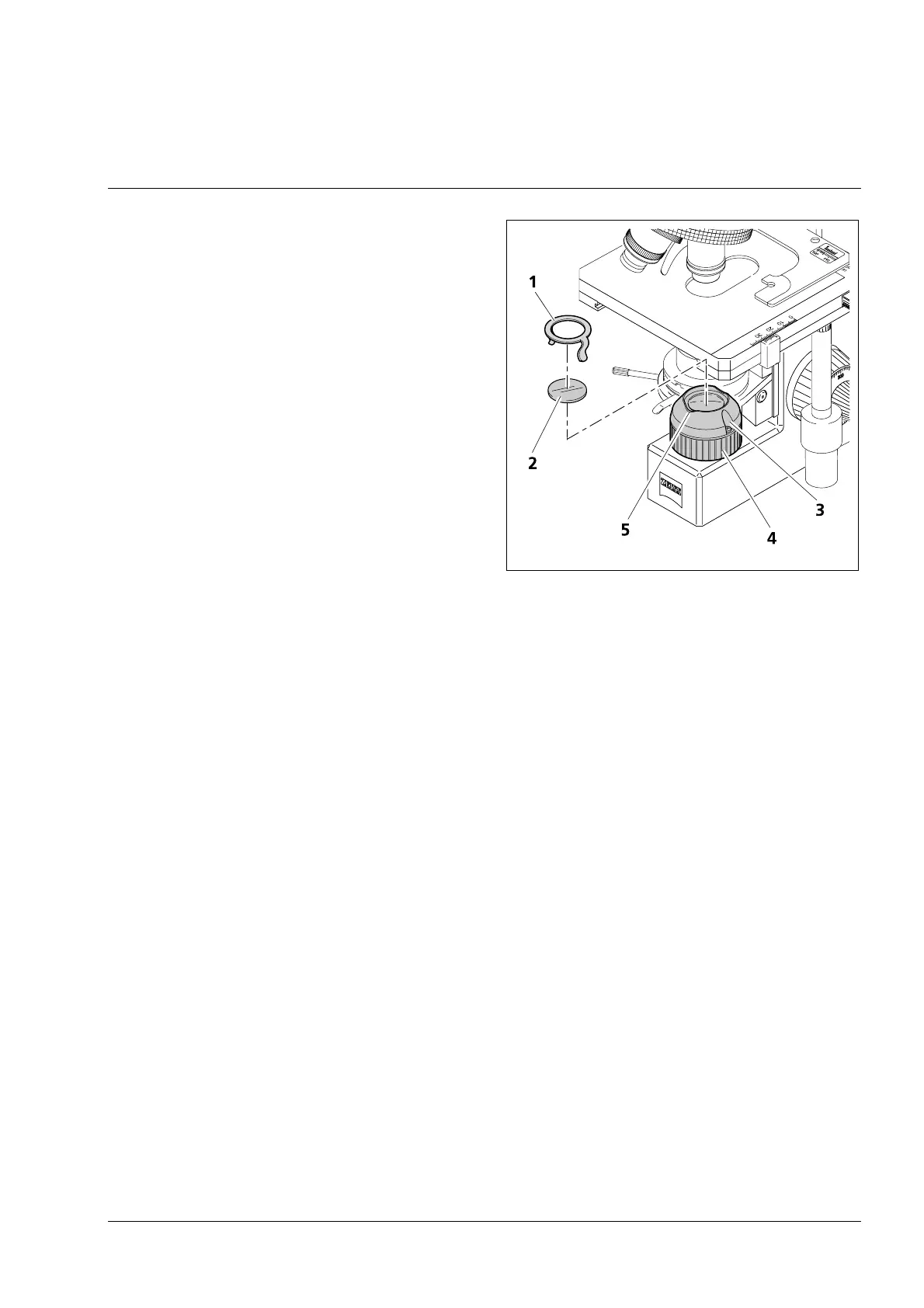
• Carefully hold the white-balance filter
(2-19/2) on the edge without smudging it
and place it in the luminous field diaphragm
opening (2-19/4).
• To make sure the filter does not fall out,
push the filter clamp (2-19/1) in the groove
(2-19/3) until it engages. A maximum of
two filters can be secured with the filter
clamp.
• There are depressions (2-19/5) on the top of
the luminous field diaphragm (front and
back) to make it easier to remove the filter
clamp and white-balance filter. This allows
you to pry out the filter clamp or filter with
your fingers.
☞
If a yellow tone appears when using objectives
5x and 2.5x even though a white-balance filter
is inserted, use an additional neutral filter 25 %
(467849-0000-000) on the luminous field
diaphragm and increase the lamp intensity.
1 Filter clamp
2 White-balance filter
3 Groove
4 Luminous field diaphragm
5 Depression in the luminous field diaphragm
Fig. 2-19 Inserting white-balance filter
Artisan Scientific - Quality Instrumentation ... Guaranteed | (888) 88-SOURCE | www.artisan-scientific.com







 To Next Page