OPERATION
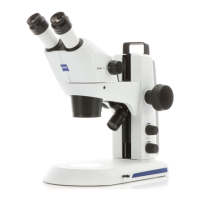
Carl Zeiss Basic instrument as compact version with stand C Stemi DV4 / DR
3-4 B 40-003 e 08/00
3.1.3.2 Varying the illumination intensity
The intensity is set continuously between the minimum and maximum values via the keys + and -.
− To increase the illumination intensity: press key + several times or keep it pressed
− To reduce the illumination intensity: press key - several times or keep it pressed
In mixed light, the intensities can be set separately for reflected and transmitted light.
− Incident light: press key + / - several times or keep it pressed
− Transmitted light: press keys M and key +/ - several times or
keep it pressed
3.1.3.3 Specimen protection in transmitted-light applications
In the Stemi DV4 / DR, thermally sensitive specimens are automatically protected from excessive heat
from the transmitted-light illuminator.
The automatic system arranges for the transmitted light intensity to be reduced after expiry of 3 minutes
to a level which is uncritical for constant operation (60%), provided that maximum illumination intensity
has been set for the transmitted-light mode.
If the illumination intensity for transmitted light has been set to 100 %, the blue LED lights up.
Of course, the transmitted-light illumination intensity can be reset to full lamp performance any time.











 To Next Page