OPERATION
Stemi DV4 / DR Core accessories Carl Zeiss
B 40-003 e 08/00 3-17
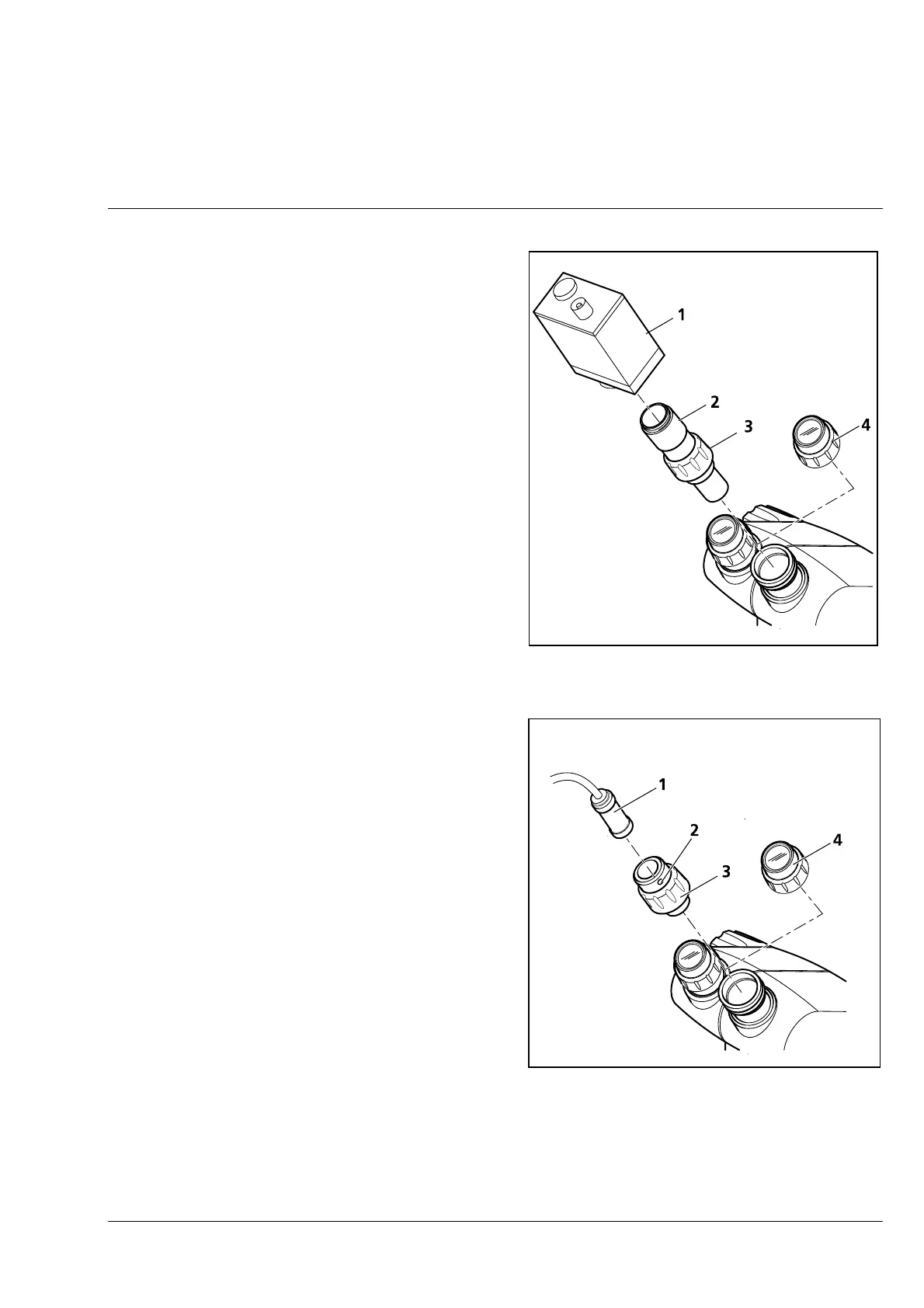
3.2.3.5 Video camera with C-Mount
connector
• Unscrew eyepiece (3-19/4) from one of the
eyepiece tubes.
• Screw eyepiece adapter C-0.8x (3-19/2) into the
video camera (3-19/1).
• Insert complete unit into the eyepiece tube until
stop and slightly tighten the retainer ring
(3-19/3) of the eyepiece adapter.
• Align the camera and tighten the retainer ring.
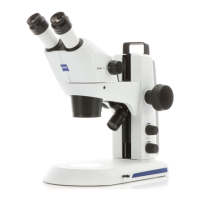
3.2.3.6 Microhead camera
• Unscrew eyepiece (3-20/4) from one of the
eyepiece tubes.
• Insert microhead camera (JAI CV-M2200 PAL,
3-20/1) into the eyepiece adapter for the
microhead camera and use angled screwdriver
to slightly tighten the clamping screw (3-20/2).
• Insert eyepiece adapter into the eyepiece tube
until stop and slightly tighten the retainer ring
(3-20/3).
• Connect the microhead camera to the Control
Unit and the monitor.
• Switch on the microscope illuminator and the
video system.
• Place an object on the stage. Make the basic
settings on the Stemi DV4 / DR (see page 3-5).
After this, the focusing knob must no longer be
adjusted.
• Set minimum magnification.
Fig. 3-19 Attachment of video camera with
C-Mount connector
Fig. 3-20 Attachment of microhead camera











 To Next Page