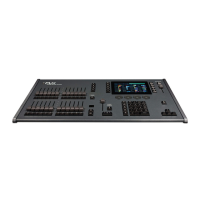
To control the intensity of a fixture(s) via the numeric keypad, commands must be typed like this:
Channel Number (s) @ Intensity % Enter
Examples
Examples of valid commands are below:
1 @ 1 0 0 Enter
1, @ 100,
This sets the intensity of channel 1 to 100%.
2 And 3 @ 7 5 Enter
2, And 3, @ 75,
This sets the intensity of channels 2 and 3 to 75%.
5 Thru 1 0 @ 5 0 Enter
5 Thru 10, @ 50,
This sets the intensity of channels 5 through to 10 to 50%.
5 Thru 1 0 Except 7 @ 6 5 Enter
5 Thru 10, Except 7, @ 65,
This sets the intensity of channels 5, 6, 8, 9 and 10 to 65%.
3 Thru 9 Except 5 Except 6 @ 0 Enter
3 Thru 9, Except 5, Except 6, @ 0,
This sets the intensity of channels 3, 4, 7, 8 and 9 to 0%. Note how Except is used twice to exclude two different
channels from the range.
1 Thru 3 And 7 Thru 9 @ 2 5 Enter
1 Thru 3, And 7 Thru 9, @ 25,
This sets the intensity of channels 1, 2, 3, 7, 8, and 9 to 25%.
1 And 7 Thru 1 2 Except 9 @ 5 Enter
1, And 7 Thru 12, Except 9, @ 5,
Zero 88 - ZerOS - Page 61 of 233 Printed: 23/11/2020 12:50:03 JH



 To Next Page