806834 v1.02 07.21 G5 Online install instructions and user guide
64
SAFETY
INSTALLATION
TROUBLE
SHOOTING
COMMISSION
USER GUIDE
TAP SAFETY
LCD SCREEN
CONTACT
INSTALLATION
GUIDE
• Connect the mains electrical power cable (for Command Centre and Booster, if fitted) to the supply.
• Turn the power and water on and check for any leaks.
• Familiarise yourself with the operation of the tap, in preparation for use, see the user guide.
• Follow the installation instructions below,
• After commissioning, the system may be customised by selecting further options in the user guide.
• Depending on your location you may need to reset the internal clock. See page 84.
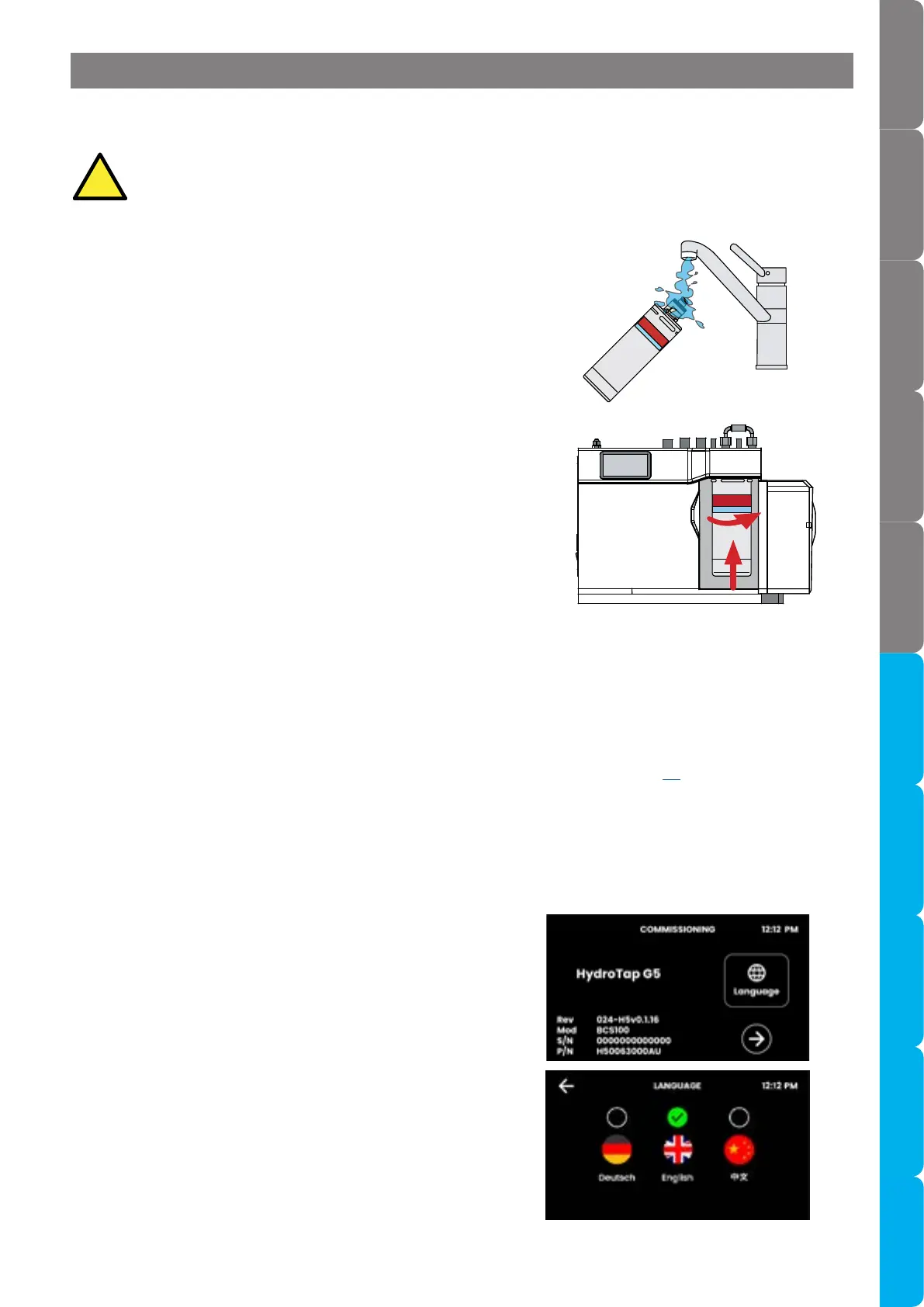
• Initial commissioning screen.
• Touch the arrow to begin the commissioning process.
• Touch the appropriate button to select the language of
choice.
5.1 Generic Commissioning instructions
Read these instructions before commencing Command Centre commissioning,they apply to all
installation arrangements.
!
5.2 Select the language
Section 5 Commissioning
• Unpack filter cartridge and remove sanitary cap.
• Write today’s date where shown on the label.
• Avoid touching the filter o-rings and filter opening
as this may cause bacterial contamination of the
cartridge.
• Moisten the o-rings with water.
• Open the filter door on the Command Centre.
• Align the front cartridge label to the left, and push
the new cartridge up into the filter head.
• Turn the cartridge a quarter turn anticlockwise until
it comes to a complete stop and locks, with the front
label facing forward.
5.1.1 Install the filter cartridge
5.1.2 Turn on the supplies



 To Next Page