806834 v1.02 07.21 G5 Online install instructions and user guide
80
USER GUIDE
SAFETY
INSTALLATION
TROUBLE
SHOOTING
COMMISSION
USER GUIDE
TAP SAFETY
LCD SCREEN
CONTACT
INSTALLATION
GUIDE
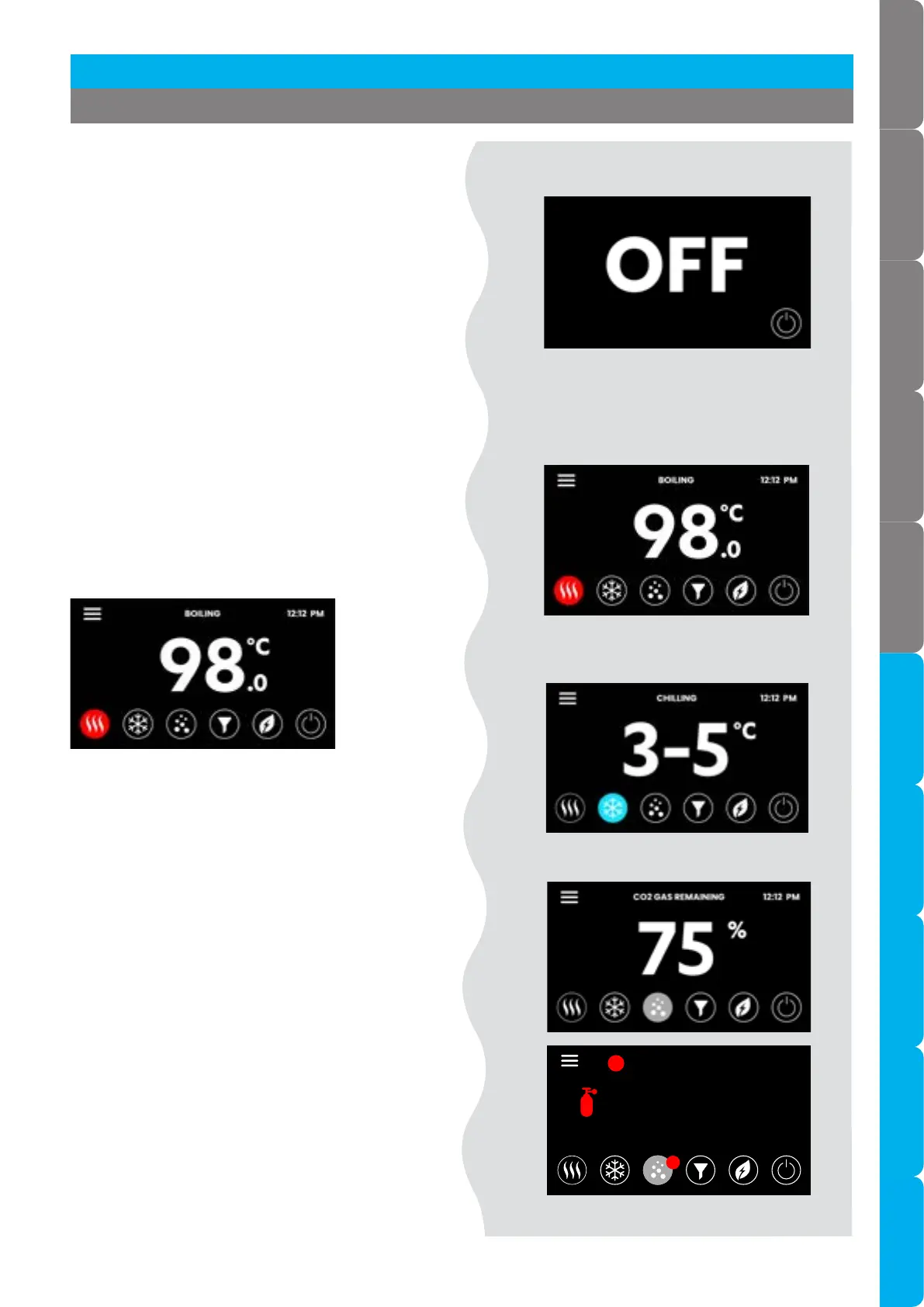
3.4 Home screen
Status screens shown here are representative and
may vary.
Boiling temperature set point
Boiling models
Chilled temperature set point
Chilled models
CO gas remaining Sparkling models
• Use the home screen to monitor the status of
your HydroTap.
• Touch each icon to view the system status.
• The screen turns OFF after 5 minutes of non-use.
• Touch the screen to reactivate.
Home screen
• When the CO cylinder has approximately 20%
remaining prepare a replacement cylinder.
OFF screen
3.3 OFF screen
• Touch the power button to turn the Command
Centre ON or OFF.
• The LCD screen visually shows OFF when it is
non-operational.
• You will hear the sound of an internal “click” as
the HydroTap Command Centre turns ON or
OFF.
12:12 PM
0
%
CO2 GAS REMAINING
REPLACE
CO2 GAS
!
!
Section 3 Command Centre Screen



 To Next Page