806834 v1.02 07.21 G5 Online install instructions and user guide
98
USER GUIDE
SAFETY
INSTALLATION
TROUBLE
SHOOTING
COMMISSION
USER GUIDE
TAP SAFETY
LCD SCREEN
CONTACT
INSTALLATION
GUIDE
3.9 Energy saving
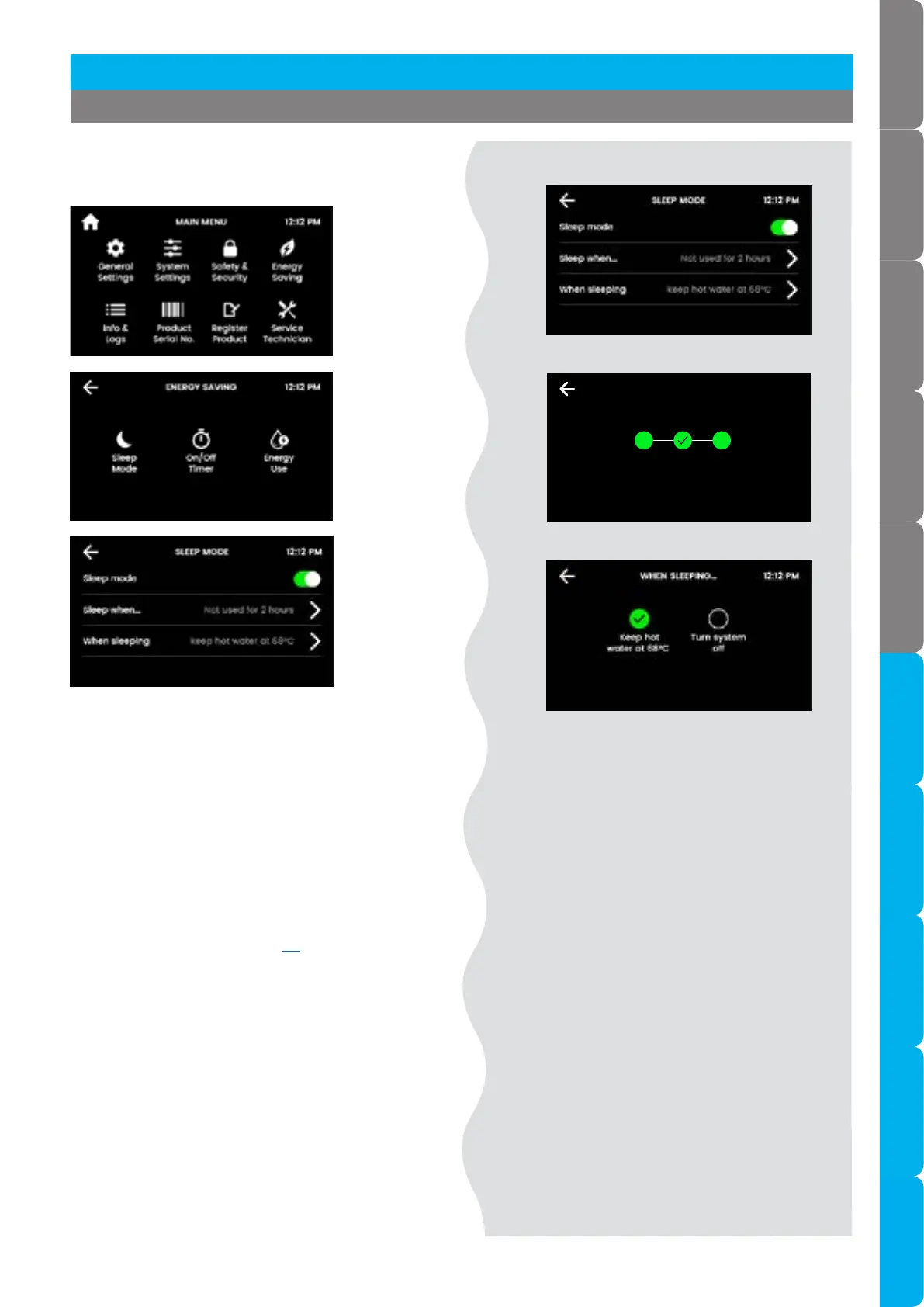
Sleep mode
Sleep mode
• Disabled (default).
• Enabled: Any attempt to dispense water will
bring the HydroTap out of sleep mode. Allow
sufficient time for the water to reach the set
temperature.
Sleep when
• It is recommended to recalibrate the light
sensor after selecting “sleep when it gets dark”.
• Ensure the ambient light is typical for operating
conditions. Refer to page 66.
When sleeping
• Choose between the following modes:
• Keep hot water at 68°C, (chilled water kept at
setpoint for chilled models) (default mode).
• Turn system OFF, boiling and chilled water will
be OFF.
SLEEP WHEN 12:12 PM
It gets
dark
Not used
in 2 hours
[ ]
[ ]
Sleep when
When sleeping
Section 3 Command Centre Screen
Sleep mode



 To Next Page