806834 v1.02 07.21 G5 Online install instructions and user guide
87
USER GUIDE
SAFETY
INSTALLATION
TROUBLE
SHOOTING
COMMISSION
USER GUIDE
TAP SAFETY
LCD SCREEN
CONTACT
INSTALLATION
GUIDE
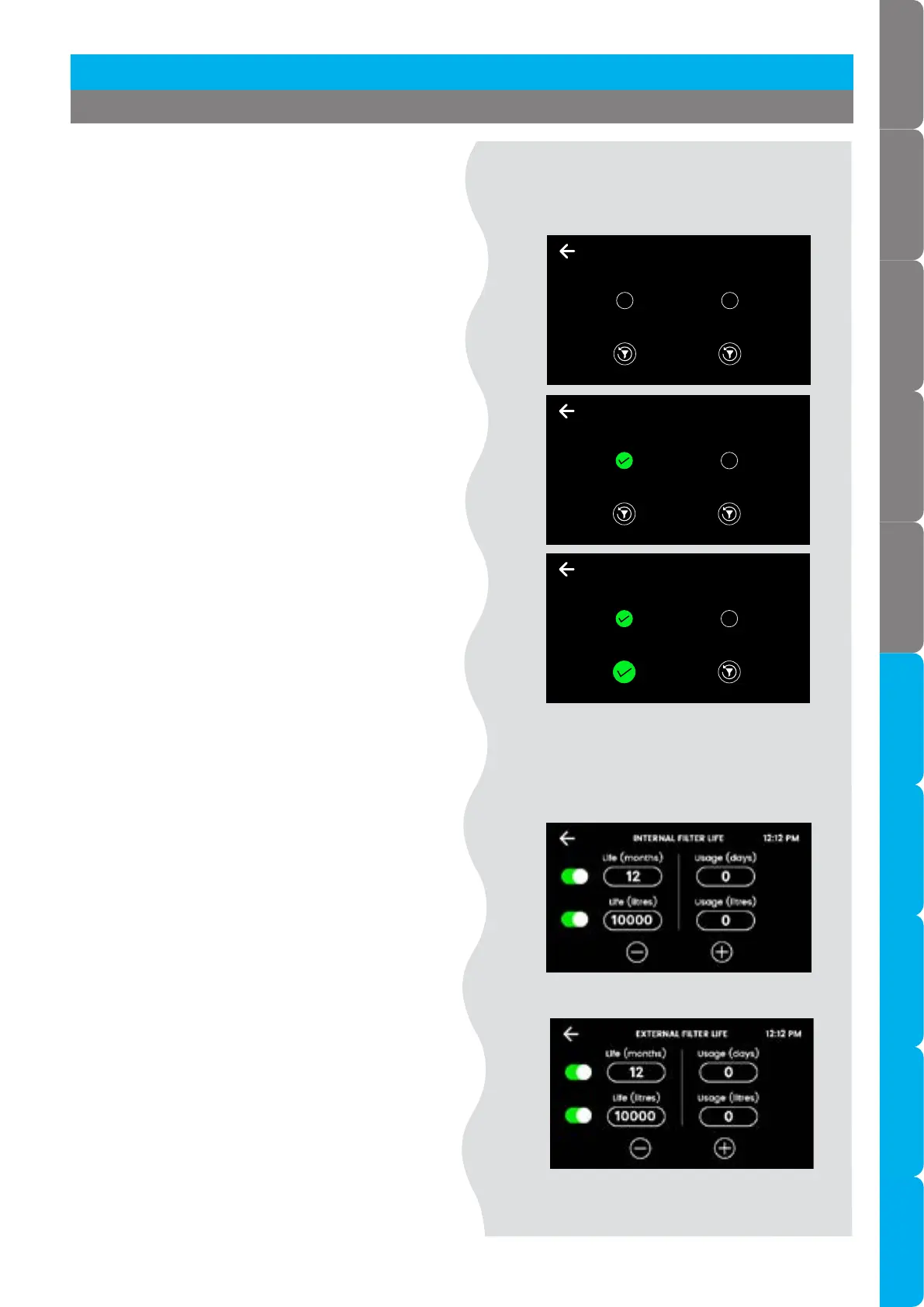
Filter Reset
• Reset the filter counters after filter
replacement and flush.
FILTER RESET 12:12 PM
External
filter
Internal
filter
This will reset the usage counters for the chosen item.
Select an item and press reset to confirm.
3.7.1 Filter settings
Filter Life
• Select internal/external filter and edit the
filter life (months or litres) and actual usage
(days or litres).
• When usage exceeds the filter life, the tap
lights and screen will indicate to change the
water filter.
• Default filter life settings:
12 months, 4000L (residential);
6 months, 6000L (commercial).
Internal filter
External filter
Section 3 Command Centre Screen
FILTER RESET 12:12 PM
External
filter
Internal
filter
This will reset the usage counters for the chosen item.
Press reset to confirm.
FILTER RESET 12:12 PM
External
filter
Internal
filter
This will reset the usage counters for the chosen item.
FILTER COUNTERS HAVE BEEN RESET!
• Press upper internal or external filter button.
• Press lower button to confirm.



 To Next Page