EasyManua.ls Logo

ZOLL AED 3 - User Manual

ZOLL AED 3
48 pages
Print Icon
To Next Page IconTo Next Page
Loading...
Operator’s Manual

Other manuals for ZOLL AED 3

Questions and Answers

  • W
    William BrightSep 3, 2025
    What to do if ZOLL Medical Equipment displays 'The requested file is corrupted. Unable to import'?
    • M
      Mark JacksonSep 3, 2025
      If your ZOLL Medical Equipment displays 'The requested file is corrupted. Unable to import', it means the device can't import the file from the USB drive. Verify that the file is valid and try the import operation again.
  • G
    gregory51Sep 2, 2025
    What to do if ZOLL Medical Equipment displays 'Unable to export requested file. Internal error'?
    • M
      Michael HurstSep 2, 2025
      If your ZOLL Medical Equipment displays 'Unable to export requested file. Internal error', it means the file export was not successful. Verify the Wi-Fi configuration and try the export operation again.
  • W
    William BarrettSep 1, 2025
    What to do if ZOLL AED 3 says 'The system is unable to install the selected certificates'?
    • T
      Tasha MatthewsSep 1, 2025
      If your ZOLL Medical Equipment displays 'The system is unable to install the selected certificates', it means the device can't import the file from the USB drive. Verify that the file is valid and try the import operation again.
  • H
    haneyjohnAug 31, 2025
    What to do if ZOLL AED 3 Medical Equipment displays 'The requested file cannot be found'?
    • T
      Tracy AcostaSep 1, 2025
      If your ZOLL Medical Equipment shows 'The requested file cannot be found', it means the device can't read the USB drive. Verify that the USB drive is properly inserted into the unit.
  • T
    timothyschroederAug 30, 2025
    What does it mean if ZOLL AED 3 Medical Equipment says 'Unable to transmit requested file'?
    • K
      Kevin WattsAug 30, 2025
      If your ZOLL Medical Equipment displays 'Unable to transmit requested file', it indicates that the attempt to export the file to the USB flash drive was unsuccessful. Try the file transfer again.
  • D
    Dr. Nicholas Jackson MDAug 29, 2025
    What to do if ZOLL AED 3 displays 'Wi-Fi connection not established'?
    • J
      Joseph KruegerAug 30, 2025
      If your ZOLL Medical Equipment shows 'Wi-Fi connection not established', it means the device can't transmit data via Wi-Fi. If you haven't already, see 'Setting Up Your Wireless'.
  • G
    gloria29Aug 29, 2025
    What to do if ZOLL Medical Equipment says 'Unable to save files'?
    • C
      Catherine NorrisAug 29, 2025
      If your ZOLL Medical Equipment displays 'Unable to save files', it means the device can't save files to the USB drive. Check that the USB drive has enough free space for the files and is properly inserted into the unit.
  • K
    Katie ThomasAug 28, 2025
    What to do if ZOLL Medical Equipment displays 'REPLACE PADS'?
    • M
      Mr. Dennis Rogers Jr.Aug 28, 2025
      If the ZOLL Medical Equipment displays 'REPLACE PADS', attach new defibrillation pads to the AED. If the message persists, remove the AED from service.
  • M
    Matthew HollowayAug 27, 2025
    What to do if ZOLL AED 3 says 'ATTACH CORRECT DEFIB PADS'?
    • S
      sarah02Aug 27, 2025
      If the ZOLL Medical Equipment displays 'ATTACH CORRECT DEFIB PADS', attach one of the following compatible defibrillation pads to the AED: * CPR-D-padz® * CPR Stat-padz® * Stat-padz II * Pedi-Padz® II. If the message persists, remove the AED from service.
  • K
    Kyle MurrayAug 26, 2025
    What to do if ZOLL AED 3 says 'CHECK PADS'?
    • M
      Michelle CharlesAug 27, 2025
      If the ZOLL Medical Equipment displays a 'CHECK PADS' message, try reattaching the pads. If the message still appears, attach new pads.

Summary

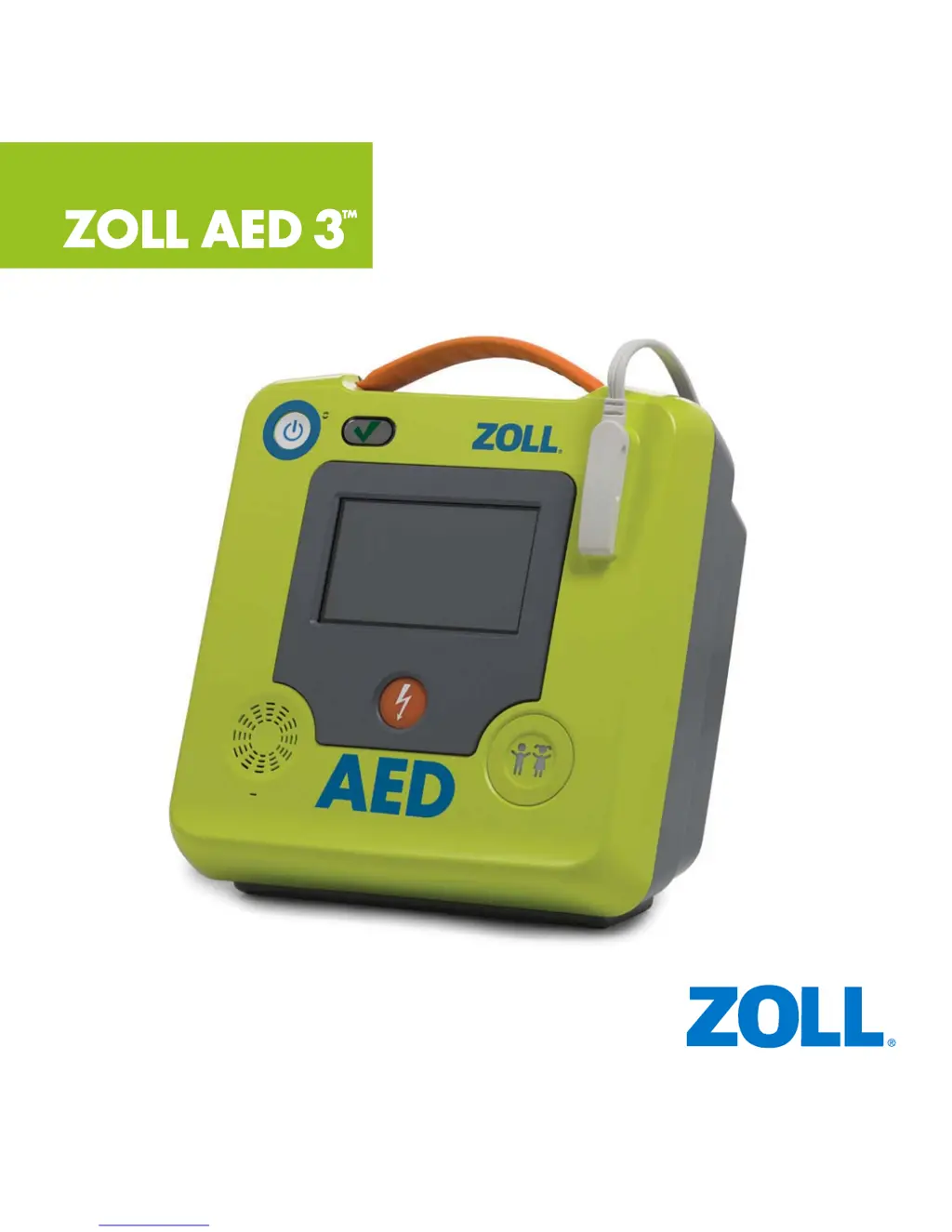
ZOLL AED 3 Controls and Indicators

Key Device Components

Overview of the AED's main controls and indicators.

ZOLL AED 3 Control Functions

Primary Control Functions

Describes the functions of core controls like buttons, speaker, and screen.

Component and Connectivity Functions

Describes functions of pads connector, USB, battery, and handle.

About This Manual

Manual Information and Trademarks

Details the manual's issue date, copyright, and trademarks.

Introduction

Overview of AED Functionality

General description of the ZOLL AED 3 defibrillator's purpose and models.

Indications and Contraindications for Use

When to use and when not to use the AED.

Intended Users and Document Conventions

Specifies target users and explains document conventions.

Safety Summary

Critical Safety Warnings

Key warnings to prevent injury or death during AED use.

Device Precautions

Precautions to prevent damage to the AED device.

ZOLL AED 3 Shipping Contents

Contents of Shipping Container

Lists the items included in the ZOLL AED 3 shipping container.

Setting Up the Defibrillator

Connecting Defibrillation Pads

Instructions for connecting the defibrillation pads to the AED.

Battery Installation and Initial Setup

Installing the Battery Pack

Guide for installing the battery pack into the AED.

Preparing Defibrillation Pads for Use

Steps for preparing and storing the defibrillation pads.

Finalizing Setup and Important Notes

Verifying Correct Installation

Check indicators to confirm correct battery and pad installation.

Key Operational Notes

Important notes on pad/battery connection and status monitoring.

Using the ZOLL AED 3 Defibrillator

Overview of Usage Steps

General steps for using the AED during a rescue.

STEP 1 Turn on ZOLL AED 3 Defibrillator

On;Off Button Operation

Instructions for turning the AED on.

STEP 2 Press Child Selection button (if needed)

Child Selection Button Usage

Instructions for using the child selection button.

STEP 3 Place defibrillation pads on patient

Pad Placement Procedure

Detailed instructions for placing defibrillation pads on the patient.

STEP 4 Shock the Patient

Delivering a Shock to the Patient

Procedures for delivering a shock in different AED models.

When a Shock is Not Needed

CPR Guidance When No Shock Is Needed

Instructions for performing CPR when a shock is not advised.

STEP 5 Start CPR

Initiating Chest Compressions

Steps for starting CPR with AED guidance.

ECG;CPR Dashboard

Understanding the ECG;CPR Display

Explains the information shown on the ECG/CPR dashboard.

Maintaining the ZOLL AED 3 Defibrillator

Overview of Maintenance Requirements

General information on AED maintenance and self-tests.

After Each Use

Post-Use Checks and Actions

Steps to perform after each time the AED is used.

Cleaning the ZOLL AED 3 Defibrillator

Cleaning and Disinfection Procedures

Instructions on how to clean and disinfect the AED.

Replacing the Battery Pack

Procedure for Battery Replacement

Step-by-step guide for replacing the AED battery pack.

Self Tests

Types and Functions of Self Tests

Details the different self tests performed by the AED.

Automatic Self-Test Transfer

Automatic Data Transfer via Wi-Fi

Explains automatic transfer of self-test data.

Troubleshooting

Common Error Messages and Solutions

Lists common error messages and recommended corrective actions.

Troubleshooting Communication Issues

Patient Data Communication Errors

Summarizes messages related to exporting patient data.

Contacting Technical Service

Service and Support Information

Contact details and procedures for technical service.

Transferring Patient Data

Overview of Data Transfer

General information on transferring patient data from the AED.

Exporting Patient Files

Procedure for Exporting Files

Step-by-step guide for transferring patient files via USB or Wi-Fi.

Using ZOLL RescueNet Code Review Software

Software for Analyzing Resuscitation Data

Describes the functions of RescueNet Code Review software.

Using Case Review Software

Software for Clinical Data Management

Describes the functions of Case Review software.

Appendix A: Symbols

Explanation of Device and Manual Symbols

Lists and explains various symbols found in the manual and on the equipment.

Appendix B: Specifications

General Product Specifications

Provides detailed technical specifications for the ZOLL AED 3 defibrillator.

ZOLL AED 3 Specifications

General IconGeneral
Device TypeAutomated External Defibrillator (AED)
IP RatingIP55
WaveformRectilinear Biphasic
Operating Temperature0°C to 50°C (32°F to 122°F)
DisplayColor LCD screen
CPR FeedbackReal CPR Help with audio and visual feedback
Battery TypeLithium Manganese Dioxide (LiMnO2)
Battery Life5 years
Electrode PadsCPR Uni-padz
Weight2.5 kg (5.5 lbs) including battery
Dimensions23.6 cm x 24.7 cm x 12.7 cm (9.3 in x 9.7 in x 5.0 in)
Voice PromptsClear voice prompts
ConnectivityWi-Fi
Data RecordingStores ECG data and event summary
Storage Temperature-4°F to 140°F (-20°C to 60°C)
Energy SelectionAutomatically selects energy level (150J for adults, 50J for children)

Related product manuals