85
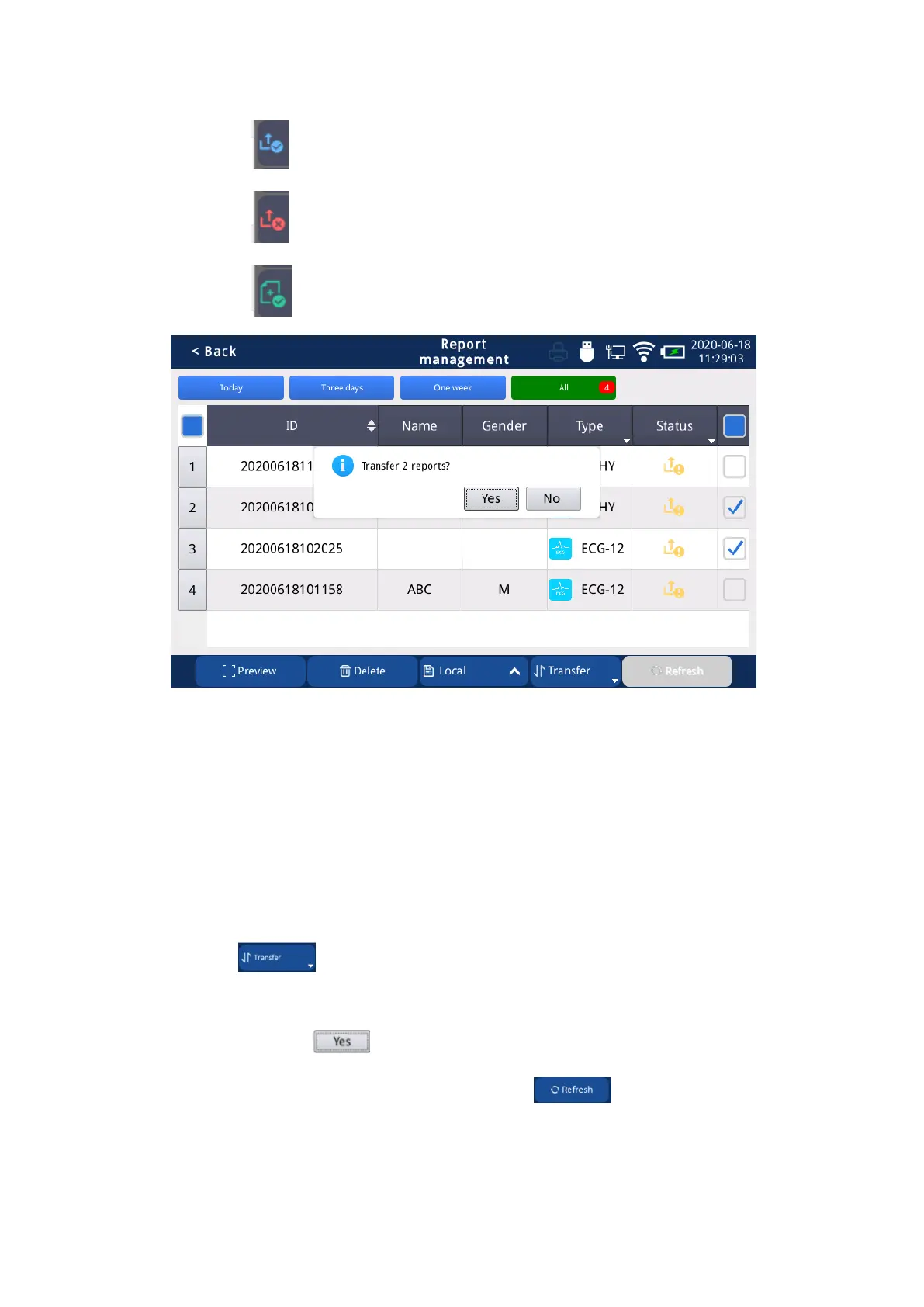
means upload successful;
means upload failed;
means report reload successful;
Fig. 7.4 Report Transmission
7.4 Report Refresh
Report brush operation steps:
1) Successfully enable HTTP and remote diagnosis on the [General-Transfer Settings]
screen. (For details, see Chapter 4 [General-Transfer Settings]);
2) Select the report that needs to be transmitted;
3) Click the “ ” button on the report management interface to select the HTTP
transmission mode;
4) Continue to click the “ ” button to complete the report transmission.
5) After the remote diagnosis is completed, click the “ ” button to return the ECG
report after the diagnosis has been updated.



 To Next Page