Mixer Screen settings
35
Mixer Screen settings (continued)
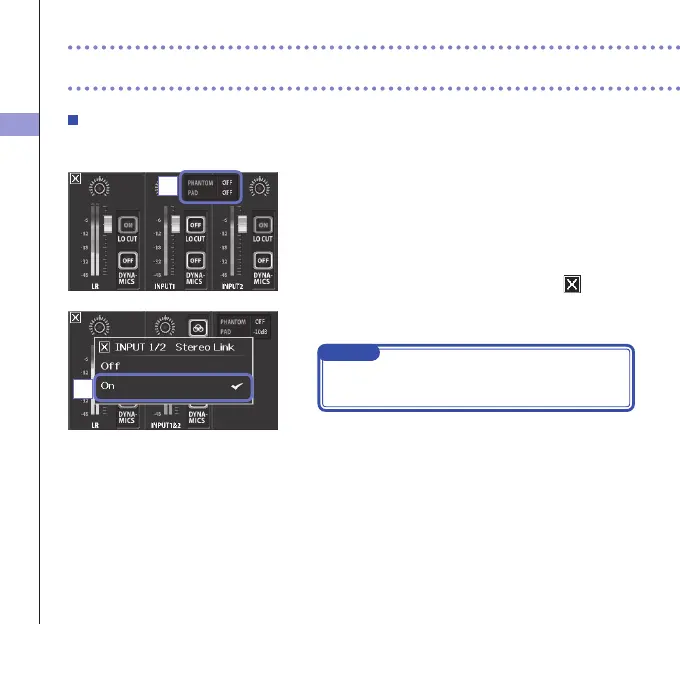
Stereo link setting
Byenablingthestereolink,Inputs1/2canbehandledasastereopair.
1. Touch the shared setting area for Inputs 1/2 on the
Mixer Screen.
2. Change the "INPUT 1/2 Stereo Link" setting in the
submenu.
3.
After completing the setting, touch
to close
the submenu.
NOTE
You can alsoset the stereolinkbypressing thetrack
buttonsforInputs1/2atthesametime.(Seepage19.)
2
1



 To Next Page